AI Document Editing: A Complete Guide
How AI is transforming document creation, from content generation to smart formatting and intelligent search.
Updated 5 Min. Lesezeit
AI is no longer a future promise for document editing — it's here, and it's transforming how individuals and teams create, format, and manage documents. But not all AI implementations are created equal. The difference between AI that genuinely accelerates your workflow and AI that gets in your way comes down to how deeply it's integrated into the editing experience.
This guide covers everything you need to know about AI-powered document editing in 2026: what's possible, what to look for, what to avoid, and how Eddocu's native AI approach sets a new standard.
How AI Is Transforming Document Creation
AI capabilities in document editors have evolved rapidly. What started as basic spell-check and grammar suggestions has expanded into a suite of intelligent features that touch every aspect of document creation.
Content Generation
The most visible AI feature is content generation. Modern AI can draft entire sections, write summaries, create outlines, and generate professional copy based on prompts. But quality varies enormously depending on context awareness.
A standalone AI tool (like ChatGPT in a separate tab) can generate text, but it doesn't know your document's structure, your brand voice, your design tokens, or what you've already written. You end up copying, pasting, and reformatting — defeating the purpose of automation. AI integrated directly into your editor eliminates this friction entirely.
- Draft entire sections from a brief prompt or outline
- Continue writing in the same tone and style as existing content
- Generate variations — create multiple versions of a paragraph for A/B testing
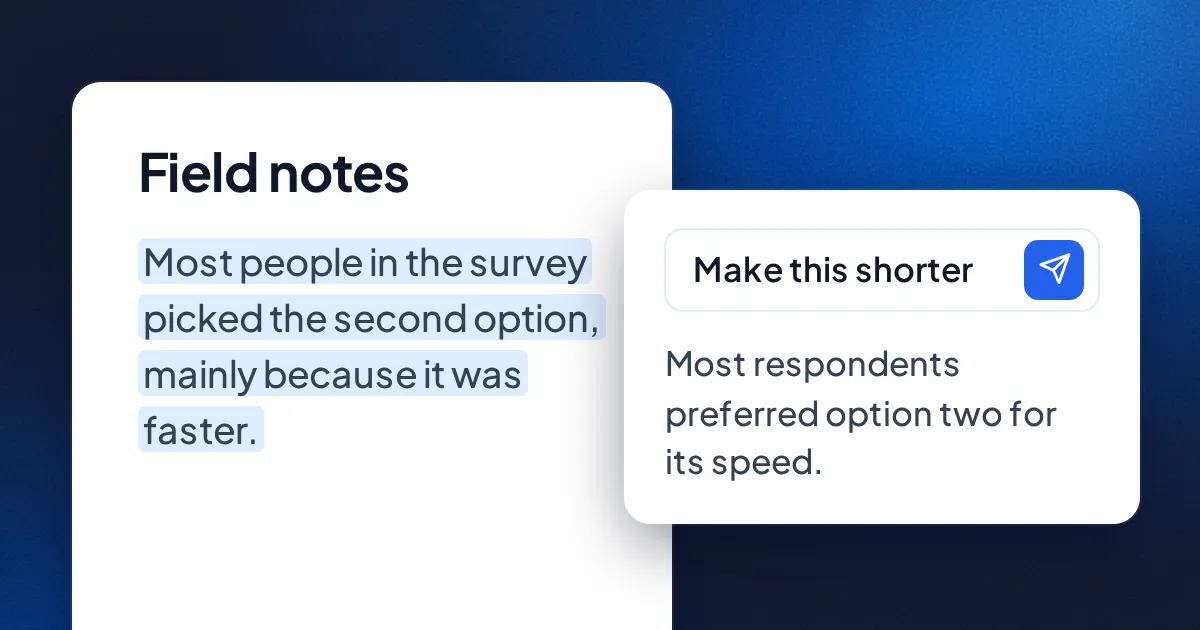
- Expand or condense — make content longer or shorter while preserving meaning
- Translate content — convert sections to other languages inline
Smart Formatting
AI-powered formatting goes beyond "make this bold." Intelligent editors can analyze your content and automatically apply appropriate heading levels, list structures, pull quotes, and callout boxes. They understand that a series of short items should probably be a list, that a key statistic deserves emphasis, and that consistent formatting makes documents more readable.
- Auto-structure — AI suggests heading hierarchy based on content analysis
- Style matching — New content automatically matches existing document styles
- Layout optimization — Suggests better arrangements for text, images, and whitespace
- Design token application — Applies brand-consistent formatting automatically
Intelligent Search and Navigation
Traditional document search is keyword-based: type a word, find exact matches. AI-powered search understands meaning, not just keywords. Search for "revenue projections" and find the section titled "Financial Outlook for Q3" — even though the words don't match. Ask "what did we say about the marketing budget?" and get a direct answer with a link to the relevant section.
For teams managing large document libraries, semantic search transforms how people find information. Instead of remembering which document contains what, you simply ask a question and the AI locates the answer across all your documents.
Contextual Suggestions
The most sophisticated AI editors provide contextual suggestions as you work — not generic autocomplete, but recommendations informed by your entire document's context:
- Tone consistency — Flags when a section shifts from formal to casual tone
- Completeness checks — Notices when a document outline has gaps
- Data freshness — Warns when referenced statistics may be outdated
- Accessibility — Suggests alt text for images, checks heading hierarchy
- Conciseness — Identifies wordy passages and suggests tighter alternatives
Bolted-On vs. Native AI: Why It Matters
The most important distinction in AI document editing isn't which language model powers it — it's how deeply the AI is integrated into the editor itself. This is the difference between bolted-on AI and native AI.
Bolted-On AI (The Sidebar Approach)
Most established editors have added AI as an afterthought. Microsoft's Copilot, Google's Gemini, and Notion AI all follow the same pattern: a chat sidebar or popup where you type prompts, and the AI generates text that you then manually insert into your document.
- AI doesn't understand your document's visual layout or design system
- Generated content requires manual formatting to match existing styles
- Context is limited — AI doesn't see the full document structure
- Feels like two separate tools awkwardly stitched together
- Often an expensive add-on ($20–$30/month on top of base pricing)
Native AI (The Eddocu Approach)
Eddocu was built with AI as a first-class feature from day one. The AI doesn't operate in a disconnected sidebar — it lives inside your document. It understands your document's heading structure, design tokens, content flow, and formatting conventions. When it generates content, that content arrives fully formatted, matching your document's style perfectly.
- Full document awareness — AI reads your entire document before responding
- Format-native output — Generated content uses your design tokens and styles
- Inline interaction — Chat with AI right where you're editing, not in a sidebar
- Structural understanding — AI knows the difference between a heading, a list item, and body text
- Included in every plan — No premium add-on required
What to Look For in an AI Document Editor
When evaluating AI-powered document editors, use this checklist:
- Is AI built in or bolted on? — Can the AI read and understand your entire document, or does it only see the text you paste into a prompt?
- Does generated content match your formatting? — Or do you have to manually reformat every AI-generated paragraph?
- Can AI edit existing content? — Not just generate new text, but rewrite, condense, expand, and restructure existing sections.
- Does it support semantic search? — Can you search by meaning, not just keywords?
- What's the cost? — Many editors charge premium prices for AI features that should be standard.
- Is your data private? — Understand how the editor handles your content when processing AI requests.
Practical AI Workflows
Here are concrete ways teams use AI in Eddocu every day:
First Draft Acceleration
Start with a brief outline and let AI generate a complete first draft. Review, edit, and refine.
Document Summarization
Drop a 50-page report into Eddocu and ask AI to generate an executive summary. The AI reads the entire document and produces a concise summary that captures key findings, recommendations, and data points.
Tone and Style Adjustment
Written a technical document that needs a non-technical version for stakeholders? Ask AI to rewrite sections in plain language. Or convert a casual blog post into a formal white paper. The AI adjusts tone while preserving meaning and applying appropriate formatting.
Multilingual Content
Global teams use AI to translate document sections directly within the editor. The translated content inherits the same formatting and design tokens as the original — no post-translation formatting required.
The Future of AI in Documents
AI document editing is evolving fast. In the coming years, expect editors to offer real-time co-authoring with AI, where the AI actively contributes to documents during collaborative sessions. Predictive formatting that anticipates your layout needs. And deep integration with external data sources — pulling live charts, data, and references directly into your documents.
The editors that will lead this evolution are the ones with AI built into their foundation, not bolted onto their sidebar. Eddocu is that editor.
Get Started with AI-Powered Editing
Experience the difference native AI makes. Create your Eddocu account and try AI-assisted document editing today — generate content, rewrite sections, and search by meaning. The free plan needs no credit card; AI features come with the Pro AI plans.