Document Collaboration for Remote Teams
Best practices for real-time document collaboration when your team is distributed across time zones.
Updated 5 dk okuma
Remote and distributed teams are now the norm, not the exception. And while video calls and chat tools get most of the attention, document collaboration is where real work actually happens. Proposals get written, strategies get documented, designs get reviewed, and decisions get recorded — all in documents.
Yet most document tools were built for a world where everyone sits in the same office. The result? Version confusion, merge conflicts, timezone friction, and hours wasted on manual coordination. This guide covers best practices for remote document collaboration and how the right tools eliminate these pain points.
The Unique Challenges of Remote Document Work
Remote teams face collaboration challenges that co-located teams rarely encounter. Understanding these challenges is the first step to solving them.
Time Zone Fragmentation
When your team spans New York, London, and Tokyo, there's no single "work day." A document started in the morning in New York gets continued by the London team in their afternoon, then reviewed by Tokyo the next morning. Without proper tooling, this creates a chain of confusion:
- Who made which changes and when?
- Is this the latest version, or did someone else update it overnight?
- Were my comments addressed, or just missed?
- Did the formatting I set up get overwritten?
Synchronous vs. Asynchronous Workflows
Remote teams need to master both modes. Some work happens in real time — brainstorming sessions, live editing during meetings, rapid iteration before a deadline. Other work is inherently asynchronous — reviews, approvals, and handoffs across time zones. Your document editor must excel at both.
Context Loss
In an office, you can tap someone's shoulder and ask "why did you change this section?" Remote teams lose this casual context-sharing. Without robust commenting and change-tracking, edits happen in a vacuum, leading to misunderstandings and rework.
Best Practices for Remote Document Collaboration
1. Establish a Single Source of Truth
The number one rule of remote document collaboration: there should be exactly one version of every document, always. No emailing Word files back and forth. No "Final_v2_REAL_final.docx." No wondering which Google Drive folder has the latest version.
Use a cloud-native document editor where the document lives at a single URL. Everyone accesses the same document, sees the same content, and knows they're working on the latest version. This alone eliminates 80% of version-related confusion in remote teams.
2. Master Real-Time Editing
Real-time collaborative editing is essential for synchronous work sessions. When multiple team members are in a document simultaneously — during a meeting, a sprint, or a deadline crunch — the editor must handle concurrent edits gracefully.
- Live cursors — See where each collaborator is working in real time
- Instant sync — Edits appear immediately, not after a save-and-refresh cycle
- Conflict-free editing — Two people editing the same paragraph shouldn't create merge conflicts
- Presence indicators — Know who's currently viewing or editing the document
Not all "real-time" editors deliver the same experience. Microsoft Word's web version has noticeable lag and occasional conflicts. Google Docs handles basic cases but struggles with complex formatting. Test your editor with 5+ simultaneous editors on a formatted document to see how it really performs.
3. Build Async-First Commenting Workflows
For distributed teams, most collaboration happens asynchronously. Your commenting system needs to support this:
- Threaded comments — Discussions stay organized, not scattered across a sidebar
- @mentions — Tag specific team members to request their input
- Comment resolution — Mark comments as resolved to track progress
- Notification integration — Comments trigger notifications via email or Slack
- Contextual anchoring — Comments stay attached to specific text, even as the document changes
The best async workflows treat comments as a structured conversation, not a pile of sticky notes. Each comment thread should have a clear resolution path: open, discuss, resolve.
4. Implement Version Control
Version control for documents is just as important as version control for code. Remote teams need to:
- See complete edit history — Who changed what, when, and why
- Restore previous versions — Roll back if a change introduces errors
- Compare versions — Visual diff between any two points in a document's history
- Name milestones — Mark versions as "Submitted to client" or "Board-approved"
Without version control, remote teams live in fear of accidental overwrites. One team member's well-intentioned edit can erase another's carefully crafted section — and without history, there's no recovery.
5. Standardize Templates and Branding
Remote teams can't rely on in-person reviews to catch off-brand documents. Standardized templates and design tokens ensure consistency without manual oversight:
- Every new document starts from an approved template
- Brand colors, fonts, and spacing are enforced by design tokens
- Team members can't accidentally create off-brand documents
- Template updates propagate automatically — no need to redistribute files
How Eddocu Solves Remote Collaboration
Eddocu was built for exactly this use case — distributed teams creating professional documents together, across time zones, without friction.
Real-Time Editing That Actually Works
Eddocu's collaboration engine syncs cursor movements and text changes between everyone in the document as they happen. Simultaneous edits merge automatically, so there are no merge conflicts.
Async-Friendly by Design
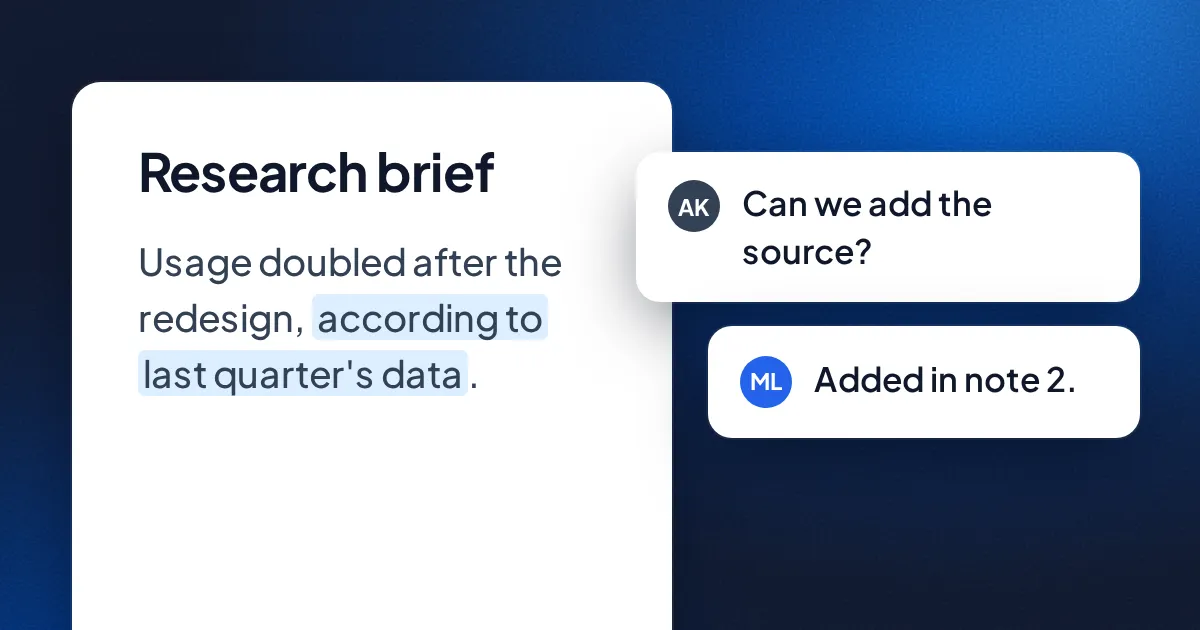
Comments with replies keep async discussions organized inside the document. Team members in different time zones can review changes, leave feedback, and resolve discussions on their own schedule — all within the document itself.
Performance Across Connections
Remote team members don't always have perfect internet. Eddocu's LDF format and incremental loading mean documents load fast even on slower connections. You only download the pages you're viewing, and edits sync efficiently — no re-uploading the entire document after every change.
Design Token Enforcement
Set up your brand's design tokens once. Every document, every team member, every time zone — consistent formatting is automatic. No more "can you fix the font on page 3?" messages in Slack.
Building a Remote Document Culture
Tools matter, but culture matters more. The most successful remote teams adopt these habits:
- Document decisions, not just discussions — After every meeting, key decisions should be captured in a shared document, not just in someone's memory.
- Comment before editing — When reviewing someone else's work, leave a comment explaining your proposed change before making it.
- Use version milestones — Before major revisions, name the current version so you can always roll back.
- Assign document owners — Every document should have a clear owner responsible for its accuracy and completeness.
- Review regularly — Schedule periodic reviews to archive outdated documents and update active ones.
Start Collaborating Better
Your team deserves a document editor built for the way you actually work — distributed, asynchronous, and fast-moving. Eddocu gives remote teams the real-time editing, async workflows, and performance they need to create professional documents without the friction of legacy tools.
Get started for free and invite your team. No credit card required.