Is iLovePDF Safe? Its Security Page and Policy, Checked
Where iLovePDF processes files, how long it keeps them, what its privacy policy says about AI, and how to merge, compress or convert a confidential PDF without uploading it.
4 min de lectura
Short answer: iLovePDF uploads your file to its servers, by default in the European Economic Area, and deletes it within two hours, or at once if you press "Delete now". Its security page lists TLS 1.2 or later in transit, AES-256 at rest and an ISO/IEC 27001:2022 certificate, and its privacy policy says your content is not used to train AI. Signed documents are the exception: those are kept for five years. If a file must not leave your computer at all, the website is the wrong tool, whatever its security.
Eddocu is the editor we make, and it competes with iLovePDF. Everything said about iLovePDF here is taken from its own security page, privacy policy, terms and pricing page, each linked below.
What iLovePDF's security page says
The page iLovePDF Security & Data Protection is more detailed than most PDF websites offer:
- Where: files travel encrypted to servers "in the European Economic Area by default".
- How long: processed files are deleted within 2 hours, and a "Delete now" button removes them straight away.
- Encryption: TLS 1.2 or later in transit, AES-256 at rest.
- Certification: ISO/IEC 27001:2022, certificate IS 846167, valid from November 2020 to November 2029.
- Signatures: signed documents and their audit trail are kept for 5 years, which a signature service needs for evidence.
- AI tools: content goes to a language model provider under contract, processed in the EEA, and is not kept or used for training, the page says. The provider is not named.
The privacy policy and the terms
The privacy policy, revised on 19 February 2026, says in capitals that iLovePDF does not use your content to train AI. It also says processing happens within the EEA, and that users outside it may be processed closer to where they are. The pricing page explains that part: Premium offers processing in 7 regions and Business in 11. The terms of use name the company, ILOVEPDF, S.L. in Barcelona, Spain, and repeat the two-hour deletion.
| Question | iLovePDF's answer | Where |
|---|---|---|
| Is the file uploaded? | Yes, to its servers | Security page |
| Where is it processed? | EEA by default; regions on paid plans | Security page, privacy policy, pricing |
| Encrypted? | TLS 1.2+ in transit, AES-256 at rest | Security page |
| Deleted when? | Within 2 hours, or at once with Delete now | Security page, terms |
| Signed documents | Kept 5 years with the audit trail | Security page |
| Used to train AI? | No | Privacy policy, security page |
| Certification | ISO/IEC 27001:2022 | Security page |
What this means for a confidential file
Encryption and a deletion timer protect a file while a company holds it; they do not change the fact that the company holds it for up to two hours. For a non-disclosure agreement, a patient letter, a payroll export or a client file under professional secrecy, the rule you work under may forbid any third party from receiving it. In that case the safe answer is a tool that never sends the file, not a better server.
iLovePDF's own answer to that is its desktop app. The desktop page says it processes files offline, and the security page says of desktop files that iLovePDF never receives them. The Tools and Reader edition costs $7 a month or $48 a year.
Free limits, if you stay on the website
The free plan sets limits per task. Examples from the pricing page: Merge takes up to 25 files and 100 MB, Compress up to 200 MB, and Office to PDF up to 15 MB. Larger jobs need Premium.
The same work on your own device with Eddocu
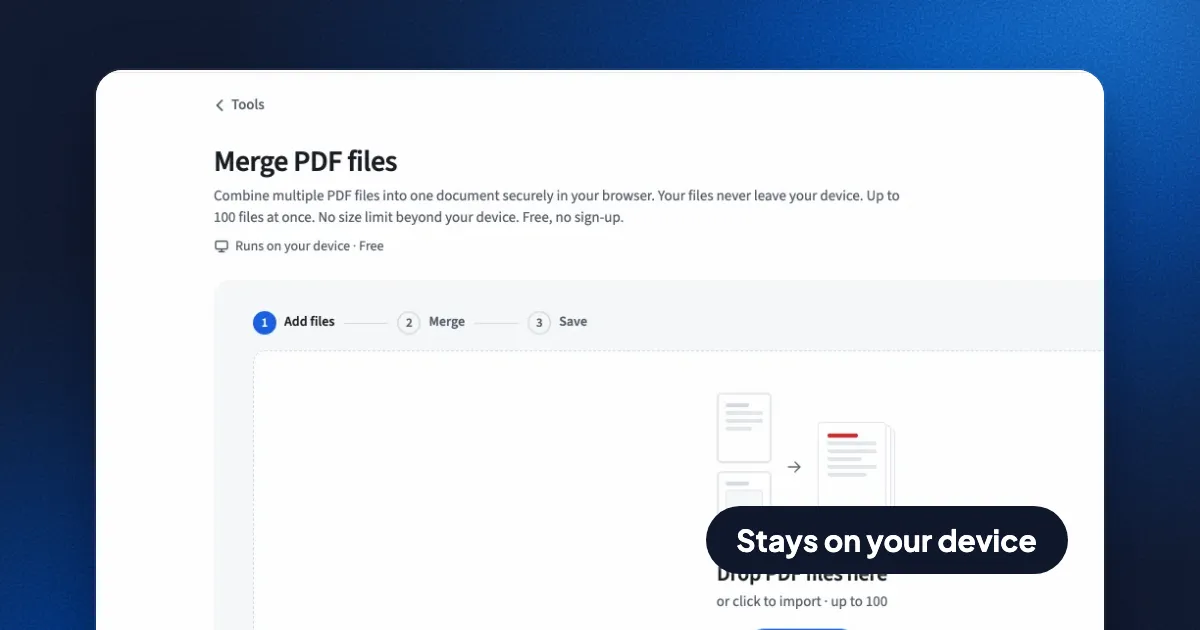
Eddocu's PDF tools on eddocu.com run in the browser tab and need no account. The page downloads the tool once; after that your computer reads the file and writes the result, and nothing is sent back.
| Job | Eddocu tool | Where it runs |
|---|---|---|
| Merge, split, reorder | Merge PDF, Split PDF, Reorder Pages | Your browser |
| Make a PDF smaller | Compress PDF | Your browser |
| Convert | PDF to Word, Word to PDF, PDF to JPG | Your browser |
| Sign and fill | Sign PDF, Form Filler | Your browser |
| Change the PDF's own text | Eddocu apps | Your device, offline |
| Change the text on the web | Eddocu web editor | Eddocu's servers, free account |
Sign PDF in the browser draws, types or places your own signature. Our overview of every route is edit a PDF without uploading it; the feature table is at Eddocu vs iLovePDF.
Facts checked on 29 November 2026 on ilovepdf.com: the security page, privacy policy, terms, pricing and desktop pages.
FAQ
Does iLovePDF delete my files?
Yes, within two hours of processing according to its security page and terms, or immediately with the Delete now button. Signed documents are kept for five years.
Where are iLovePDF's servers?
In the European Economic Area by default. Its privacy policy says users outside the EEA may be processed closer to where they are, and paid plans let you choose a region.
Does iLovePDF use my documents for AI?
Its privacy policy says it does not use your content to train AI. Its AI tools send content to a language model provider it does not name, under a contract that rules out keeping it.
How do I use iLovePDF tools without uploading?
Use iLovePDF's paid desktop app, or a browser tool that runs on your device, such as Eddocu's Merge PDF, Compress PDF or PDF to Word, which are free and need no account.