What Is a UDF File? Open UYAP Documents Anywhere
What a UYAP .udf file is, how to open it on Windows, a Mac, a phone or in a browser, how to turn it into PDF or Word and back, and what the common errors mean.
読了目安 8 分
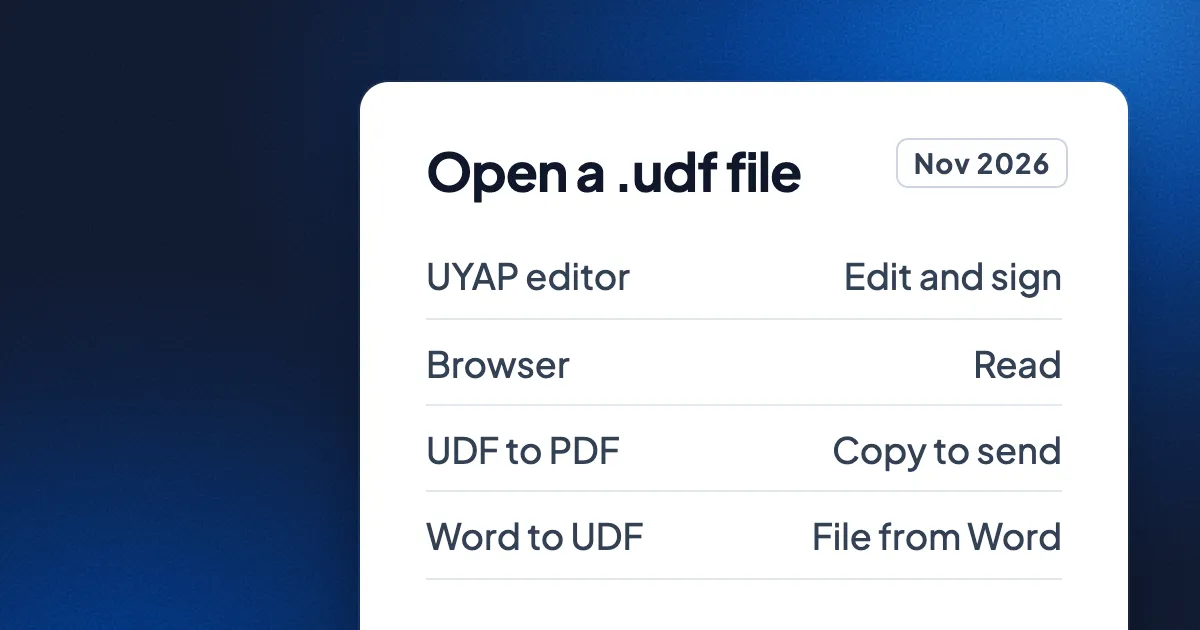
Short answer: a .udf file is a document from UYAP, the electronic system of Turkey's courts and Ministry of Justice. The official program for it is UYAP Doküman Editörü, a free download from uyap.gov.tr for Windows, Mac and Linux. To only read one, without installing anything, drop it on Open UDF File in any browser, on a computer or a phone. To keep or share a copy, convert it with UDF to PDF or UDF to Word.
Eddocu is the editor we make, and the UDF tools linked here are ours. Eddocu is not part of UYAP and has no link to the Ministry of Justice. The UYAP editor's steps below come from its download page on uyap.gov.tr; the rest we ran ourselves on made-up petitions, because a real case file is not something to test with.
What a UDF file is
UYAP stands for Ulusal Yargı Ağı Projesi, the National Judiciary Network Project run by the Ministry of Justice. Courts, prosecutors, lawyers and citizens exchange documents through it: petitions, rulings, expert reports, minutes and notifications. UYAP Doküman Editörü saves those documents as .udf files, and that is the format a lawyer uploads through the Avukat Portal or receives from a court.
Inside, a UYAP .udf file is a ZIP archive. The text, its formatting and the page setup sit in an XML file called content.xml, and a signed document carries its electronic signature in the same package. That is why a ZIP program can open one, and also why the result looks like code rather than a petition: the XML holds the words, but only an editor turns it back into pages.
Not the disc format. UDF is also the name of Universal Disk Format, the file system of DVDs, Blu-ray discs and some disc images. If your file came from a court, a lawyer or the UYAP portal and is a few hundred kilobytes, it is the UYAP kind. If it is several gigabytes and came with a disc or a backup, it is the other one, and none of the tools in this guide will read it.
Four ways to open a UDF file
| Way | Install | Shows the pages | Edit and save UDF | E-signature |
|---|---|---|---|---|
| UYAP Doküman Editörü | Yes, from uyap.gov.tr | Yes | Yes | Yes, with e-imza or m-imza |
| A ZIP program and content.xml | A ZIP tool | No, raw XML | No | No |
| Other online UDF viewers | No | Usually | Varies | No |
| Eddocu | No for reading; app or account to edit | Yes | Yes | No |
The official editor is the only one of the four that signs. Use it for anything you file. The others are for reading a document someone sent you, printing it, quoting it in another document or passing a copy to a client who has never heard of UYAP.
Open a UDF file on Windows
- Go to the UYAP editor page on uyap.gov.tr and download the Windows installer. The page offers an EXE and an MSI; the EXE is the usual choice on a personal computer, the MSI is for offices that install software centrally.
- Run the installer and accept its steps. When it finishes, .udf files open in UYAP Doküman Editörü on a double-click.
- If a .udf still opens in a ZIP program, or Windows asks which app to use, right-click the file, choose Open with, pick UYAP Doküman Editörü and tick the box to always use it.
On a work computer where you can't install programs, use the browser instead: Open UDF File reads the file inside the browser tab. Eddocu's Windows app opens UDF too, after you add the free UDF add-on from Settings with one click.
Open a UDF file on a Mac
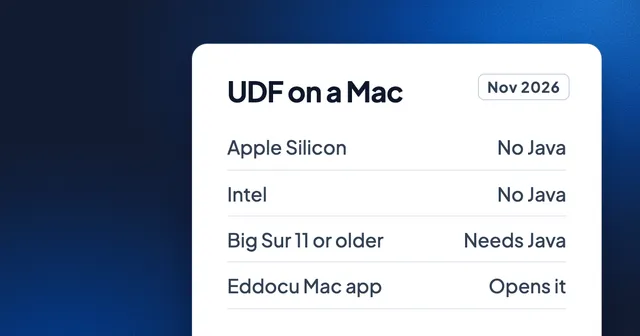
UYAP publishes Mac builds of its editor for Apple silicon and for Intel processors, and the current builds need no separate Java install. An older build for macOS Big Sur 11 and earlier still asks for Java. Pick the build for your chip: the Apple menu > About This Mac shows "Chip" with an Apple M name, or "Processor" with an Intel one.
Eddocu's Mac app reads UDF with nothing to add: open the file and its pages appear. When the official editor won't start, the reasons are usually the same three or four, and we go through them in opening a UDF file on a Mac.
Open a UDF file on a phone
A petition that arrives by email or messaging app is often first seen on a phone. Two routes work there:
- UYAP's own apps. UYAP lists Android and iOS apps beside the desktop editor on its download page. Install them from the store links there rather than searching the store, where look-alike apps appear.
- The browser. Save the attachment to Files on an iPhone or Downloads on Android, open eddocu.com/tools/open-udf-file in Safari or Chrome and choose the file. The pages appear in the tab, and nothing is uploaded.
We are also building a phone app for UDF, called UDF Editörü. It is not in the stores yet; its page is at eddocu.com/udf.
Read a UDF in the browser, with no install
The browser route is the same on every system. On Open UDF File, click Choose file or drop the .udf on the page. The tool unpacks the file in the tab, reads content.xml and lays the text out as pages you can scroll through. From the same page you can download it as a PDF or convert it to Word.
It does not need UYAP Doküman Editörü, Java or a signature card, and the file stays on your device. To change the text, open it in the UDF editor instead, which saves as UDF, Word or PDF. The browser editor needs a free Eddocu account; the desktop apps edit without one.
Convert a UDF to PDF or Word
A client, an expert or a colleague abroad usually can't open a .udf at all. A PDF opens everywhere, and a Word file lets someone quote the text or build a new petition on it.
- Open UDF to PDF for a reading copy, or UDF to Word for a DOCX you can edit.
- Add the files. Both tools take up to 50 at once, which helps with a case folder downloaded file by file.
- Press Run, then download the results. The conversion runs in your browser.
Text and its formatting, tables, headers and footers, pictures, barcodes and the letterhead background come across to the PDF. Attachments saved with the document (ekler) do not, so download those from UYAP separately. A signed UDF still converts, but the PDF or DOCX is a plain copy of the content. The e-signature is neither checked nor carried into the new file, so the original .udf is what proves the document was signed. All the UDF tools are gathered on UDF tools.
Make a UDF from Word or a PDF
Many lawyers write petitions in Word and only need the final version as UDF. Two tools do that, and both write the file in the same format the UYAP editor saves.
- Word to UDF takes DOCX, DOCM, DOTX and DOTM files. An old .doc file isn't accepted: open it in Word and save it as .docx first. Text, headings, tables and pictures come across; check page breaks and spacing, which can differ.
- PDF to UDF runs in the browser and the PDF never leaves your device. Text flows in one column, so a page set in two columns may come out in a different reading order. Scanned pages become pictures with no editable text: run OCR PDF on them first. Shapes, charts and formulas are dropped, and a stamp drawn as vector art may not survive.
Then open the new .udf in UYAP Doküman Editörü, read it once from top to bottom, sign it there with your e-imza or m-imza and upload it as you always do. Eddocu writes unsigned files only.
E-signed and password-protected files
E-signed UDF. Reading and converting a signed file is safe: neither changes the original. Editing is different. Any change to a signed document, even one comma, makes its signature invalid, which is how electronic signatures are meant to work. If the content has to change, edit it, then sign the new version again in the UYAP editor.
Password-protected files. A .udf itself has no password in normal use. When someone sends one with a password, it is almost always inside a protected ZIP or RAR archive. Extract it with the password the sender gave you, then open the .udf inside. None of the tools here can open an archive without its password.
Common errors and what they mean
- The file opens as a folder of XML files. A ZIP program is set as the default for .udf. Change the default app to the UYAP editor, or read it in the browser.
- "File is damaged" or nothing opens. The download probably stopped halfway, which happens with large attachments on mobile data, or another file was renamed to .udf. Download it from UYAP again and compare the size with the sender's.
- The editor asks for Java. You installed the older build. On Windows and on a Mac with a current macOS, download the current build from uyap.gov.tr instead of installing Java.
- The signature shows as invalid. The document was changed after it was signed, or it was saved again by a program that rewrote it. Ask the sender for the original file.
- A converted petition looks different. Some Word formatting has no UDF equivalent, and tracked changes are better settled before the file leaves Word. Accept or reject them, convert, then check the result in the UYAP editor.
Court documents and privacy
Case files hold names, ID numbers, addresses, health details and money matters, and in Turkey personal data falls under KVKK. Before you drop a file on any website, find out whether it is read on your device or sent to a server. Eddocu's Open UDF File, UDF to PDF, UDF to Word and PDF to UDF read the file in the browser tab. The browser editor is the exception: it works on files in your account. On a shared office computer, close the tab when you are done and empty the Downloads folder.
FAQ
Can I open a UDF file without UYAP Doküman Editörü?
Yes, to read, print or convert it. A browser tool shows the pages on any device. To sign and file a document you still need the official editor.
Does converting a UDF to PDF keep the e-signature?
No. The PDF is a readable copy. Keep the original .udf as the signed document and send the PDF only as a reading copy.
Can I write a petition in Word and file it as UDF?
Yes. Save it as .docx, convert it with Word to UDF, open the result in the UYAP editor, check it, sign it there and upload it.
Why does my .udf file open in WinRAR or 7-Zip?
Because a UDF is a ZIP archive inside, and an archive program claimed the extension. Set the UYAP editor as the default app for .udf files.
Last updated 29 November 2026. The UYAP editor's platforms and builds are as listed that day on its download page.