Eddocu, Because Security Matters: Offline by Default, No Ads, Your Documents Not Used for Training
Eddocu edits PDF, Word and PowerPoint files on your device, offline, with no upload. When a file leaves the device, how sharing works, and what the privacy policy and terms say.
Updated 6 min read
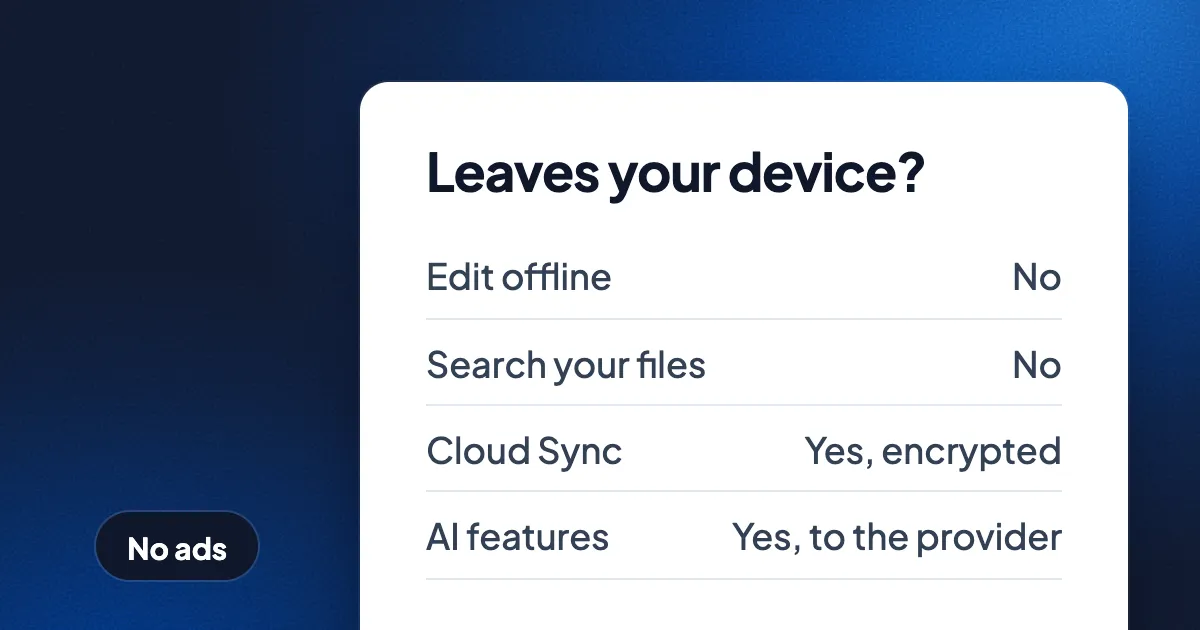
Short answer: the Eddocu apps open and edit your PDF, Word (DOCX) and PowerPoint (PPTX) files on your device, with or without an internet connection, so you don't upload a file to edit it. A file leaves the device only when you sync it, share it, or use an AI feature on it. Eddocu has no ads on any plan, does not sell personal information, and its privacy policy says your documents are not used to train third-party AI models without your explicit consent. Eddocu is the editor we make; this post says what it does today, where the limits are, and what the privacy policy and terms say.
Offline by default: your files stay where they are
The Eddocu apps for Windows, Mac, Linux, iPhone, iPad and Android open files from the folders you choose. In the app's Local view, Eddocu opens a file where it is. Offline editing is part of the free plan.
- Your original file is never changed. When you open a DOCX, PPTX or PDF, Eddocu keeps its own copy on the device and your edits go to that copy. The file you opened stays exactly as it was.
- Export happens on the device. Save the edited copy as PDF, PPTX or DOCX whenever you like, even offline.
- Search stays local. Eddocu can index the words inside your files so you find them by content. The index is built on the device and is never uploaded.
- Cloud Sync is off until you turn it on. Turned on, it sends the files you open to your Eddocu account so your other devices have them. You can also sync one file only, from its menu.
The eddocu.com website does not edit offline; offline editing is in the apps. On the website, the page tools such as Merge PDF run in your browser, and the PDF never leaves your device. The converters are different: they run on Eddocu's servers, and Eddocu deletes the file as soon as the result is ready. For why that difference matters, see how long online PDF tools keep your files.
When does a file leave your device?
| What you do | Does the file leave the device? | Where it goes |
|---|---|---|
| Open, edit and export in an Eddocu app | No | Stays on the device |
| Search inside your files | No | The index stays on the device |
| Merge or reorder pages with a web page tool | No | Handled in your browser |
| Turn on Cloud Sync | Yes | Your Eddocu account, stored encrypted |
| Share with a link | Yes | A cloud copy, so the link can open it |
| Use a web converter | Yes | Eddocu's servers, deleted when the result is ready |
| Use an AI feature on the file | Yes | The AI provider that runs that feature |
No ads, and no selling your data
Eddocu shows no ads on any plan, free or paid. The free plan is not paid for by your attention: only AI and Cloud Sync are paid. The privacy policy says Eddocu does not sell personal information. The privacy policy also says Eddocu does not currently use third-party analytics or advertising cookies, and that Eddocu will update the policy and ask for consent where required before it ever does.
Your documents and AI training
AI in Eddocu is something you turn on. The first time you use an AI feature, Eddocu asks before anything is sent, and lists what the feature needs: what you type or say, and the document content you use it with. Nothing is sent until you use an AI feature, and you can change your answer in Settings › Privacy & data.
On training, the documents say this, in their own words:
- The privacy policy: your documents are not used to train third-party AI models without your explicit consent, and Eddocu does not use your data to train AI models for other customers.
- The terms: Eddocu does not use Your Content to train AI models for other customers without explicit consent, and third-party AI providers work under data processing agreements.
One thing to know: the privacy policy lists prompts and interactions with AI features among the data Eddocu collects, for service improvement. If you would rather keep AI requests out of Eddocu's hands entirely, the desktop apps can run AI on your own account with your own provider; see Your workspace, your documents, your AI.
How sharing and access work
A document stays private until you share it. Nobody browses your library. To share a file that lives only on your device, Eddocu first makes a copy in the cloud; your file stays on the device too, and both stay in sync.
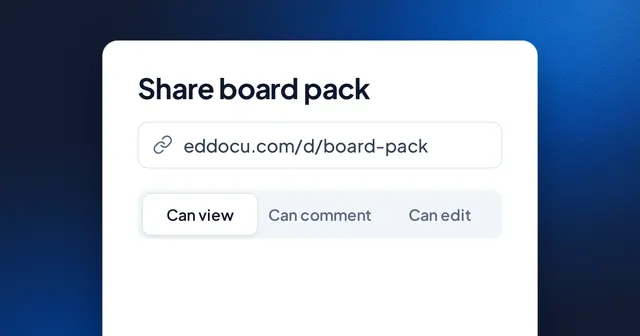
- Who can open it: Restricted (only people with access), Anyone with the link, or Public (anyone can find and view).
- What they can do: Viewer, Commenter or Editor.
- Finer switches: whether editors may share it further, and whether viewers or editors may download it.
- Blocking: block someone and they can't share documents with you or comment on yours.
Where cloud data is stored and how it is protected
- Storage: account data and the documents you keep in Eddocu are stored on Microsoft Azure servers in the European Union.
- Delivery: traffic passes through Cloudflare's network. Some document files may be cached in Cloudflare data centers for up to 7 days, and a cached copy is delivered only after Eddocu's edge code checks a short-lived access token for your account. Cached copies are not public.
- Encryption: data is encrypted in transit (TLS) and documents are stored encrypted (AES-256). Passwords are salted and hashed, never stored in plain text.
- Payments: card numbers are processed by Stripe and never stored on Eddocu's servers.
What the privacy policy and terms say about ownership and deletion
- You own your content. The terms say you keep all intellectual property rights to what you create, upload or process. Eddocu gets a limited licence to store, process and show it to the people you choose, only to provide the service, and that licence ends when you delete the content or close your account.
- Export any time. You can export the original file (PDF, PPTX or DOCX) whenever you like.
- Deletion. In Settings › Privacy & data › Delete account, the account closes immediately; 30 days later Eddocu permanently deletes your documents, files, chats and personal data. Backups are typically deleted within 90 days, and financial records may be kept for up to 7 years where the law requires.
- Your rights. Access, correction, erasure, portability and objection under GDPR, and the CCPA rights for California residents, through privacy@eddocu.com.
Where other tools are ahead today
Eddocu does not offer single sign-on (SSO) or audit logs today. SOC 2 Type II is in progress, not complete, and Eddocu holds no security certification yet. If your company requires an audited vendor report or SSO before anyone may use a tool, an established suite will clear that review sooner. Our notes on what to ask any vendor are in enterprise document security.
If your need is simpler, keeping a contract or a medical letter off someone else's server, an app that edits the file on your device solves it by design. Download Eddocu for your device, see how to edit a PDF offline, or compare plans on the pricing page.
FAQ
Can I edit a PDF without uploading it?
Yes. The Eddocu apps for Windows, Mac, Linux, iPhone, iPad and Android edit the PDF on your device, offline, and the file is not uploaded unless you turn on Cloud Sync, share it, or use an AI feature on it.
Does Eddocu use my documents to train AI?
Eddocu's privacy policy says your documents are not used to train third-party AI models without your explicit consent, and Eddocu does not use your data to train AI models for other customers.
Does Eddocu show ads or sell my data?
No. Eddocu has no ads on any plan, and the privacy policy says Eddocu does not sell personal information.
Is Eddocu SOC 2 certified?
Not yet. SOC 2 Type II is in progress. Eddocu does not offer SSO or audit logs today.
Who can see a document I share?
Only the people the share setting allows: people you gave access to (Restricted), anyone with the link, or anyone (Public). You pick Viewer, Commenter or Editor, and whether they may download it.
Facts checked on 16 November 2026 against Eddocu's privacy policy (last updated 13 November 2026), terms of service and the in-app text of the Eddocu apps. Policies change; the current versions are on the privacy, terms and security pages.