How to Edit a PDF Offline Without Uploading It
What Preview, Edge, Word, LibreOffice, Acrobat and Eddocu can edit with no internet connection, and how to change PDF text without your file leaving your computer.
Published Updated Reading time 4 min read
On this page
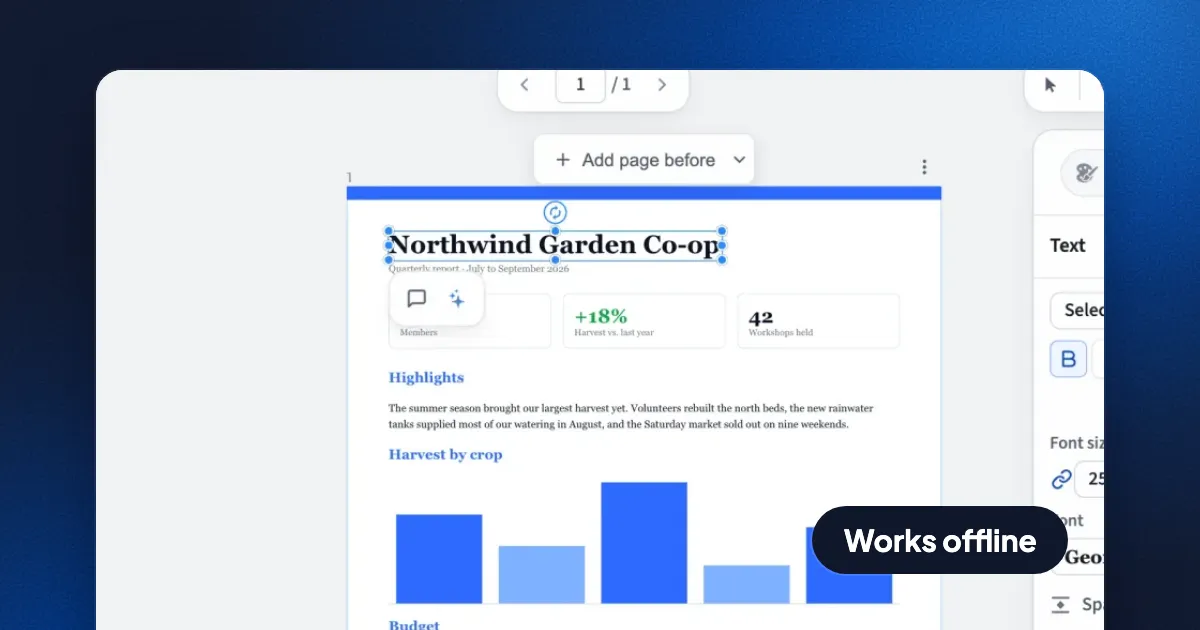
Short answer: to edit a PDF offline you need a desktop app that does the work on your computer, not a website. On a Mac, Preview annotates, signs and reorders pages offline but cannot change the existing text. On Windows, Microsoft Edge annotates offline. To change the actual words on the page offline, use a desktop editor such as Eddocu (free for personal use, Mac, Windows and Linux), Adobe Acrobat Pro (paid), or LibreOffice Draw (free, with layout loss).
Below: why offline matters, what each built-in tool can and cannot do, and a step-by-step guide to editing PDF text with no internet connection.
Why edit a PDF offline
- The file never leaves your computer. Online PDF editors upload your document to their servers to process it. Most say they delete uploads after a few hours, but the file still travelled to and sat on someone else's machine.
- Contracts, payslips, medical and legal papers. Many companies forbid uploading confidential files to third-party services, and data protection rules such as the GDPR make you responsible for where personal data goes.
- Planes, trains and bad hotel Wi-Fi. A desktop editor works the same with no connection.
- Speed. No upload and no download. Large scans open from your disk instead of crossing the network twice.
What the tools you already have can do offline
| Tool | Where | Annotate and sign | Reorder pages | Edit existing text |
|---|---|---|---|---|
| Preview | Mac, built in | Yes | Yes | No |
| Microsoft Edge | Windows, built in | Yes | No | No |
| Firefox PDF viewer | Any desktop | Yes | No | No |
| Microsoft Word | Windows, Mac (paid) | No | No | Converts the PDF into a Word document; layout often changes |
| LibreOffice Draw | Windows, Mac, Linux (free) | Yes | Yes | Yes, layout often shifts |
| Adobe Acrobat Pro | Windows, Mac (paid subscription) | Yes | Yes | Yes |
| Eddocu | Windows, Mac, Linux (free for personal use) | Yes, drawn signatures | Yes | Yes |
A quick test for any tool: turn off Wi-Fi, open a PDF and make an edit. If it still works and saves, it is offline. If it shows a spinner or a sign-in wall, your document was going to a server.
How to edit PDF text offline with Eddocu
Eddocu is the editor we make. The desktop apps open and edit PDF, DOCX and PPTX files on your computer, and need no account to do it.
- Install it once, while you are online. Download Eddocu from eddocu.com/download: a
.dmgfor macOS 13 and later, an installer for Windows, or a.debfor Ubuntu 22.04 and later. - Go offline if you like. From here nothing needs a connection.
- Open the PDF. Drag it onto the Eddocu window, or use Open a file. The document opens for reading.
- Pick a tool to start editing. Choose the text tool, a pen, the highlighter or any other tool, then click into the text you want to change and type.
- Move, add or remove things. Drag images, add or delete pages, and reorder them in the slides panel.
- Export. Use Export document to save a PDF, or a DOCX or PPTX if the next person needs to keep editing it.
Your file stays on your disk the whole time. If you sign in later and turn on cloud sync, that is your choice per document, and you can keep using everything above without it.
Limits to know before you start
- Fonts. PDFs often carry only the letters they already use from a font. Typing a new letter that is not in the file needs the full font. Eddocu fetches document fonts in the background while you are online; offline, an unusual font may be replaced by a close match.
- Scans are pictures. A scanned page has no text to edit until text recognition (OCR) reads it. Eddocu reads scans on your device (on Linux, the text-recognition model downloads the first time you use it). Check names and numbers afterwards.
- Signatures. Eddocu signatures are drawn, like signing on paper. If your document needs a certificate-based digital signature, use a tool that supports one, such as Acrobat or Okular.
- AI features are online. Translating or rewriting a document with AI sends text to an AI service, and Eddocu asks before it does. Everything else on this page works offline.
Editing PDFs offline on a phone or tablet
On iPhone and iPad, the Files app and Markup annotate and sign offline, but cannot change existing text. On Android, most PDF apps annotate offline; check that an app does not upload files before you trust it with a private one. Eddocu's apps for iPhone and iPad (App Store) and Android (Google Play) run the same engine as the desktop apps, on the phone itself, so the text editing above works there too, with no account and no connection.
FAQ
Can I edit a PDF without uploading it?
Yes. Use a desktop app: Preview or Edge to annotate, or Eddocu, Acrobat Pro or LibreOffice Draw to change the text. All of them work on the file on your disk.
Is there a free offline PDF editor that edits existing text?
Yes. LibreOffice Draw is free and open source, though layouts often shift. Eddocu is free for personal use on Mac, Windows and Linux and edits text in place.
Does Adobe Acrobat work offline?
The desktop app edits files offline, but it is a paid subscription and Adobe checks the license online from time to time.
Facts checked on 13 November 2026.
Related posts
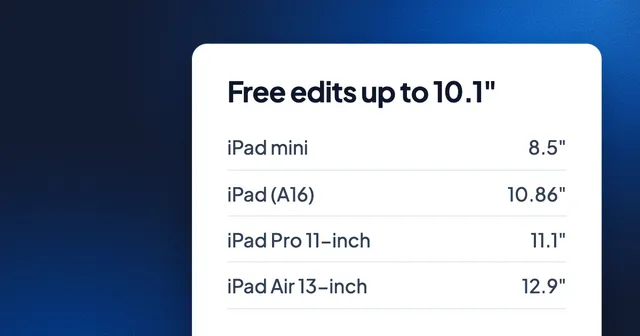
How to Edit PowerPoint on an iPad Without Microsoft 365
PowerPoint edits for free only on screens of 10.1 inches or less, and every iPad but the mini is bigger. What each iPad measures, and the free ways to edit and save .pptx: Keynote, Google Slides and Eddocu.
Guide 3 min read
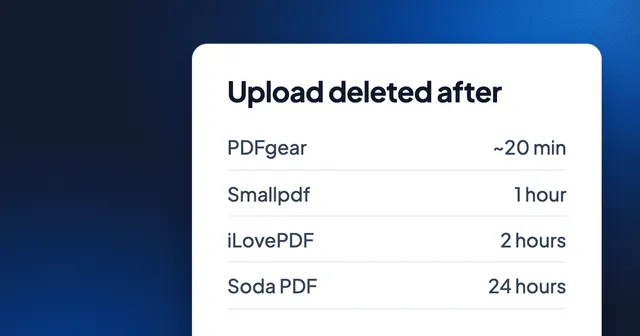
How Long Online PDF Tools Keep Your Files: Smallpdf, iLovePDF, Adobe, Sejda and More
From 20 minutes to 24 hours, or until you delete it: how long eight PDF websites keep an upload, where they process it, whether they train AI on it, and how to skip the upload.
Guide 3 min read
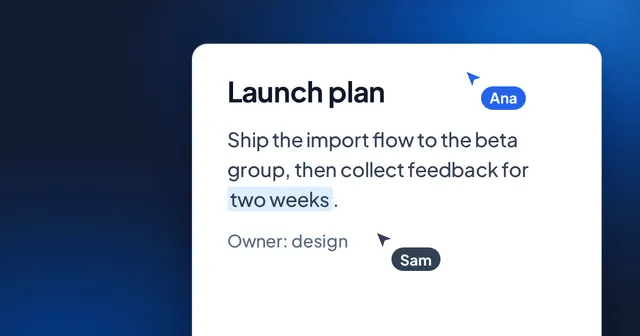
The Best Document Editor for Teams in 2026
A comprehensive look at what makes a great team document editor and why web-native tools are the future.
Guide 5 min read