How to Edit PDFs in Chrome: Built-in Viewer, Extensions and Web Editors
What Chrome's PDF viewer can and cannot edit, what PDF extensions ask for and where your file goes, and how the Eddocu extension opens PDF and PowerPoint links in Eddocu.
Updated 6 min read
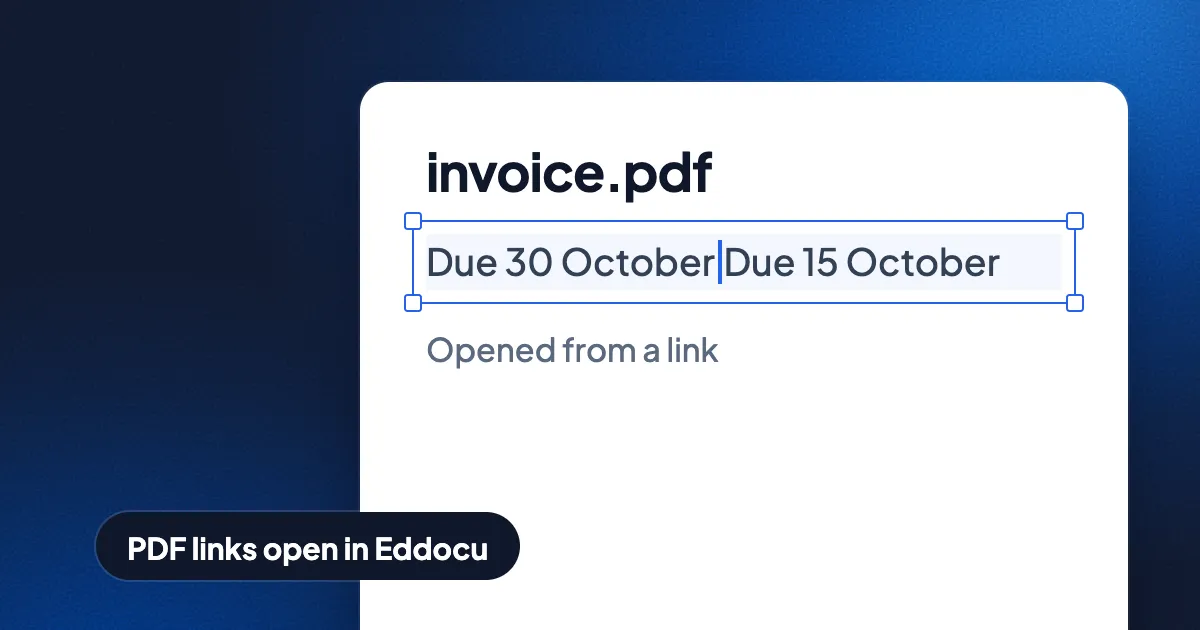
Short answer: Chrome's built-in PDF viewer lets you read, fill in forms, draw and highlight, rotate and print, but it cannot change the text that is already on the page. To change that text you need a PDF editor: a web editor such as Smallpdf, iLovePDF or Sejda (your file is uploaded to their servers), a desktop app, or an extension that sends PDF links to an editor. Eddocu's extension opens PDF and PowerPoint links in Eddocu, and in the Eddocu app for Mac or Windows when it is installed.
"Edit a PDF in Chrome" covers three different setups. This guide goes through each one: what Chrome does by itself, what PDF extensions do and which permissions they ask for, and what web editors do with your file.
What Chrome can and cannot do, compared
| Option | Fill forms | Draw and highlight | Edit existing text | File stays on your computer |
|---|---|---|---|---|
| Chrome's built-in viewer | Yes | Yes | No | Yes |
| Microsoft Edge's built-in viewer | Yes | Yes | No | Yes |
| Web editors (Smallpdf, iLovePDF, Sejda) | Yes | Yes | Yes, on paid or limited free tiers | No, the file is uploaded |
| Eddocu extension, with the Mac or Windows app | Yes | Yes | Yes | Yes, the app opens the file offline |
| Eddocu extension, web viewer only | Yes | Yes | Yes, after you sign in and make an editable copy | No, Eddocu's servers fetch the link |
Chrome's built-in PDF viewer
Chrome opens a PDF in its own viewer the moment you click a link to one. The viewer has page thumbnails, zoom, rotation, a two-page view, search, print and download. Chrome's viewer fills in PDF forms that have form fields, and the annotation tool adds pen and highlighter strokes. You save the result with the download button as a new PDF.
Chrome's viewer does not edit the PDF's own content. You cannot fix a typo, change a date, delete a paragraph, move an image, or add, remove and reorder pages. Microsoft Edge uses the same Chromium base and adds a few tools such as typed text boxes, but Edge cannot change the existing text either.
Use Chrome's viewer if you need to read, fill in a form, or mark up a page and send it back.
PDF extensions: what they do and what they ask for
The Chrome Web Store has many PDF extensions. Most of them do one of two things: open PDFs in a vendor's own web viewer instead of Chrome's, or add a toolbar button that takes you to the vendor's website with your file. Either way, the editing happens in the vendor's web app, under that vendor's free limits and paid plans.
Before you install any PDF extension, open its page in the Chrome Web Store and read two things:
- Site access. An extension that catches PDF links everywhere needs access to every website, because a PDF link can be on any page. Chrome shows this as "read and change all your data on all websites". That is normal for this job, which is exactly why it matters who makes the extension.
- Where the file goes. The privacy section says whether the extension sends your documents or browsing data to a server. An extension that opens PDFs in a web editor sends the document there.
You can limit any extension in Chrome: open the Extensions menu, choose Manage extensions, open Details, and set Site access to "On click" or "On specific sites".
Web PDF editors
Smallpdf, iLovePDF, Sejda and similar sites run in any browser, Chrome included. You upload the PDF, edit it in the page and download the result. They work on any computer, including a Chromebook or a borrowed laptop. Their free tiers limit how many tasks or pages you can process, and every file is uploaded and kept on their servers for a while. We compared how long each service keeps files in how long online PDF tools keep your files.
For a public flyer that is fine. For a contract, a payslip or a medical form, use a tool that opens the file on your own computer; see how to edit a PDF offline.
The Eddocu extension: click a PDF link, edit it in Eddocu
Eddocu is the editor we make, so read this section with that in mind. The Eddocu browser extension is built for Chrome, Opera and Firefox; the install links are on the browser extension page. The Eddocu extension changes where a document link opens. It does not add a toolbar of its own tools.
What happens when you click a link to a PDF, PPTX, PPT or DOCX file:
- With the Eddocu app for Mac or Windows installed: the extension downloads the file with your browser's own sign-in, so a link behind a login works as you see it, and hands the file to the app. The app opens the file with our offline core, and you can change the text, move images and reorder pages with no upload. If the app is closed, the extension starts it; the browser asks once whether to open Eddocu.
- Without the app: the link opens in Eddocu's web viewer, which shows the document read-only. Eddocu's servers fetch the file from the link to show it, and a link nobody has opened in Eddocu before asks you to sign in. Choose Edit document to make an editable copy in your Eddocu library.
- When you want Chrome's viewer instead: the Eddocu viewer offers Open original, and the extension's popup can switch document links off entirely or just "Not on this site".
The Eddocu extension acts only on documents you open as a page. A PDF embedded inside someone else's page is left to that page. The redirect itself is done by Chrome's built-in rule engine, not by a script that reads every page.
Permissions the Eddocu extension asks for, and why:
- Access to all websites and local files: a document link can be on any site, and a PDF can be opened from your disk.
- declarativeNetRequest: Chrome's own rule engine redirects matching document links.
- webNavigation: keeps the redirect rules in step across browser restarts.
- storage: remembers whether document links are on, which sites you turned off, and your text-recognition model choice.
Where other tools are better
- Chrome's built-in viewer is already there and needs nothing installed. For reading, form filling and a quick highlight, it is enough.
- Web editors work on any computer with no install, including school Chromebooks where extensions are locked.
- Adobe Acrobat has certificate-based digital signatures, redaction and form authoring. Eddocu signatures are drawn by hand, and Eddocu has no redaction tool yet.
- The offline handoff needs the Mac or Windows app. On Linux and Chromebooks, the Eddocu extension opens links in the web viewer.
- Eddocu reads a PDF into its own editable format. Complex PDFs can come out slightly different; check the export.
Which setup should you use?
- Read, fill in, highlight: Chrome's built-in viewer.
- Fix the text of a public file once, on any computer: a web editor.
- Edit PDFs from links often, without uploading them: the Eddocu extension with the Eddocu app for Mac or Windows.
- Edit PowerPoint links too: the Eddocu extension, which handles PPTX the same way as PDF.
Eddocu is free for personal use, with no ads. The paid plans add AI features and cloud sync; see pricing and features.
FAQ
Can I edit the text of a PDF in Chrome without an extension?
Not with Chrome alone. Chrome's built-in viewer fills forms and adds drawings and highlights, but it does not change existing text. A web editor opened in a Chrome tab can, after you upload the file.
Is a PDF editor extension safe?
It depends on who makes it and where it sends files. A PDF link extension needs access to all websites to do its job, so check the publisher and the privacy section in the Chrome Web Store, and limit its site access if you only need it on a few sites.
Does the Eddocu extension upload my PDF?
With the Eddocu app for Mac or Windows installed, no: the extension downloads the file in your browser and the app opens it on your computer. Without the app, the link opens in Eddocu's web viewer, and Eddocu's servers fetch the file from the link to show it.
Can I edit a PowerPoint link in Chrome?
Chrome downloads a PPTX file instead of showing it. With the Eddocu extension, a PPTX or PPT link opens in Eddocu, where you can edit the slides and export them as PPTX again.
Facts checked on 16 November 2026. Browser and extension features change; tell us at eddocu.com/contact if something here is out of date.