Free PDF Editors for Linux in 2026: What Each Can Edit
Okular, Xournal++, PDF Arranger, LibreOffice Draw, Inkscape, Master PDF Editor and Eddocu, sorted by the job: annotate, reorder, sign or change the text.
Published Updated Reading time 5 min read
On this page
- The four jobs, and which tool does each
- Okular: the best free annotator on KDE and GNOME
- Xournal++: for handwriting on a tablet or touchscreen
- Firefox's built-in PDF viewer: already installed
- PDF Arranger: pages, not content
- LibreOffice Draw: free text editing, with layout loss
- Inkscape: one page, as vector art
- Master PDF Editor: the long-standing commercial option
- Eddocu: edit the text, offline, with PDF, DOCX and PPTX in one app
- What about online PDF editors?
- Which one should you install?
- FAQ
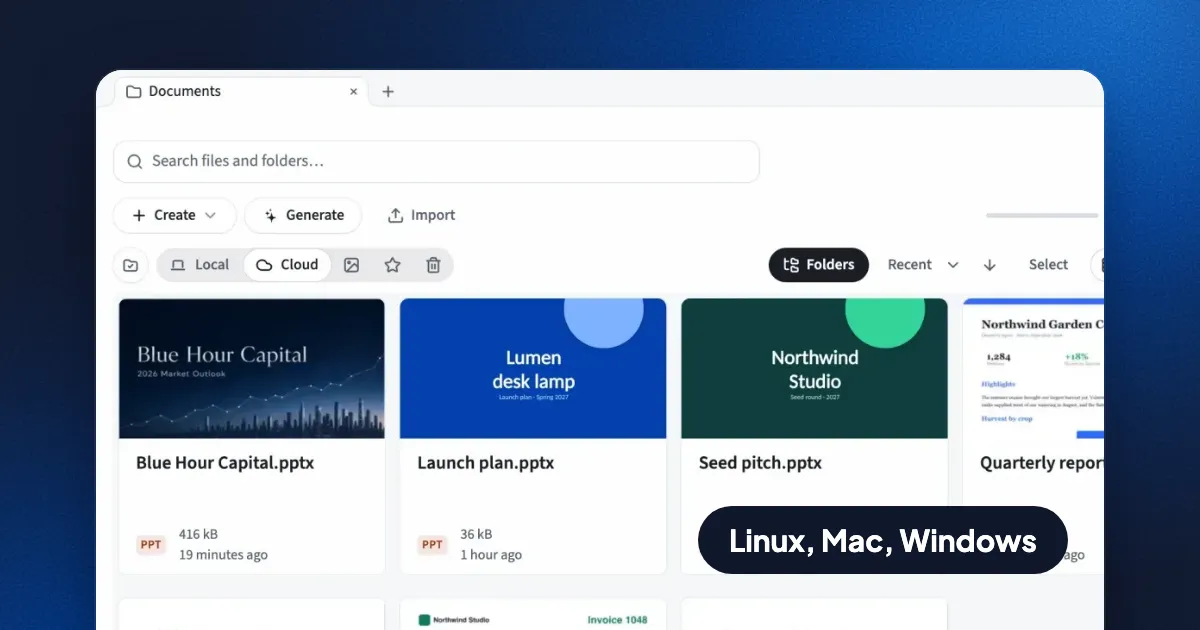
Short answer: most free Linux PDF tools annotate a PDF but cannot change the text that is already on the page. Okular and Xournal++ are the best free annotators, PDF Arranger is the best free page organizer, and LibreOffice Draw is the free option that edits existing text, with layout loss. Eddocu also edits the text on the page and works offline. It is free for personal use and ships as a .deb for Ubuntu 22.04 and later.
This guide sorts the tools by what you actually need to do, because "PDF editor" means four different jobs: marking up a page, reordering pages, filling and signing a form, and changing the words on the page.
The four jobs, and which tool does each
| Tool | Annotate | Reorder, merge, split | Edit existing text | License |
|---|---|---|---|---|
| Okular | Yes | No | No | Free, open source |
| Xournal++ | Yes, best for handwriting | No | No | Free, open source |
| Firefox PDF viewer | Yes: text, drawing, highlights, images | No | No | Free, open source |
| PDF Arranger | No | Yes | No | Free, open source |
| LibreOffice Draw | Yes | Partly | Yes, layout often shifts | Free, open source |
| Inkscape | Yes | No, one page at a time | Yes, as vector shapes | Free, open source |
| Master PDF Editor | Yes | Yes | Yes | Commercial, limited free mode |
| Eddocu | Yes | Yes | Yes | Free for personal use |
Command-line tools such as qpdf, pdftk and Ghostscript also merge, split, rotate and compress PDFs. They are excellent in scripts and change no content.
Okular: the best free annotator on KDE and GNOME
Okular is KDE's document viewer, and it runs fine on GNOME. It adds highlights, notes, stamps, freehand lines and typed text, fills PDF forms, and saves the annotations into the PDF so other readers see them. It can also sign a PDF with a digital certificate, which few free tools do. It does not change the text that is already in the document.
Pick Okular if you review, mark up and fill in PDFs, and nothing more.
Xournal++: for handwriting on a tablet or touchscreen
Xournal++ is a note-taking app that opens a PDF as a background and lets you write on top of it with a pen, with pressure support and layers. You export the result as a new PDF. It is the strongest free choice for marking up lecture slides or signing by hand on a convertible laptop. The original text stays untouched.
Firefox's built-in PDF viewer: already installed
If Firefox is your browser, you already have a PDF annotator. Open a PDF in Firefox and the toolbar adds typed text, freehand drawing, highlights and images, then saves a new PDF. Everything happens on your machine, with no upload. It cannot edit or delete the text that was already on the page.
PDF Arranger: pages, not content
PDF Arranger shows every page as a thumbnail. Drag to reorder, rotate, crop, delete, or drop in pages from another PDF to merge files. It is the quickest free way to rebuild a PDF out of parts. It is in the Ubuntu, Debian and Fedora repositories and on Flathub.
LibreOffice Draw: free text editing, with layout loss
LibreOffice Draw opens a PDF and turns its content into shapes and text boxes you can edit. It is the free tool most people find when they need to fix a typo in a PDF. The catch is fidelity: a paragraph often becomes one text box per line, fonts that are not installed get substituted, and spacing shifts. For a one-word fix on a simple page it works. For a contract or a designed brochure, check every page before you send it.
Inkscape: one page, as vector art
Inkscape imports a single PDF page as vector graphics, so you can move, recolor and retype anything on it. It suits posters, figures and one-page designs. It is the wrong tool for a 30-page report, because it opens one page at a time and saves one page at a time.
Master PDF Editor: the long-standing commercial option
Master PDF Editor by Code Industry has had a native Linux build for years. It edits existing text and images, works with forms, and organizes pages. Its full feature set needs a paid license; the free mode is limited. Check the current terms on the vendor's site before you rely on it.
Eddocu: edit the text, offline, with PDF, DOCX and PPTX in one app
Eddocu is the editor we make, so read this section with that in mind. On Linux it installs from a .deb package for Ubuntu 22.04 and later (64-bit x86). It opens PDF, DOCX and PPTX files on your machine, with no account and no network connection, and lets you change the existing text, move images, reorder pages and highlight. You can export the result as PDF, PPTX or DOCX.
Where it is strong:
- Edits the words already on the page, not just a layer on top of them.
- Works offline. Your files stay on your machine unless you choose cloud sync.
- The same editor runs on Linux, Windows, Mac and the web, so a document looks the same everywhere.
- Free for personal use, with no ads. The paid plans add AI features and cloud sync.
Where other tools are better today:
- No certificate-based digital signatures. Eddocu signatures are drawn by hand. Use Okular for certificates.
- No redaction tool yet.
- Only a
.debfor now: no Snap, Flatpak or ARM build. - Eddocu reads a PDF into its own editable format. Complex PDFs can come out slightly different; check the export.
Download it from eddocu.com/download.
What about online PDF editors?
Browser services such as Smallpdf, iLovePDF and Sejda work on Linux because they run in the browser. They upload your file to their servers to process it, and their free tiers limit how many tasks you can run. They are fine for a public flyer. For contracts, medical forms, payslips or anything under NDA, use a tool that runs on your own machine. If you want a web interface with no third party involved, Stirling-PDF is an open-source PDF toolkit you can host yourself with Docker.
Which one should you install?
- Review and mark up: Okular, or Firefox if you want nothing new.
- Handwritten notes on slides: Xournal++.
- Merge, split, reorder: PDF Arranger, or
qpdfin a script. - Sign with a certificate: Okular.
- Change the text, keep working offline: Eddocu, or LibreOffice Draw for a quick fix on a simple page.
FAQ
Is there a free Adobe Acrobat for Linux?
No. Adobe stopped making Acrobat Reader for Linux years ago and has never offered Acrobat Pro on Linux. The tools above cover the same jobs.
Can I edit the text of a PDF on Ubuntu for free?
Yes. LibreOffice Draw is free and installed on many Ubuntu systems. Eddocu is free for personal use and edits the text in place while keeping the page layout. Annotators like Okular and Xournal++ add text on top but do not change the original text.
Which Linux PDF editor works without the internet?
Every desktop tool on this list works offline: Okular, Xournal++, PDF Arranger, LibreOffice Draw, Inkscape, Master PDF Editor and Eddocu. Online services like Smallpdf and iLovePDF do not.
Facts checked on 13 November 2026. Tool features change; tell us at eddocu.com/contact if something here is out of date.
Related posts
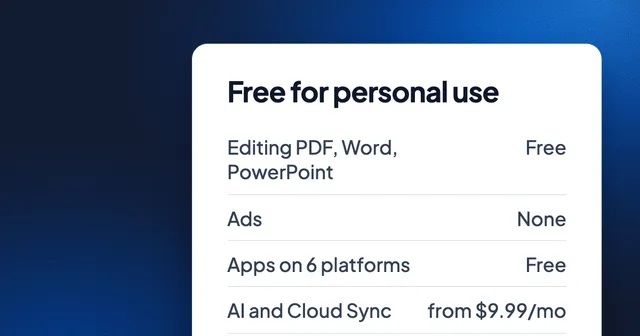
Free for Personal Use: PDF, Word and PowerPoint in One Fast Editor
What is free in Eddocu, on which devices, what is paid and from what price, and one measured speed number with its date and setup.
Roundup 2 min read
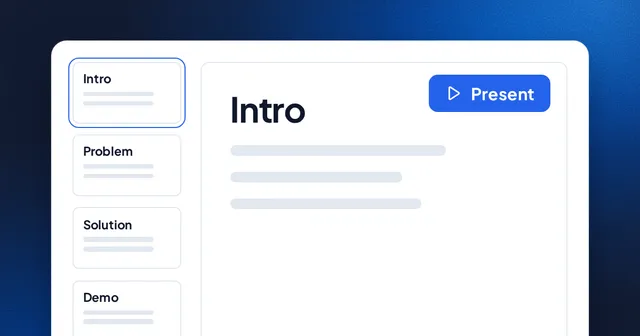
The Best Web-Based Presentation Tools in 2026
A roundup of the top browser-based presentation tools and what makes each one unique.
Roundup 1 min read
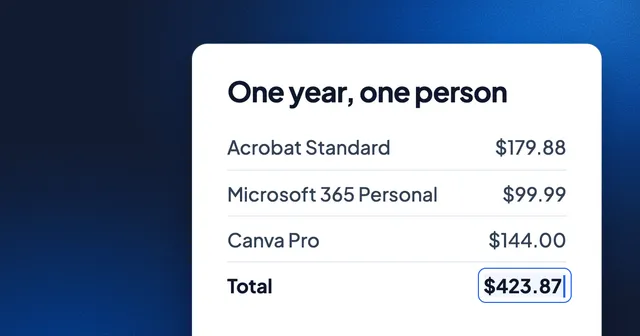
What Document Software Costs in 2026: One Year of Acrobat, Microsoft 365, Canva and the Free Options
Acrobat Standard and Microsoft 365 Personal together cost $279.87 a year. Fourteen PDF, Word and slide tools priced side by side, the mixes people actually pay for, and the free tools that do the same jobs.
Roundup 4 min read