What Document Software Costs in 2026: One Year of Acrobat, Microsoft 365, Canva and the Free Options
Acrobat Standard and Microsoft 365 Personal together cost $279.87 a year. Fourteen PDF, Word and slide tools priced side by side, the mixes people actually pay for, and the free tools that do the same jobs.
Published Updated Reading time 4 min read
On this page
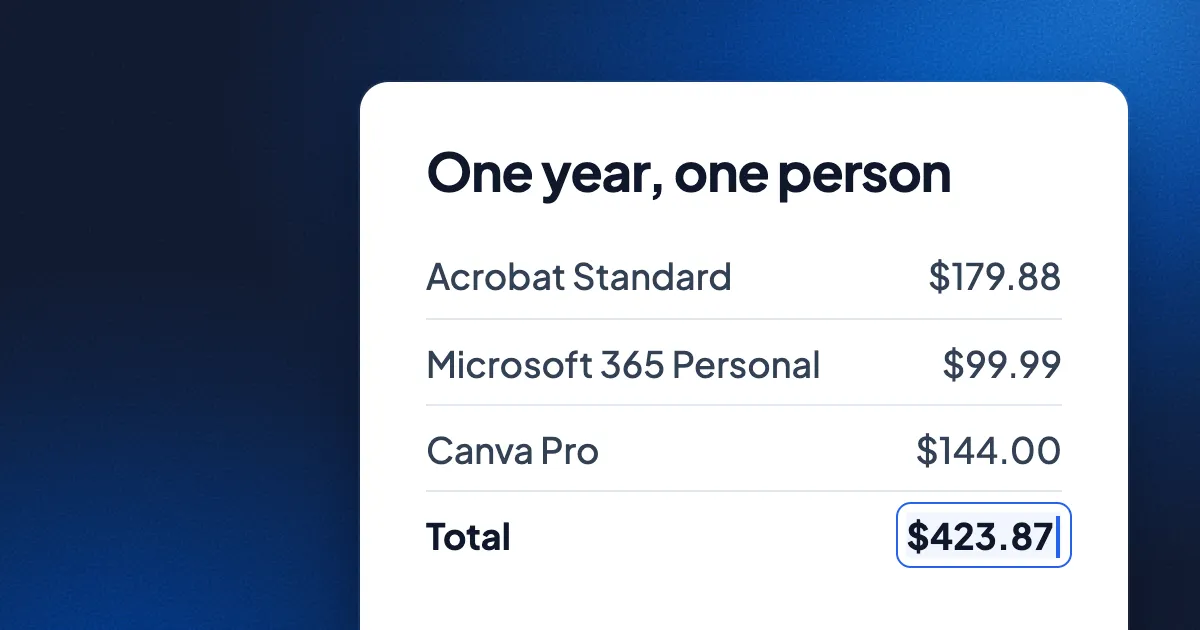
Short answer: editing PDFs, Word files and slides with the usual paid tools costs one person between $99.99 and $419.76 a year in US list prices. Adobe Acrobat Standard is $179.88 a year, Microsoft 365 Personal $99.99, Canva Pro $144. Several good tools are free: LibreOffice, Apple Pages and Keynote, Google Docs and Slides, and Eddocu, which is free for personal use with Pro at $49.99 a year. Every price below was checked on the vendor's own site on 14 November 2026.
Eddocu is the editor we make, so read our row with that in mind. We list where the paid tools are worth their price at the end.
One year of each tool, in dollars
US list prices for one person, yearly billing where the vendor offers it. Monthly prices are multiplied by 12 only where the vendor states the monthly price on a yearly plan.
| Tool and plan | Price as listed | One year | Free option |
|---|---|---|---|
| Adobe Acrobat Standard | $14.99 a month, annual plan | $179.88 | Acrobat Reader: view, comment, sign |
| Adobe Acrobat Pro | $19.99 a month, annual plan | $239.88 | Same |
| Microsoft 365 Personal | $9.99 a month or $99.99 a year | $99.99 | Word and PowerPoint on the web; phones up to 10.1 inches |
| Microsoft 365 Premium | $19.99 a month or $199.99 a year | $199.99 | Same |
| Office Home 2024 | $179.99 once, one PC or Mac | $179.99, then $0 | Same |
| Google Workspace | From $7 a user a month, paid yearly | $84 | Docs and Slides with a Google account and 15 GB |
| Canva Pro | $18 a month or $144 a year | $144 | Canva Free with 5 GB |
| Gamma Pro | $18 a month, billed yearly | $216 | 400 one-time AI credits |
| Notion Plus | $10 a seat a month, billed yearly | $120 | Notion Free |
| Evernote Starter | $14.99 a month or $99 a year | $99 | 50 notes on 1 device |
| Apple Pages and Keynote | Free; Apple Creator Studio optional at $129 a year | $0 | Yes, on Apple devices |
| LibreOffice | Free, donations welcome | $0 | Yes, all of it |
| ONLYOFFICE Desktop Editors | Free and open source | $0 | Yes; cloud and self-hosted plans cost extra |
| Eddocu | Free for personal use; Pro $9.99 a month or $49.99 a year | $0, or $49.99 for Pro | Yes, with no ads and 100 AI credits a month |
What a typical mix costs
Few people use one tool. These are the combinations we hear about most, priced from the table above.
| Who | Tools | One year |
|---|---|---|
| Edits PDFs and writes in Word | Acrobat Standard + Microsoft 365 Personal | $279.87 |
| Also makes polished slides | Acrobat Standard + Microsoft 365 Personal + Canva Pro | $423.87 |
| Heavy PDF work | Acrobat Pro + Microsoft 365 Premium | $439.87 |
| Notes and documents | Notion Plus + Microsoft 365 Personal | $219.99 |
| Free tools only | LibreOffice, or Pages and Keynote, or Google Docs and Slides, or Eddocu | $0 |
The most common pair, Acrobat Standard and Microsoft 365 Personal, comes to $279.87 a year: about $23 a month, every month. Over five years that is $1,399.35 at today's prices.
Where the money actually goes
- Editing the text of a PDF is the most expensive single feature. Acrobat Reader is free but does not edit existing text; that starts at Standard, $179.88 a year.
- Screen size, for Office on tablets. Word and PowerPoint edit for free on phones and tablets of 10.1 inches or less. A bigger iPad or a laptop needs Microsoft 365.
- AI is usually extra. Acrobat Standard and Pro include no AI Assistant; Adobe sells it as a $4.99 a month add-on or in Acrobat Studio. Google's Gemini in Docs comes with Workspace Business Standard or Google AI Pro at $19.99 a month. Eddocu's free plan has 100 AI credits a month, and Pro AI is $19.99 a month.
- Storage is the quiet upsell. Free plans come with 1 to 15 GB: Eddocu 1 GB, Microsoft 5 GB, Canva 5 GB, Google 15 GB shared with Gmail and Photos. Eddocu Pro adds 100 GB.
Why Eddocu can be free
Eddocu's apps for Windows, Mac, Linux, iPhone, iPad and Android open and edit PDF, DOCX and PPTX on your device, offline, with no account. Editing on your own hardware costs us almost nothing, so it is free for personal use with no ads. AI and cloud sync run on servers and cost real money, so those are what the paid plans pay for. The reasoning is in why we built Eddocu.
Where the paid tools are worth it
- Acrobat for PDF forms, redaction, compliance and formal e-signature workflows.
- Microsoft 365 if you live in Excel or Outlook, or need track changes and mail merge exactly as Word does them. Eddocu has no spreadsheet editor.
- Canva for stock photos, illustrations, video and social graphics.
- Notion for team wikis and linked databases.
Tool-by-tool details, with sources, are on our comparison pages.
FAQ
What is the cheapest way to edit a PDF?
Free. Eddocu edits the text, images and pages of an existing PDF on its free plan, in the apps and on the web. LibreOffice Draw also edits PDFs for free, one line of text at a time. Acrobat starts at $179.88 a year.
Is Office Home 2024 cheaper than Microsoft 365?
After two years, yes: $179.99 once against $99.99 a year for Personal. Office Home 2024 covers one PC or Mac and does not include the subscription's cloud storage or new features.
Do these prices include tax?
No. These are US list prices before tax, as each vendor shows them. Prices in other countries differ.
Prices checked on 14 November 2026 on adobe.com, microsoft.com, workspace.google.com, canva.com, gamma.app, notion.com, evernote.com, apple.com, libreoffice.org, onlyoffice.com and eddocu.com/pricing. Sources per tool are on the comparison pages.
Related posts
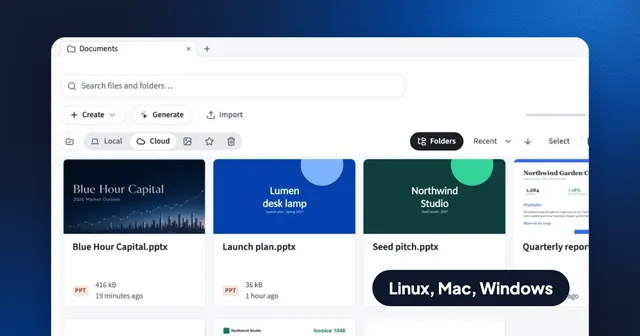
Free PDF Editors for Linux in 2026: What Each Can Edit
Okular, Xournal++, PDF Arranger, LibreOffice Draw, Inkscape, Master PDF Editor and Eddocu, sorted by the job: annotate, reorder, sign or change the text.
Roundup 5 min read
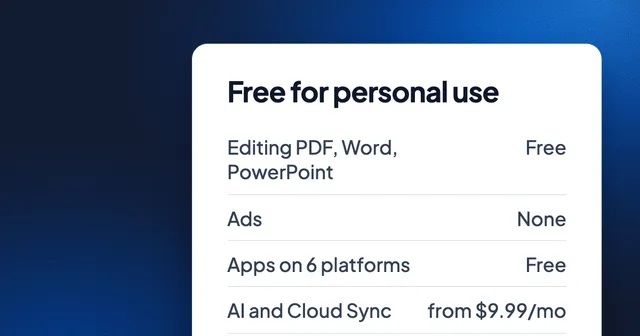
Free for Personal Use: PDF, Word and PowerPoint in One Fast Editor
What is free in Eddocu, on which devices, what is paid and from what price, and one measured speed number with its date and setup.
Roundup 2 min read
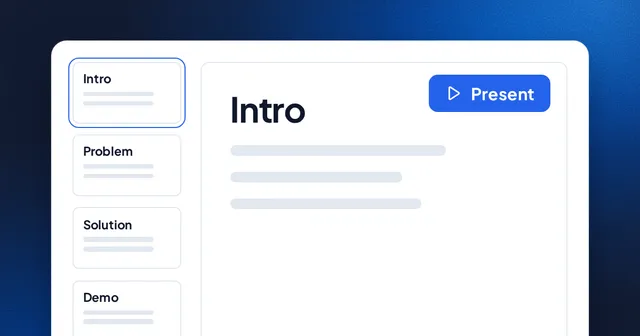
The Best Web-Based Presentation Tools in 2026
A roundup of the top browser-based presentation tools and what makes each one unique.
Roundup 1 min read