Eddocu vs LibreOffice: one editor on every device, or the free open-source suite
Short answer
LibreOffice is a free, open-source office suite for Windows, Mac and Linux that works fully offline, with no account and, by choice, no AI. Eddocu edits PDF, Word and PowerPoint files with the same app on phones and tablets too, edits PDF text in flowing paragraphs, and has an optional AI chat. Pick LibreOffice for open source, ODF and spreadsheets; pick Eddocu for one editor on every device with PDF editing built in.
Pick Eddocu if
- You want the same editor on your iPhone, iPad or Android phone as on your computer.
- You edit the text of existing PDFs, not only small fixes to their frames.
- You want an AI chat that edits the page, with every change for you to accept or reject.
Pick LibreOffice if
- You want free, open-source software (MPL-2.0) you can audit.
- You work in spreadsheets or with ODF files.
- You don’t want any AI or any account in your office suite.
Feature by feature
| Feature | Eddocu | LibreOffice |
|---|---|---|
| Platforms | Yes Windows, Mac, Linux, iPhone, iPad, Android and the web | Partly Windows, Mac and Linux; on Android a viewer with experimental editing; no iPhone app |
| Works offline | Partly Yes in the apps on every platform; the web version needs a connection | Yes Yes, fully offline |
| Opens | Yes PDF, DOCX, PPTX; Pages and Keynote files on Mac and Linux | Yes ODF, DOCX, XLSX, PPTX and older Office files; PDF in Draw |
| Saves as | Yes PDF, DOCX, PPTX, HTML | Yes ODF, DOCX, XLSX, PPTX, PDF and many older formats |
| Edit an existing PDF | Yes Edit the text, images and pages of an existing PDF | Partly Draw opens a PDF as graphics with text split into frames: good for small fixes, not for rewriting |
| Sign documents | Yes Draw, type or upload a signature, ask others to sign, or sign with a .p12 certificate; the signing tools are in beta | Yes Certificate signatures, including signing an existing PDF |
| AI | Yes Chat that drafts, rewrites and translates in the page; 100 credits a month free, more from $19.99 a month | No None, by design |
| Price | Yes Free for personal use, no ads; Pro $9.99 a month or $49.99 a year | Yes Free; donations welcome |
| Account needed | Partly Not to edit in the apps; a free account for the web version, cloud sync, sharing and AI | Yes None needed |
| Open source | No No, proprietary | Yes Yes, MPL-2.0 |
What is different in practice
Phones and tablets
LibreOffice runs on Windows, Mac and Linux; on Android there is a viewer with experimental editing, and no iPhone or iPad app. Eddocu has the same editor on iPhone, iPad and Android, and it works offline there too.
Editing PDF text
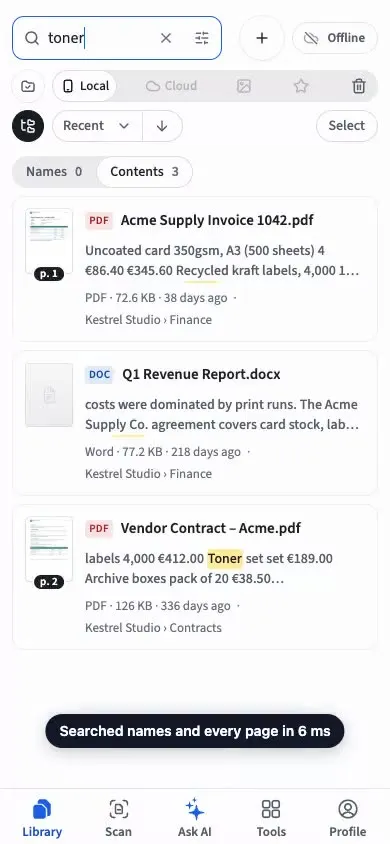
LibreOffice opens a PDF in Draw as graphics, with text split into separate frames, so it suits small fixes rather than rewriting a paragraph. Eddocu edits the PDF’s text, images and pages in the editor you use for Word files.
AI if you want it
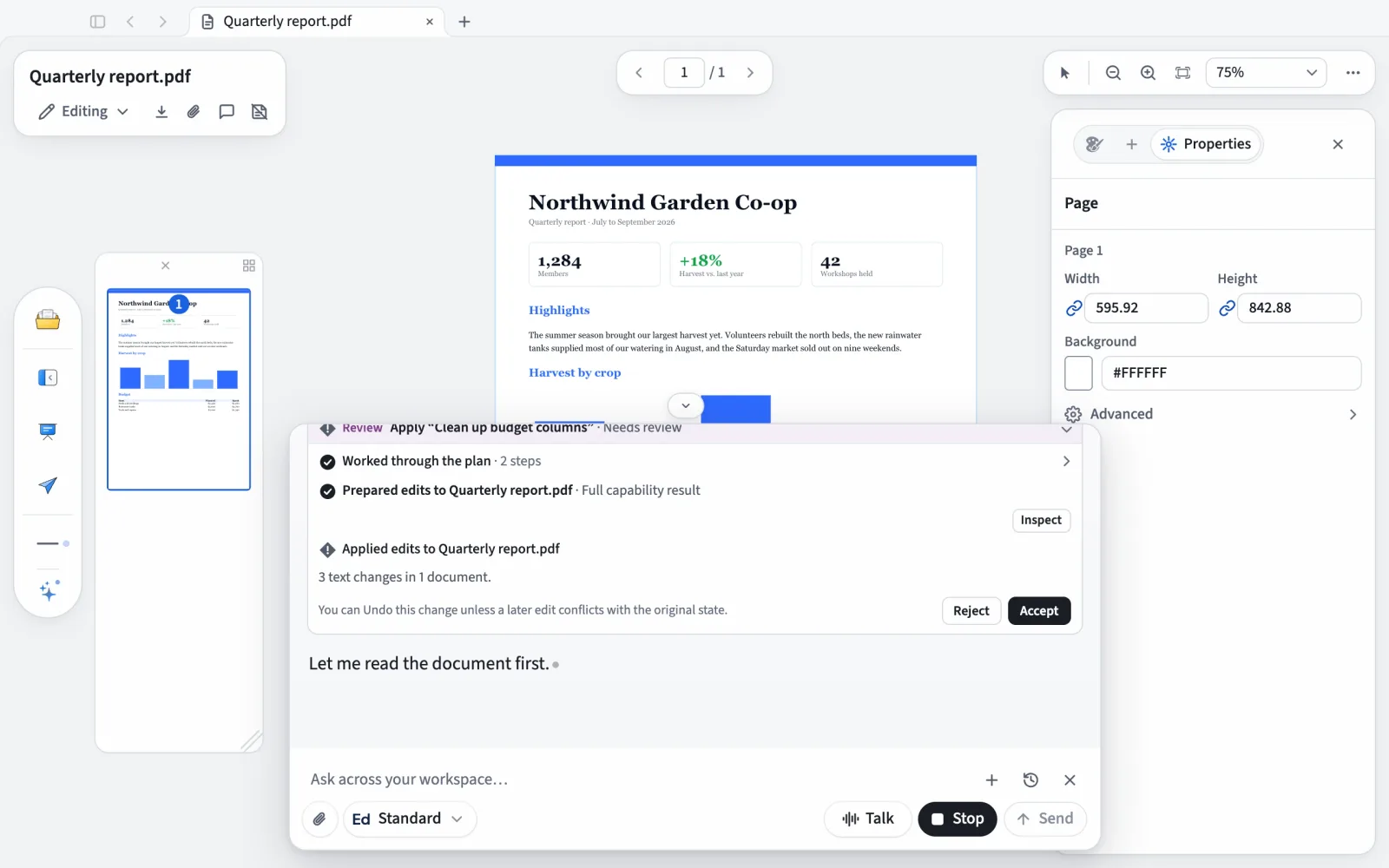
LibreOffice 26.8 contains no generative AI, by choice. Eddocu has an optional AI chat that drafts, rewrites and translates in the page; you accept or reject each change, and nothing runs unless you ask.
Where LibreOffice is clearly ahead
It is open source, free with no plans at all, has a spreadsheet (Calc), a database and native ODF, and needs no account ever. Eddocu is closed source and has no spreadsheet editor.
Where Eddocu falls short
- Eddocu imports a PDF, DOCX or PPTX into its own format and writes a new file when you save. Simple documents come back as they went in; complex layouts (dense multi-column pages, unusual fonts, embedded charts) can shift, so check the result before you send it.
- Eddocu is closed source: you cannot read its code, audit it or host it on your own server.
- Filling and adding PDF form fields happens in separate tools that are still in beta.
- The web version needs an internet connection and a free account. Offline editing without an account is in the apps for Windows, Mac, Linux, iPhone, iPad and Android.
- Eddocu has no spreadsheet editor, and it works with PDF, DOCX and PPTX rather than ODF files.
Questions people ask
Is LibreOffice really free?
Yes. LibreOffice is free and open source under the MPL-2.0 licence, with no account; The Document Foundation asks for donations. Eddocu is free for personal use but closed source, with paid plans for AI and cloud storage.
Can LibreOffice edit a PDF?
It opens a PDF in Draw, where the text is split into separate frames; that works for small fixes but not for rewriting paragraphs. It can also sign an existing PDF with a certificate. Eddocu edits PDF text in the page.
Is there LibreOffice for iPhone or Android?
LibreOffice has an Android viewer with experimental editing and no iPhone app; Collabora Office, a separate product built on LibreOffice, covers phones. Eddocu has its own apps for iPhone, iPad and Android.