Free PDF Editor for Windows Without a Watermark
Free PDF editors for Windows 10 and 11: which change the existing text, which only write on top, and which stamp a watermark or cap your pages.
Updated 7 min read
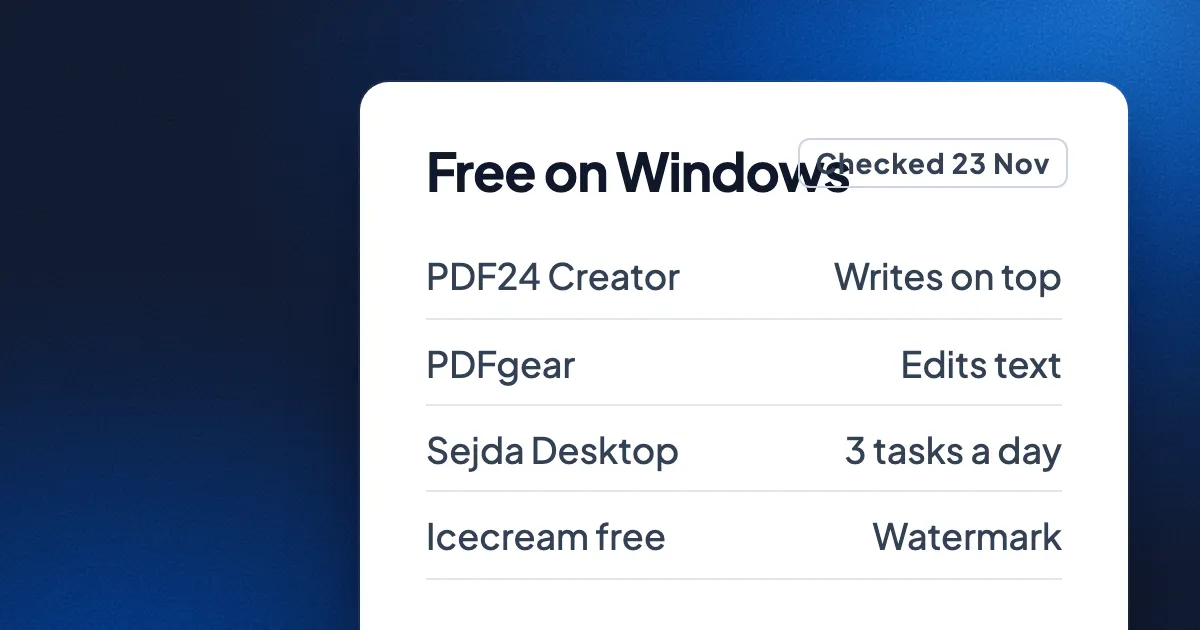
Short answer: PDF24 Creator is free on Windows 10 and 11 with no limits and no watermark, but it writes on top of the page instead of changing the words already there. PDFgear and Eddocu change the existing text for free and export without a watermark, and Sejda Desktop does the same within three tasks a day. The free version of Icecream PDF Editor and the PDFelement trial stamp a watermark on what you save.
Eddocu is the editor we make, so it is on this list; we kept its section to what it does and what it does not do. Every other tool was checked against its maker's own pages on the date at the end of this post.
Free Windows PDF editors side by side
| Tool | Changes existing text | Adds text on top | Watermark | Free version limits |
|---|---|---|---|---|
| PDF24 Creator | No | Yes | No | None stated |
| PDFgear | Yes | Yes | No | None stated |
| Sejda Desktop | Yes, not in scans | Yes | None listed | 3 tasks a day, 200 pages |
| Foxit PDF Reader | No | Yes | No | Read, comment, fill, sign |
| Adobe Acrobat Reader | No | Yes | No | Read, comment, fill, sign |
| Microsoft Edge | No | Yes, text boxes | No | Basic forms, no XFA |
| LibreOffice Draw | Partly, layout shifts | Yes | No | None, open source |
| Icecream PDF Editor | Yes | Yes | Yes, until PRO | Watermark on free saves |
| PDFelement trial | Yes | Yes | Yes | Watermark, OCR 3 pages |
| Eddocu | Yes | Yes | No | Web account: 10 imports |
Changing the text, or writing over it
Most "free PDF editor" downloads mean one of two things. Some open the PDF's own text so you can click into a sentence, delete a word and type a new one, and the line reflows in the original font. Others lay a new text box over the page: you can cover a wrong date with a white box and type the right one, but the old date is still in the file, and anyone who copies the text or removes your box sees it.
Writing on top is fine for filling in a form, adding a note or signing. For fixing a typo in a contract or updating a price on an invoice, you want a tool from the first group. The table above keeps the two apart.
PDF24 Creator: free for everyone, writes on top
PDF24 Creator comes from geek software GmbH in Berlin. Its maker says it can be used completely free of charge and without any restrictions, by companies and public authorities as well as at home. It runs offline on Windows 11 and 10, in x64, ARM64 and x86 builds, as an EXE or MSI installer or from the Microsoft Store, and the files stay on your PC.
PDF24 Creator is a toolbox: merge and split, reorder and rotate pages, compress, OCR, add page numbers and a PDF printer that turns anything you can print into a PDF. Its Edit PDF tool writes text, inserts images, shapes and signatures, and adds form fields. For changing the text that is already there, PDF24's own tip is to convert the PDF to Word first. The PDF24 website runs the same tools online, paid for by ads, with files deleted from its servers in Germany after an hour.
PDFgear: edits the text, no watermark, closed source
PDFgear is a free desktop editor for Windows 10 and 11, with versions for Mac, iPhone, iPad and Android. It needs no account, and its maker states that exported files carry no watermark. Its direct text editing mode changes the existing text offline, and it also does OCR, form fields, signatures and an AI assistant built on GPT; the site does not say how much AI use stays free. PDFgear is closed source, and its online editor is a lighter tool that only adds text boxes, for files up to 100 MB.
Sejda Desktop: real text editing, three tasks a day
Sejda Desktop edits existing text and processes files on your computer, with a 64-bit installer and a portable build for Windows. The free version has daily limits: 3 tasks a day, documents up to 50 MB and 200 pages, OCR up to 10 pages and up to 30 files when combining. Its list of free limits names no watermark. Editing text inside a scanned document is not supported. Going past the limits costs $7.95 for a desktop week pass, or $63 a year for desktop and web together, on Sejda's pricing page.
Foxit PDF Reader and Acrobat Reader: comment, fill, sign
Both readers are free and good at what they cover. Foxit PDF Reader reads, annotates, fills and signs, and includes an AI assistant with 300 credits a month. Editing text and images requires Foxit PDF Editor, at $129.99 per user per year plus local taxes.
Adobe Acrobat Reader fills forms with Fill and Sign, adds comments and free text, and signs with a signature you type, draw or upload. Adobe says plainly that text and image editing is not available in Reader. Acrobat Pro, which does edit, costs $19.99 a month on an annual plan, $239.88 a year paid up front or $29.99 month to month (US prices).
Microsoft Edge: the PDF tool you already have
Windows 10 and 11 open PDFs in Edge unless you pick another app. Edge's PDF reader prints, reads aloud, highlights, draws with ink, adds text notes and fills basic forms, and it can check certificate-based signatures. Its Add text button puts a text box anywhere on the page, with a choice of size and color. Edge does not fill forms that rely on JavaScript or the older XFA format, and it never touches the existing text.
LibreOffice Draw: open source, layout not kept
LibreOffice is free and open source, and version 26.8.3 comes for both x86-64 and ARM64 Windows. Its Draw app imports a PDF as loose objects, so you can select a line and retype it. On anything with columns, embedded fonts or links, expect lines to split, fonts to be swapped and links to be dropped; it suits a quick fix on a plain one-page letter.
Free versions that stamp a watermark
Many paid editors offer a free download that works until you save. Icecream PDF Editor lists "Remove default watermark" among its PRO features, so files from the free version carry one; PRO costs $59.95 a year or $99 once. The PDFelement trial exports with a watermark after you edit or comment, and its OCR stops at 3 pages. Before you spend an hour on a document, save a test page and open it to see what the free version adds.
Eddocu on Windows: edit the text, offline
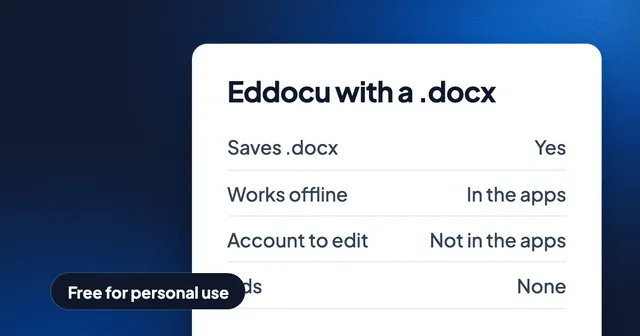
The Windows app, for Windows 10 and 11, comes from the Microsoft Store or as an installer from eddocu.com/download. It opens PDF, DOCX and PPTX files on your PC with no account and no connection, and the files stay there unless you turn on cloud sync.
- Click into the existing text and change it; Eddocu keeps the document's own font.
- Move images, and add, delete or reorder pages.
- Export as PDF, or as DOCX or PPTX when someone needs to keep editing.
- Free for personal use, with no ads and no watermark. The paid plans add AI features and cloud sync, from $49.99 a year; see pricing.
The limits: Eddocu reads a PDF into its own editable format, so a complex layout can come out slightly different, and you should check the export before you send it. Eddocu is closed source. Filling and adding form fields happen in separate tools that are still in beta, such as Fill PDF form, and so do the signing tools. The web version at eddocu.com needs a connection and a free account, which caps imports at 10 documents in total. The Eddocu and PDF24 comparison goes through the two in more detail.
Where other tools are better
- PDF24 Creator is free for companies and public offices with no plan to check, has ARM64 and x86 builds, and its PDF printer and batch tools cover page work that Eddocu does one file at a time.
- Acrobat Reader is the safer pick for a long government or bank form, including XFA forms that Edge cannot open.
- Edge is enough if you only read, highlight, fill simple forms and add a line of text: nothing to install.
- LibreOffice is open source, which some offices and schools require.
- Sejda Desktop and PDFgear both change text in place too; if a PDF does not come out right in Eddocu, try one of them.
If your documents are scans, start with OCR in any of these tools, since a scan is a picture of text until then. For merging files without a website, see merging PDFs without uploading them.
FAQ
Which free PDF editors for Windows add no watermark?
PDF24 Creator, PDFgear, Foxit PDF Reader, Acrobat Reader, Edge, LibreOffice and Eddocu save without one. Sejda Desktop's free limits mention none. Icecream PDF Editor's free version and the PDFelement trial do add one.
Can Windows 11 edit a PDF without extra software?
Partly. Edge highlights, draws, adds text boxes and fills simple forms, but it cannot change the words that are already in the PDF.
Is PDF24 Creator really free?
Yes, its maker says it is free without restrictions, also for business use. It adds text on top of the page; to change existing text it suggests converting the PDF to Word.
Can I edit the text of a scanned PDF for free?
Only after OCR turns the picture into text, which PDF24 Creator, PDFgear and Eddocu's OCR tool can do. Expect to check the result line by line.
Facts checked on 23 November 2026 on each maker's site. Adobe, Foxit, Sejda and Icecream prices are the US prices those pages showed.