Free Microsoft Word Alternatives for Mac, Windows, Linux
Eight free ways to open, edit and save .docx in 2026: Word for the web, Google Docs, LibreOffice, ONLYOFFICE, WPS, Pages, Zoho Writer, Eddocu.
Updated 9 min read
Short answer: the closest free match to Word is Word itself: Word for the web and the Word phone app cost nothing with a Microsoft account, but they need a connection or a small screen. For a free desktop app that opens and saves .docx offline, install ONLYOFFICE Desktop Editors or LibreOffice Writer on Windows, Mac or Linux. Google Docs is the easiest for shared work, Apple Pages is already on your Mac, and WPS Writer looks most like Word but shows ads in its free version.
One of the eight is ours: Eddocu is the editor we make. Each section below covers what an option does with a real .docx file, what it costs and where it falls short, and a later section says when Eddocu is the wrong pick.
What each free Word alternative does with a .docx
For comparison, Microsoft 365 Personal costs $99.99 a year or $9.99 a month in the US, and Family costs $129.99 a year, according to Microsoft's plan page. On 23 November 2026 that page also showed a first-year offer of $69.99 for Personal.
| Option | Edits and saves .docx | Layout, per the vendor | Offline | Platforms | Price and catch |
|---|---|---|---|---|---|
| Word for the web and phone app | Yes | Word's own format | No on the web | Browser; Android and iPhone | Free with a Microsoft account; 5 GB OneDrive; tablets over 10.1 inches need a plan |
| Google Docs | Yes, converted or in Office mode | Charts and videos become images | Partly: Chrome or Edge, and the apps | Browser; Android, iPhone, iPad | Free with a Google account; storage shared with Gmail |
| LibreOffice Writer | Yes | Complex files can need fixing | Yes | Windows, Mac, Linux | Free, open source; saves .odt unless you choose .docx |
| ONLYOFFICE Desktop Editors | Yes, DOCX is its own format | Native DOCX | Yes | Windows, Mac, Linux, Android, iPhone | Free for personal and professional use |
| WPS Writer | Yes | Built for DOCX; test your files | Yes | Windows, Mac, Linux, Android, iPhone, web | Free with ads; a paid plan removes them |
| Apple Pages | Yes, through export | Converted to Pages, then exported | Yes | Mac, iPhone, iPad; iCloud in a browser | Free; Apple Account for iCloud |
| Zoho Writer | Yes, import and export | Imported into Writer | Yes, offline mode and desktop apps | Web, Windows, Mac, Linux, Android, iPhone | Free; a Zoho account |
| Eddocu | Yes | Imported into its own format | Yes, in the apps | Windows, Mac, Linux, Android, iPhone, iPad, web | Free for personal use, no ads; Pro $9.99 a month |
We did not run our own fidelity test for this post. The layout column reports what each vendor says; the last section shows how to test your own files.
Word for the web and the Word app: Microsoft's own free tier
Microsoft 365 for the web gives you Word, Excel and PowerPoint in a browser with a free Microsoft account and 5 GB of OneDrive storage. The file is a real .docx, so nothing is converted. The catch is that Microsoft's own footnote applies: files must be saved in and shared from OneDrive, and the web version needs a connection. To keep a copy on your computer, use File, then Save As, then Download a Copy.
On phones the Word app edits for free. Microsoft's mobile support page says plans without the desktop apps are limited to screens of 10.1 inches, so a phone works and a 13-inch iPad Pro or a large Android tablet asks for a subscription. Copilot and the desktop Word apps for Windows and Mac need a paid plan. That makes the free tier right for opening and lightly editing files other people send you, as long as you are online when you do it.
Google Docs: free, shared, and online first
Double-click a .docx in Google Drive and it opens in Google Docs. Google's help page on Office files describes two paths. You can save the file as a Google Doc and download a .docx at the end with File, then Download, then Microsoft Word (.docx). Or you can edit the .docx in its own format with Office Compatibility Mode, which works only in Chrome on a computer with the Office Editing extension. Google lists what does not survive: macros are not supported, and embedded charts and videos in Word files become images.
Offline use takes setup. On a computer you need Chrome or Edge and the Google Docs Offline extension, as the offline help page explains. The Android and iPhone apps can keep chosen files available offline. Storage is the other limit: a Google Account includes up to 15 GB shared with Gmail and Google Photos, and Google says accounts created from 9 March 2026 start with 5 GB until you confirm a phone number. Where Docs wins is a document several people edit, when everyone already has a Google account.
LibreOffice Writer: the full free desktop suite
LibreOffice is free and open source, and version 26.8 is the current stable release on the download page, for Windows, macOS (Apple silicon and Intel) and Linux (.deb and .rpm). Writer opens .doc and .docx, has styles, footnotes and track changes, and works fully offline. Its own format is .odt, so to stay in Word format choose File, then Save As, then Word 2007-365 (.docx), and confirm when it asks whether to keep the format.
LibreOffice's help on converting Office documents is frank: complex documents can need manual reformatting, and items such as WordArt, form fields, OLE objects and some table and frame layouts may not convert cleanly. Visual Basic macros do not run. On Android, the LibreOffice-based Collabora Office app is listed on Collabora's site as open source.
Long documents with styles, footnotes and revisions are where Writer earns its install, and on Linux it is often there already. Our Eddocu vs LibreOffice page goes deeper.
ONLYOFFICE Desktop Editors: DOCX as its native format
ONLYOFFICE works the other way round from LibreOffice: DOCX, XLSX and PPTX are its native formats, so a Word file is saved as a Word file without asking. The desktop editors page says the apps are free for personal and professional use and work offline. The download page lists version 10.0.0 for Windows, macOS and Linux, with Linux packages as .deb, .rpm, Snap, Flatpak and AppImage, plus free apps for Android and iOS. If you want files to stay .docx without a prompt every time you save, this is the one to try first.
WPS Writer: closest to Word's look, with ads
WPS Office runs on Windows, Mac, Linux, Android, iOS and the web, and its Writer looks the most like Word of anything here. WPS's own comparison page says it is built for DOCX and asks companies to test their critical files before switching. The same page says ads and upsells may appear in the free version, and WPS's article on removing ads says a paid plan removes them. The plan WPS sells today is Pro+, listed at $69.99 a year on its US pricing page; the price varies by region, so check at checkout.
It suits someone who wants Word's layout on Android or Linux and can live with the ads. If you cannot, see WPS Office alternatives without ads.
Apple Pages: free on Mac, iPhone and iPad
Pages comes with every new Mac, iPhone and iPad. Apple's guide says Pages can open and edit .doc and .docx files and save them as Word, Pages, PDF or EPUB. The Word file is converted into a Pages document while you work, and you get a .docx back with File, then Export To, then Word, as the export guide shows. Smart annotations are left out of a Word export.
Since January 2026 Apple also sells Apple Creator Studio, $12.99 a month or $129 a year in the US, with premium templates and intelligence features in Pages. Apple's announcement says Pages stays free to create, edit and collaborate. On Windows you can use Pages for iCloud in a browser with an Apple Account. There is no Android app.
Zoho Writer: a web editor with desktop apps
Zoho Writer calls itself a free word processor, and its pricing page says it is free for individuals and organizations, with DOCX among the formats you can import, edit and export; DOCX imports are capped at 50 MB. The home page lists desktop apps for Windows, Mac and Linux with a full offline mode, plus Android and iOS apps. You sign up for a Zoho account to use it.
Eddocu: Word, PDF and PowerPoint files in one editor
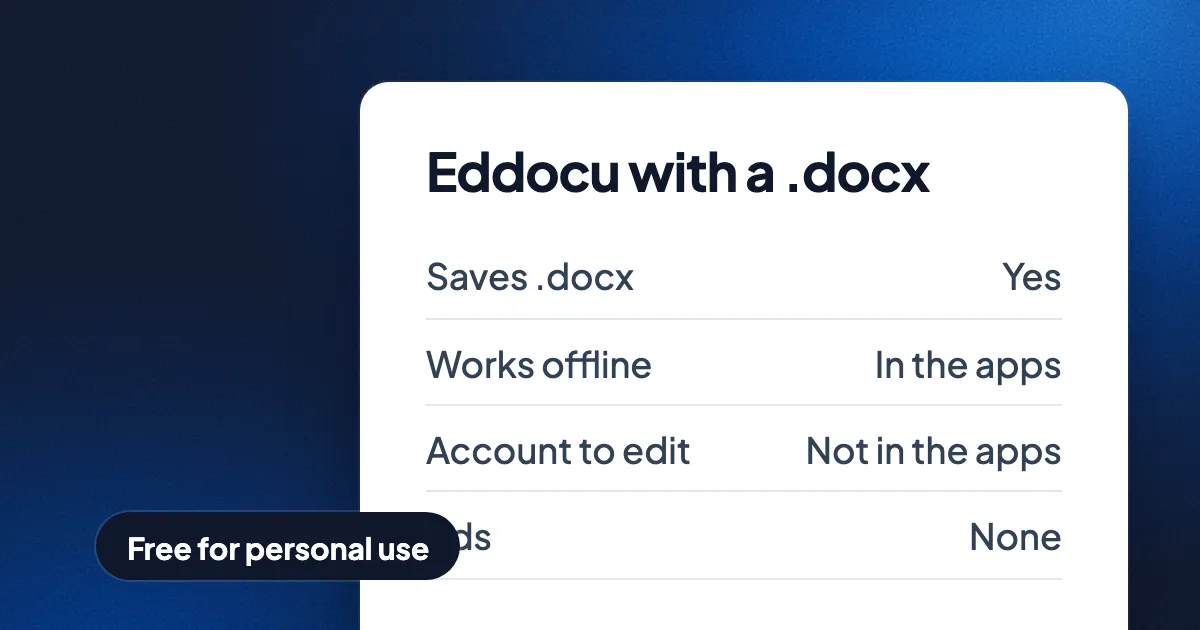
Open a .docx in Eddocu and you can change its text, tables and pictures, then save it as DOCX, PDF, PPTX or HTML. The same app edits the text of an existing PDF and the slides of a PowerPoint deck, which matters if your Word files keep arriving next to PDFs. It runs on Windows, Mac, Linux, iPhone, iPad, Android and the web; the apps work offline and need no account to edit, and a 13-inch tablet costs nothing extra.
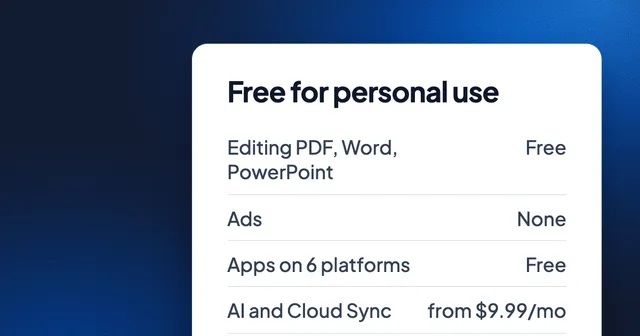
Personal use is free, with no ads and no watermark, and the free plan includes 100 AI credits a month. Pro costs $9.99 a month or $49.99 a year. The Word tools, in beta, merge Word files, replace text across a document and add a watermark. Download it from eddocu.com/download, or read Eddocu vs Microsoft Word for the detailed comparison.
Where other tools are better than Eddocu
- Eddocu imports a DOCX into its own format and writes a new file when you save. Simple documents come back as they went in; dense multi-column pages, unusual fonts and embedded charts can shift. ONLYOFFICE and Word for the web keep the file in Word's format the whole time.
- Contracts that go back and forth with Word's tracked changes and comments are safer in LibreOffice, ONLYOFFICE or Word for the web, which keep that markup in Word's format.
- Several people typing in one document at once is what Google Docs was built around.
- Eddocu is closed source. If you need software you can audit or build yourself, use LibreOffice.
Which one to install, by platform
- Windows: ONLYOFFICE to keep .docx as it is, LibreOffice for the deepest feature set, Word for the web for an occasional edit.
- Mac: Pages is already installed; ONLYOFFICE or LibreOffice when the file must go back to a Word user unchanged.
- Linux: LibreOffice is often preinstalled; ONLYOFFICE comes as Snap, Flatpak and AppImage; Eddocu as a .deb when you also edit PDFs and slides.
- Android: the Word app on a phone, Google Docs for shared files, ONLYOFFICE or Eddocu to edit offline on a large tablet without a plan.
How to test a .docx before you cancel Microsoft 365
- Pick your three hardest files: one with tables and headers, one with tracked changes or comments, one with images and a custom font.
- Open each in the new app and page through it next to the original in Word. Look at page breaks, numbered lists and table widths first; they move most often.
- Change one sentence, save as .docx, and open the result in Word for the web. If it looks right there, it will look right to the people you send it to.
- Copy your files out of OneDrive before the plan ends; the free account keeps 5 GB.
Facts checked on 23 November 2026 on the vendor pages linked in each section. Microsoft and WPS prices are US prices.
FAQ
Is there a free version of Microsoft Word?
Yes. Word for the web is free with a Microsoft account, and the Word app edits for free on phones and on tablets up to 10.1 inches. The desktop app for Windows and Mac needs a Microsoft 365 plan.
Which free Word alternative keeps .docx formatting best?
Word for the web, because it is Word. Among desktop apps, ONLYOFFICE saves DOCX as its native format, while LibreOffice, Pages, Google Docs and Eddocu convert the file while you edit it, so test a complex file before you switch.
What is the best free Word alternative for Linux?
LibreOffice Writer for long documents and full Word features, ONLYOFFICE if you want files to stay in .docx. Microsoft makes no Word app for Linux, so Word for the web in a browser is the only Microsoft option there.
Can I edit Word documents on Android for free?
Yes. The Word app edits for free on phones, and Google Docs, ONLYOFFICE, WPS, Zoho Writer and Eddocu all have free Android apps. On a tablet larger than 10.1 inches, the Word app asks for a subscription.