Our Own Document Engine, and Why
Why Eddocu opens PDF, Word and PowerPoint with its own offline core: one document model, offline on your device, and the measured speed that owning the whole path allows.
Published Reading time 3 min read
On this page
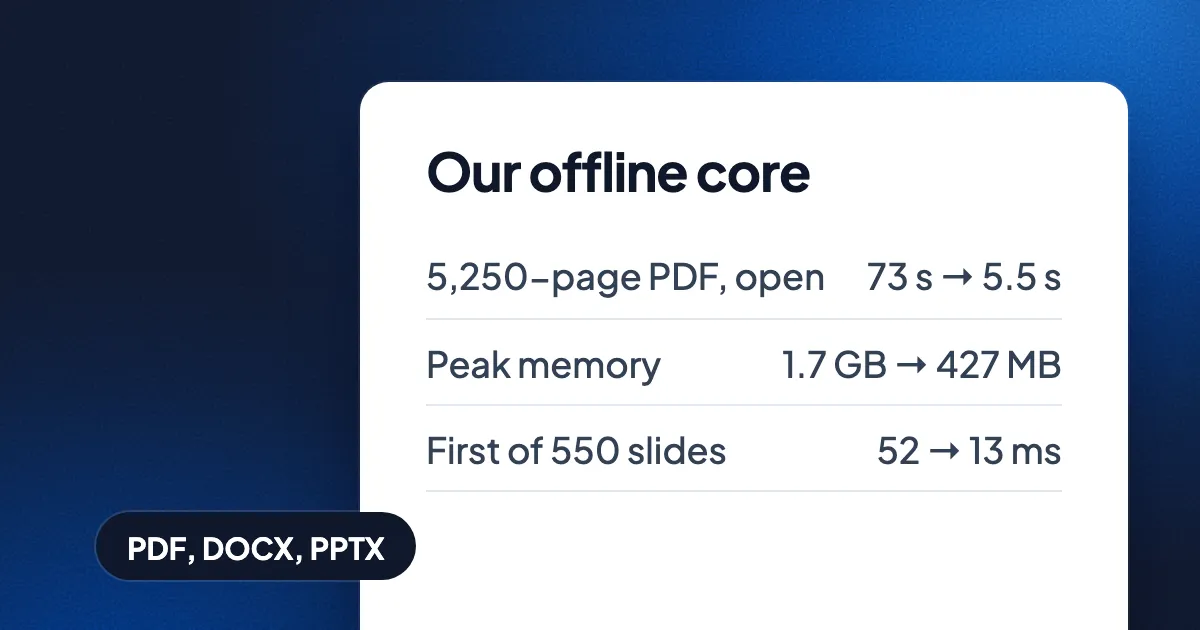
Short answer: Eddocu opens PDF, Word (DOCX) and PowerPoint (PPTX) files with its own offline core. Every format is read into one document model of our own, so one editor edits all three, the same way on every device, and the apps do it without sending the file anywhere. Owning the whole path is also what lets us make it fast: in one round of work measured on 1 November 2026, a 5,250-page PDF went from 73 seconds to about 5.5 seconds to fully open. Eddocu is free for personal use (pricing).
One document, whatever it came in as
Most editors are one program per format: a PDF viewer with editing added, a word processor, a slide tool. We wanted one editor. So the offline core turns each format into the same thing: pages, text runs with their fonts, pictures and shapes, stored in our own compact format. The editor only ever sees that. Editing a paragraph in a PDF, a Word file or a slide is the same code, and so is exporting: any document can be written out as PDF, DOCX, PPTX or HTML from one export sheet.
Offline first
The core is native code that runs inside the apps. A file you open in an app that carries it is read and edited on your device, with no upload and no account. The web editor, and the browser tools that convert between formats, run the same engines on our server instead, so a document converts the same way wherever it was opened. (Tools such as merging PDFs run in your browser and upload nothing.)
Fast, because we can remove work
When you own every step from the file's bytes to the pixels, you can stop doing things nobody needs. Measured on 1 November 2026 on a MacBook Pro with an M3 Pro chip, opening each file the way the app does, before and after one round of engine work. The stored document data stayed byte-for-byte the same, so nothing got faster by keeping less.
| File | What we timed | Before | After |
|---|---|---|---|
| 5,250-page PDF | Fully open | 73 s | about 5.5 s |
| 5,250-page PDF | Peak memory | 1.7 GB | 427 MB |
| 40 everyday PDFs | Processor instructions to open | 476 billion | about 191 billion |
| 1,698-page Word file | First page | 642 ms | about 207 ms |
| 550-slide deck | First slide | 52 ms | 13 ms |
Most of that came from not doing things: not reading a page's details until it is needed, keeping page data in compact columns so memory grows with what you look at, and drawing a deck at once with a quick first copy of each embedded font. The full set of numbers, scrolling included, is in how huge documents open fast.
Safer, because each file runs on its own
- Hostile files are part of the test set. In the same round we fed the core damaged and malicious files and fixed what they found, among them 84 crash cases in one old embedded-font decoder and 7 use-after-free bugs in shared font handling. Every saved hostile file now ends cleanly.
- A conversion is its own process. On our server each engine run gets its own process and a time limit, so a broken or runaway file ends that run, not the server.
What it costs us
Owning the core is more work: every corner of three big formats is ours to get right, and when a slide or a table comes out wrong, the fix is in the engine, not in a workaround. We think that is the right trade for an editor meant to be the fastest one for PDF, Word and PowerPoint on every device.
Try it
The apps for iPhone, iPad, Android, Mac, Windows and Linux are at eddocu.com/download. Free for personal use, no ads.
Numbers measured on 1 November 2026 on a MacBook Pro (M3 Pro), from our engine performance notes of that day. Facts checked on 15 November 2026.
Related posts
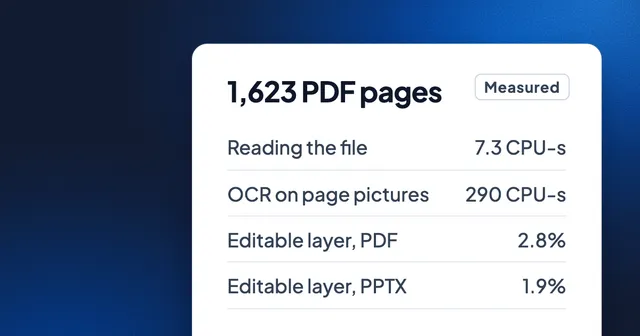
Greener Document Editing: 40 Times Less Computing Than OCR, Measured
We timed reading 1,623 PDF pages as files against reading them as pictures with OCR, and weighed what Eddocu stores for PDF, PowerPoint and Word. The numbers, an honest energy estimate, and where Eddocu is not lighter.
Story 7 min read
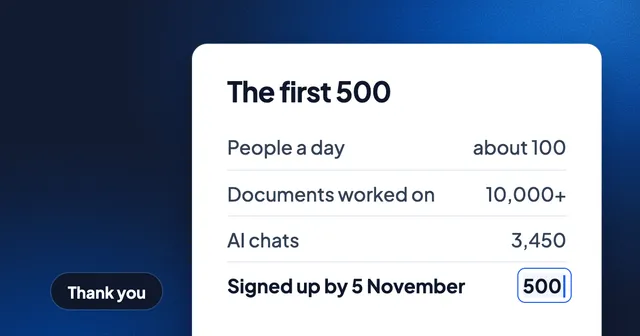
Thank You, First 500: What You Did With Eddocu, and What We Fixed Since
On 5 November the 500th person signed up. About 100 people use Eddocu on a typical day, and together you opened or edited more than 10,000 documents. What we shipped since, what's still missing, and how to tell us.
Story 3 min read
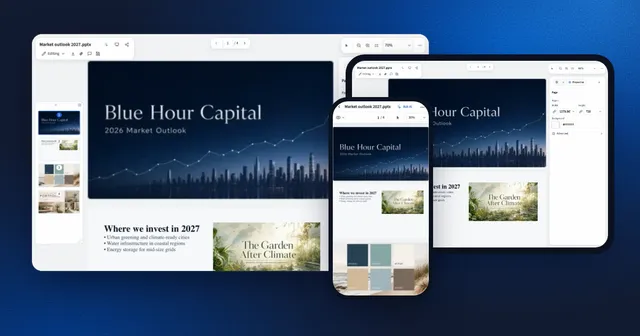
Why We Built a Document Editor That Works Offline
One editor for PDF, DOCX and PPTX on every device, running on your hardware, free for personal use. The decisions behind Eddocu and what they cost.
Story 4 min read