What AI Agents Can Actually Do with Your Documents
Find, read, translate with the layout kept, build decks from other decks and sort folders, with every change reviewed and undoable. What Eddocu's agent does today, how you stay in control, and what it cannot do yet.
Updated 6 min read
Short answer: an AI agent in Eddocu can find documents, read and look at their pages, translate or rewrite a whole PDF, Word or PowerPoint file with the layout kept, build a new deck from pages of other decks, and sort files into folders. Every change is shown for review, and moves and edits can be undone. The agent does not delete anything for good, and it asks before deleting or sharing. Eddocu is the document editor we make: free for personal use, no ads, with AI and cloud sync on paid plans and 100 AI credits a month on the free plan.
Chatbot or agent: what the difference is
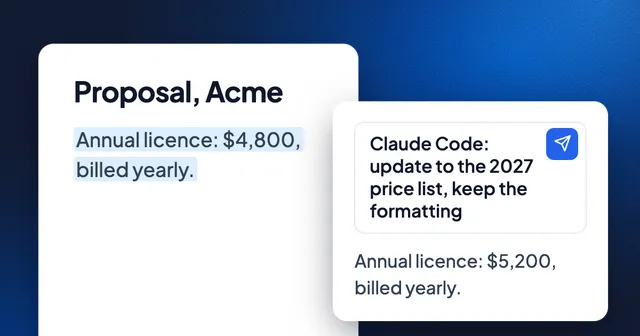
A chatbot answers from what you paste into it. An agent has tools: it can look things up, act, check the result and try again. For documents, the tools decide everything. An agent that can only read extracted text can summarize a PDF, but it cannot fix a slide without breaking it. Eddocu's agent works on the document itself, text box by text box, through the same offline core the editor uses.
What it can do today
| Job | Can the agent do it? | How you stay in control |
|---|---|---|
| Find documents by name, and search inside them | Yes | Read only |
| Read pages and look at them as pictures | Yes | Read only |
| Answer questions with the page each answer came from | Yes | Read only |
| Translate or rewrite a whole document, layout kept | Yes | Review, then apply; take changes back from the chat |
| Edit one box, move or resize boxes, add a page | Yes | Review, Accept or Reject |
| Make a new deck from pages of other documents | Yes | Undo |
| Create, rename and move folders and documents | Yes | Undo |
| Delete permanently | No; it moves things to the bin | Restore from the bin |
| Share or publish a document | Only after you say yes, every time | Asked each time |
Find, read and answer with sources
The agent searches document text in your library and in the folders on your computer that Eddocu sees. It reads a page's text or looks at the page as a picture, so a chart or a scan is not invisible to it. For a question about every page of a long document ("which pages are still in English?"), it asks each page on its own, many at once, and then reads only the pages that matter. Answers name the file and page they came from, and documents in the answer are links you can open.
Translate or rewrite, with the layout kept
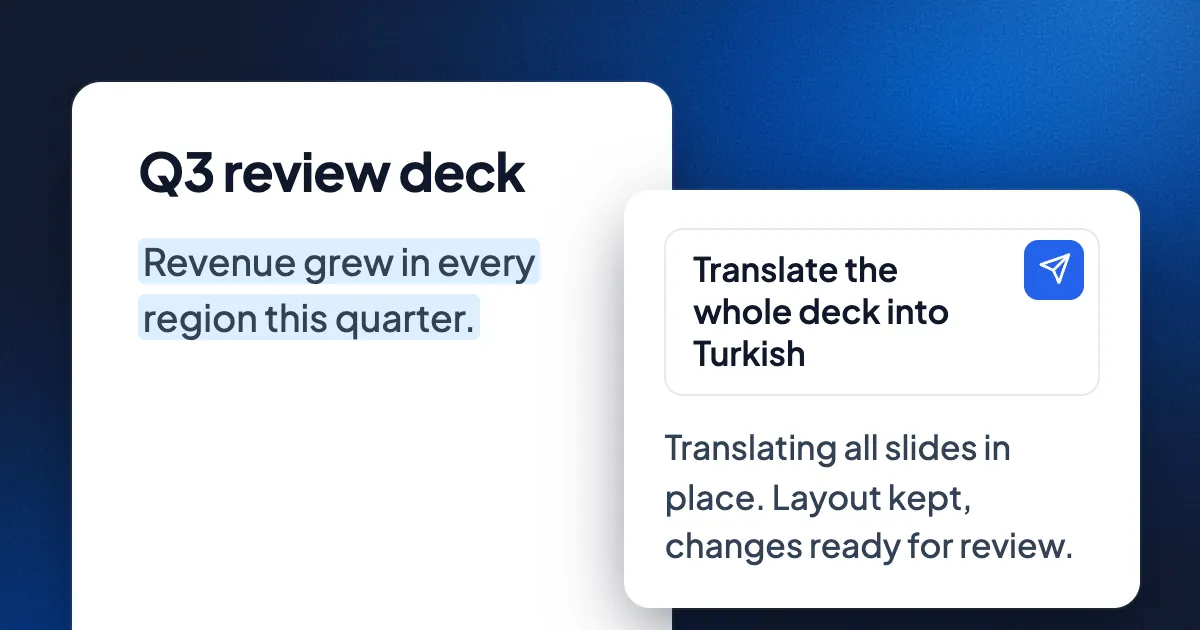
Ask "translate this deck into Turkish" or "make this report more formal" and the agent rewrites every text box in place, several pages at a time, so you watch each page change. Names, formulas, numbers and code stay as they are. Translated text is often longer, so the agent fits it back into its box, then checks the pages for text that runs past its box and fixes what it finds. Ask for "a copy" and the original stays untouched.
Build new documents from old ones
"Use the first slide from each deck in this folder to make a new deck" is a real job, and the agent does it by copying the exact pages, not by retyping them. It can also create a document from generated pages, write a cited report from findings across several documents, and save a summary or a table as a file next to the chat.
Organize the library
"Create a Research folder, put the papers in it and add a subfolder per topic" runs as one batch: folders made, documents moved, and one Undo for all of it.
More than text
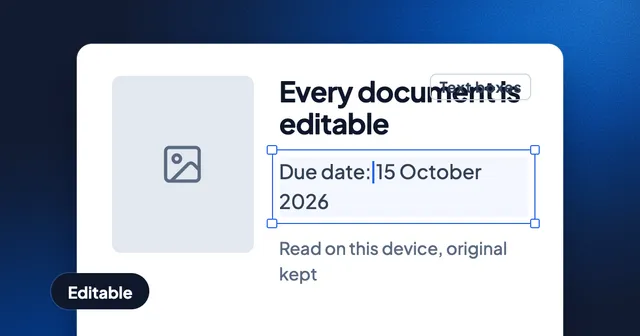
- Pictures made editable: the text in a scan or screenshot read into real text boxes.
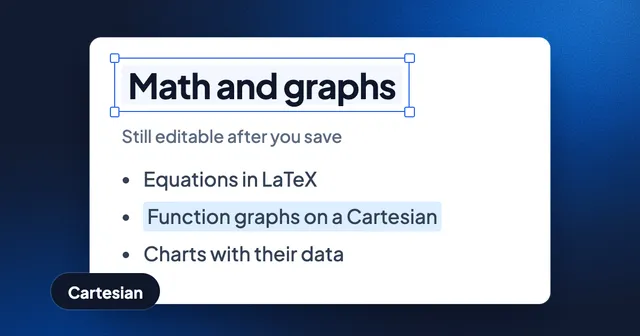
- Graphs: a plot in a picture rebuilt as an interactive math board you can drag and explore.
- Interactive pages: a page that runs a small program, such as a simulation or a diagram, in a sandbox.
- Images: generated on request and placed on a page.
- Specialist agents: teachers, analysts, editors and researchers on the Agents page, some with a voice and narrated lessons. You can remix one with your own instructions.
Where the agent runs
With Eddocu's own models, the agent works in the chat on every platform. In the desktop apps for Mac (from eddocu.com), Windows and Linux there is also an agent inside the offline core on your computer. It works on the folders you let Eddocu see, and it runs on the model you choose: your own Anthropic, OpenAI or Google key, an OpenAI-compatible service at an https address, or a coding agent you already use, such as Claude Code, Codex or Gemini CLI. Your own MCP servers add their tools to the same chat. The setup is in our guide to coding agents and MCP.
You decide what it may change
- Three modes: Read only (it reads and plans, changes nothing), Ask (it asks before each change), Allow (it goes ahead).
- Edits wait for review: text changes show with Accept and Reject; a document-wide rewrite can be taken back from the chat.
- A no is final: if you refuse a change, the agent is told not to try another way, and says what it would have done.
- Folders are asked for once: to reach files outside the folders it may see, the agent asks for the narrowest place, with a reason.
- Your MCP tools ask first: Allow once, Always allow, or Don't allow.
- Documents are data, not orders: text inside a file, a slide or a file name cannot approve an action or change the agent's rules.
What it can't do, or not yet
- Search by meaning. Search inside documents matches words, not ideas. "Revenue outlook" will not find a section called "Financial forecast" unless the words appear.
- Models on your own computer. A model served on the same machine, such as one at localhost, is not supported yet; the service needs an https address.
- Coding agents and your own keys on phones, the web or the Mac App Store app. Those run as programs on a computer, so they need the Mac app from eddocu.com, Windows or Linux.
- Connect to your other apps by itself. Your CRM or wiki reaches the chat only through an MCP server you add.
- Be right every time. A model can misread a table or pick the wrong word in a translation. That is why changes wait for review and can be undone, and why the agent checks its own pages after a rewrite.
Privacy
With Eddocu AI, the app sends your prompt and the parts of the document you use it on to the AI providers we work with, after asking you once. Nothing is sent until you use an AI feature, and your documents are not used to train models. With a coding agent, your own key or your own URL, the request goes from your computer to the service you chose. Details are on our privacy page.
FAQ
Can an AI agent edit a PDF without breaking the layout?
In Eddocu, yes. The agent edits the PDF's own text boxes in place, fits longer text back into each box, and checks the pages afterwards. You review the changes before they stay.
Can an AI agent translate a whole PowerPoint deck?
Yes. Ask in the chat with the deck open. The agent translates every slide in place, or a copy if you ask for one, and keeps names, numbers and formulas as they are.
Will the agent delete my files?
No. It moves files to the bin, where you can restore them, and it asks you every time before deleting or sharing.
Can it work across many documents at once?
Yes. It can search a whole library, compare documents, build a new deck from pages of several decks, and apply one reviewed change across several documents.
Do I need a paid plan?
No. The free plan includes 100 AI credits a month, and chats on your own coding agent or API key use no Eddocu credits. Paid plans add more credits (pricing).
Facts checked on 16 November 2026 against Eddocu's code and documentation. Claude Code is Anthropic's, Codex is OpenAI's and Gemini CLI is Google's; Eddocu works with them and is not affiliated with those companies.