OnlyOffice vs LibreOffice: Which Opens Office Files Best
OOXML native vs ODF native, AGPL vs MPL, macros, collaboration servers and paid ONLYOFFICE prices, plus where Eddocu fits and where it does not.
Updated 7 min read
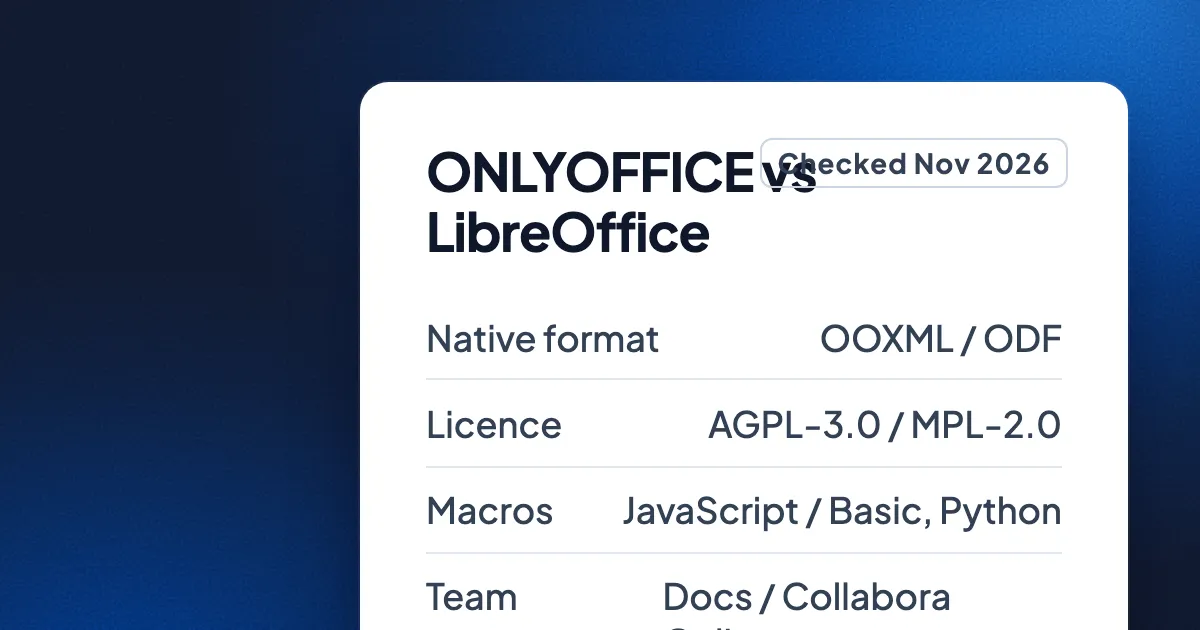
Short answer: ONLYOFFICE treats DOCX, XLSX and PPTX as its own formats, so Office files usually keep their layout, and its Docs server adds browser editing with others. LibreOffice treats ODF as home and imports Office files through filters, but it runs Basic and Python macros, loads some Excel VBA, and its MPL licence is easier to live with than ONLYOFFICE's AGPL. Eddocu fits a narrower case: PDFs, Word files and slides on every device, with no spreadsheets and no self-hosting.
Read our part of this comparison most critically: Eddocu is the editor we make. Everything about ONLYOFFICE and LibreOffice below comes from their own download pages, licences, help pages and price lists, linked where it appears.
The three at a glance
| ONLYOFFICE | LibreOffice | Eddocu | |
|---|---|---|---|
| Native format | DOCX, XLSX, PPTX (OOXML) | ODT, ODS, ODP (ODF) | Its own; opens PDF, DOCX, PPTX |
| Spreadsheets | Yes | Yes (Calc) | No |
| PDF editing | Text, images, forms, signatures | Draw, with layout loss | Text, images, pages; signing in beta |
| Macros | JavaScript; no VBA | Basic, Python; some Excel VBA | None |
| Desktop licence | AGPL-3.0 | MPL-2.0 | Closed source |
| Linux packages | .deb, .rpm, AppImage; x86-64 and ARM64 | .deb, .rpm; x86-64 and aarch64 | .deb for x86-64; eddocu-bin on the AUR |
| Phones | Android and iOS apps (proprietary) | Android viewer; Collabora Office for editing | Android, iPhone, iPad |
| Server for teams | ONLYOFFICE Docs, self-hosted or DocSpace cloud | Collabora Online (separate vendor) | Eddocu cloud only |
| Price | Desktop free; servers from free to quoted | Free | Free for personal use; Pro $9.99 a month |
Which one keeps a Word, Excel or PowerPoint file intact
The answer follows from how each suite stores a document. ONLYOFFICE's Desktop Editors are built around DOCX, XLSX and PPTX, and open ODT, ODS, ODP and CSV as the guests. A file that arrives from Microsoft Office is opened in the model it was saved in, and saved back the same way.
LibreOffice does the reverse. Its native format is ODF, the ISO/IEC 26300 standard, and Office files go through import and export filters. The project's own list of import limits is candid about where those filters struggle: AutoShapes, revision marks, OLE objects, form fields and complex tables in Writer; master-page backgrounds, grouped objects and spacing in Impress; pivot tables, controls, conditional formatting and some functions in Calc. It even documents a formula difference: with TRUE in A1 and A2, Calc's SUM returns 2 where Excel returns 0.
LibreOffice keeps closing the gap. Version 26.8, released in August, preserves the newer Office chart types (waterfall, funnel, treemap, sunburst and others) on a round trip and tells you which one it cannot draw, instead of dropping it. For a team that receives Office files from customers every day, ONLYOFFICE is still the safer default. For a team whose own documents are ODF, LibreOffice is the better fit, because those files never leave its own format.
Licences: AGPL-3.0 and MPL-2.0
Both are open source, but the obligations differ, and that matters more for a server than for a laptop.
- ONLYOFFICE Desktop Editors and the Docs server are AGPL-3.0. If you modify the server and let people use it over a network, you have to offer them your modified source. Using it unchanged inside a company carries no such duty in practice. The Android and iOS apps are listed as proprietary on ONLYOFFICE's own download page.
- LibreOffice is MPL-2.0, a file-level copyleft: changes to its own files must be shared if you distribute them, while code you add in separate files can stay yours. Bundling or rebranding it is simpler than with AGPL.
- Eddocu is closed source. There is nothing to audit or fork, which rules it out for some public-sector and university policies.
Macros and automation
If your organisation runs on Excel macros, test before you migrate, whichever suite you pick. ONLYOFFICE's macro guide says outright that macros written in Microsoft Office are not compatible: ONLYOFFICE macros are JavaScript, run against its own API. Since version 9.0 its AI Tools can draft a JavaScript version of a VBA macro, which you then review by hand.
LibreOffice has its own Basic dialect and Python, and 26.8 lets you create and edit Python macros from the Macro manager. It loads the VBA code inside Office files, and recent versions run some Excel VBA once you turn it on under Tools > Options > Load/Save > VBA Properties. That is partial support, not a VBA engine, but it means a simple workbook macro has a chance of working unchanged. Eddocu has no macros at all.
Editing together: Docs, DocSpace and Collabora Online
Neither desktop app is a collaboration tool on its own. Both need a server, and the two projects supply it very differently.
- ONLYOFFICE Docs is the same company's editor server, which plugs into Nextcloud, ownCloud, Seafile, Moodle and similar platforms, or runs inside ONLYOFFICE's own DocSpace rooms. The free Community Edition is recommended for up to 20 users, runs as a single process and has no admin panel or clustering, according to its README.
- LibreOffice itself has no server edition. The browser version built on its code is Collabora Online, from a separate company. Its free Development Edition is meant for home use, testing and start-ups.
- Eddocu syncs through its own cloud and cannot be installed on your servers.
What the paid ONLYOFFICE editions cost
From ONLYOFFICE's price page, in US dollars:
| Edition | Price | What you get |
|---|---|---|
| Docs Community (self-hosted) | Free | AGPL server, single process, recommended up to 20 users |
| Docs Home Server | $149 per server per year | 10 users, for home use |
| Docs Enterprise | From $33 per connection per year | From 50 simultaneous connections, admin panel, clustering, support |
| Docs Developer | On quote | From 250 connections, for building the editors into your own product |
| DocSpace Startup (cloud) | Free | Up to 3 admins, 12 rooms, 2 GB, unlimited users and guests |
| DocSpace Business (cloud) | $20 per admin per month | Unlimited rooms, 250 GB per admin, SSO, backups, audit trail |
Note how each is counted: Enterprise by simultaneous connections, not named users, and DocSpace Business by admins only. For comparison, Collabora Online Business is €3 ($3.40) per user per month for up to 99 users, with Enterprise on quote above that.
Linux, Windows, Mac and phones
On Linux both are first-class. ONLYOFFICE 10.0 (October 2026) ships .deb, .rpm and AppImage builds for x86-64 and ARM64, plus Windows builds for x64, x86 and ARM64, and Mac builds for Intel and Apple silicon. LibreOffice 26.8.3 offers .deb and .rpm for x86-64 and aarch64, Windows installers for x86-64 and ARM64, and Mac builds for both chip types; most distributions also package it.
Phones are where they part. ONLYOFFICE has its own Android and iOS apps that edit documents and spreadsheets offline. The Document Foundation offers only an Android viewer with experimental editing and points phone users to Collabora Office.
Where Eddocu fits
Eddocu belongs in this comparison for one kind of user: someone whose Office work is mostly letters, reports, slides and PDFs, not spreadsheets, and who wants the same editor on a Linux laptop, a Mac, an Android phone and an iPad.
- It edits the existing text, images and pages of a PDF, where LibreOffice Draw breaks the text into separate boxes.
- The same editor opens Word files, PowerPoint files and PDFs, and saves PDF, DOCX, PPTX or HTML.
- The apps work offline, it is free for personal use with no ads, and Pro is $9.99 a month or $49.99 a year.
- An AI chat drafts, rewrites and translates in the page, with 100 free credits a month.
To try it on a file without installing anything, open Edit PDF or PDF to DOCX (both in beta), or get the apps at eddocu.com/download.
Where the other two are better than Eddocu
- Spreadsheets: Eddocu has none. Anyone who works in XLSX or ODS should pick ONLYOFFICE or LibreOffice.
- Office layout: Eddocu imports files into its own format and writes new ones on save, so dense layouts can shift. ONLYOFFICE keeps OOXML as it is.
- Macros, self-hosting and source code: Eddocu offers none of the three.
- Linux breadth: Eddocu offers a
.debfor 64-bit x86 PCs and an AUR package, while both suites also ship.rpmand ARM builds. - ODF: if your archive is ODT and ODS, LibreOffice is the natural home for it.
Which one to deploy
- Office files from outside, every day: ONLYOFFICE Desktop Editors, with Docs or DocSpace if people edit together.
- An ODF archive, macros, or a strict licence policy: LibreOffice, with Collabora Online for browser editing.
- A Nextcloud you already run: either; both ONLYOFFICE Docs and Collabora Online have connectors.
- PDFs, Word files and slides across phones and desktops, no spreadsheets: Eddocu.
FAQ
Is ONLYOFFICE better than LibreOffice for DOCX files?
Usually, yes. DOCX is ONLYOFFICE's native format, while LibreOffice converts it on the way in and out, and its own help pages list the features that may not survive that trip.
Can ONLYOFFICE run Excel VBA macros?
No. Its macros are JavaScript, and its AI Tools can help translate a VBA macro, but the result needs checking. LibreOffice runs some Excel VBA once it is enabled in its options.
Is ONLYOFFICE free for business use?
The Desktop Editors are free for personal and professional use. The free Docs Community server is meant for small, non-critical setups; larger deployments are priced per connection.
Does Eddocu replace either suite?
Only for documents, slides and PDFs. It has no spreadsheet editor, no macros and no self-hosted version.
Facts checked on 23 November 2026, against ONLYOFFICE 10.0 and LibreOffice 26.8.3. ONLYOFFICE prices are in US dollars as its price page lists them.