Smallpdf and iLovePDF Alternatives That Don't Upload Your Files
Smallpdf and iLovePDF upload every file and delete it within hours. These tools merge, reorder and edit PDFs on your own device instead, in the browser or offline.
Updated 5 min read
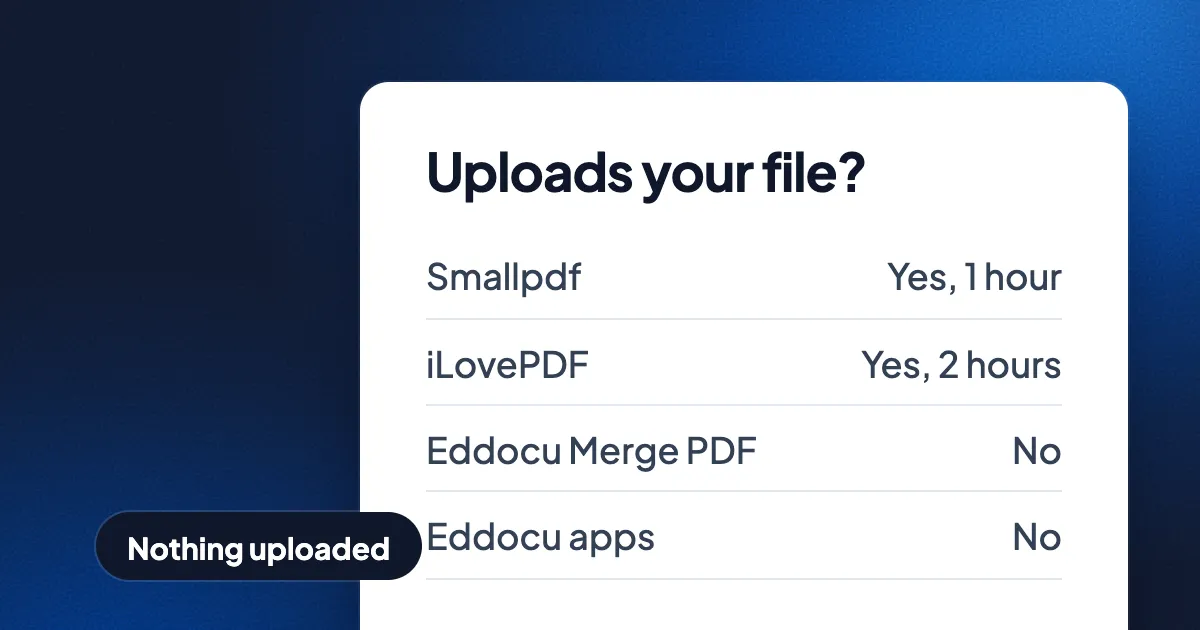
Short answer: Smallpdf and iLovePDF upload every file to their servers and delete it later, within 1 hour and 2 hours. To merge, reorder or edit a PDF without uploading it, use a tool that runs on your device: Eddocu's Merge PDF in your browser (free, no account), the Eddocu apps for Mac, Windows, Linux, iPhone, iPad and Android, Preview on the Mac, PDF Arranger on Linux, or the desktop apps PDF24 Creator and Sejda Desktop.
Eddocu is the editor we make, so read our rows with that in mind. The section near the end says where Smallpdf, iLovePDF and the others are better.
What Smallpdf and iLovePDF do with your file
Smallpdf and iLovePDF are good websites. Both state ISO 27001 certification, and both say they do not train AI on your files (Smallpdf says so for its AI tools). Both still work the same way: your PDF travels to their servers, is processed there, and the result is sent back.
- Smallpdf deletes uploads after 1 hour for most tools, on EU servers, with Cloudflare in the US or EU for US users. Files you save to a Smallpdf account stay until you delete them.
- iLovePDF deletes uploads after 2 hours, in the European Economic Area by default. Signed documents are kept for up to 5 years.
For a public flyer, that is fine. For a contract, a payslip, a medical form or anything under an NDA, many companies forbid uploading to a third party at all. The details for eight PDF websites, dated, are in how long online PDF tools keep your files.
Alternatives that keep the file on your device
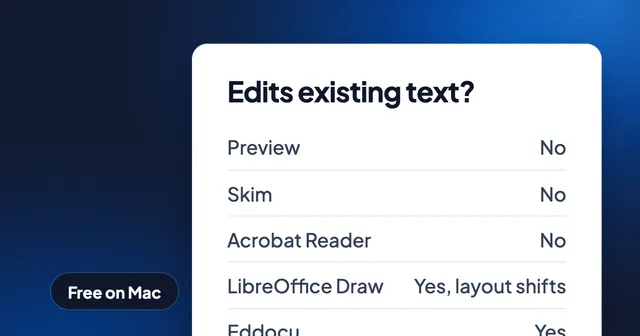
| Tool | Runs on | Uploads your file | Merge PDFs | Reorder pages | Edit existing text | Free |
|---|---|---|---|---|---|---|
| Smallpdf | Any browser | Yes | Yes | Yes | - | Free tier with a daily limit |
| iLovePDF | Any browser | Yes | Yes | Yes | - | Free tier with limits per task |
| Eddocu Merge PDF | Any browser, on your device | No | Yes | Yes | No | Yes, no account |
| Eddocu apps | Mac, Windows, Linux, iPhone, iPad, Android | No | Yes | Yes | Yes | Yes, for personal use |
| Preview | Mac, built in | No | Yes | Yes | No | Yes |
| Microsoft Edge | Windows, built in | No | No | No | No | Yes |
| PDF Arranger | Linux | No | Yes | Yes | No | Yes, open source |
| LibreOffice Draw | Windows, Mac, Linux | No | - | Yes | Yes, layout often shifts | Yes, open source |
A dash means we did not test that feature for this post. PDF24 Creator and Sejda Desktop, the desktop apps from two of the PDF websites, also keep files on your computer; we did not test their features for this table.
Eddocu Merge PDF: a website that does not upload
Eddocu's Merge PDF looks like a PDF website, but the page contains the whole tool. Your browser reads the PDFs, a background worker on your device joins them, and the result comes back as a download. Eddocu Merge PDF takes up to 100 files, needs no account and copies each page as it is, so text stays selectable. Reorder pages, Delete pages and Extract pages are the next step on the same screen, loaded with the merged file. The full walkthrough, with a recording, is in merge PDF files without uploading them.
One honest caveat: not every Eddocu tool on the website works this way. The converters on eddocu.com, such as PDF to Word, run on Eddocu's servers and delete the file as soon as the result is ready. To convert without any upload, use the apps.
Eddocu apps: edit the PDF itself, offline
Eddocu is a document editor for PDF, DOCX and PPTX. The Eddocu apps open a PDF and edit its existing text, images and pages on your device, with no account and no internet connection. The work is done by our offline core, the same engine on every platform.
- Edit text in place, in the PDF's own font, not a box laid on top.
- Merge, reorder, add and delete pages in the slides panel.
- Read scans with text recognition on the device.
- Export to PDF, DOCX or PPTX on the device; see PDF to Word and back.
Eddocu is free for personal use and shows no ads. The paid plans add AI and cloud sync; AI features send text to an AI service, and Eddocu asks before it does. Get the apps from eddocu.com/download, or read how to edit a PDF offline first.
The tools you already have
- Preview on the Mac merges PDFs by dragging one into another's thumbnail sidebar, reorders and deletes pages, annotates and signs. Preview does not change existing text.
- Microsoft Edge on Windows annotates and adds text on top of the page. Windows has no built-in tool that joins PDF files, which is why so many people end up on a merge website.
- On Linux, PDF Arranger merges, reorders, rotates and deletes pages, and Okular annotates. See free PDF editors for Linux.
How to check that a tool does not upload
- Open the tool and load it fully while you are online.
- Turn off Wi-Fi, or unplug the network cable.
- Add a PDF and run the task.
If the task finishes and the result saves, the work happened on your device. If you get a spinner, an error or a sign-in wall, the file was on its way to a server.
Where Smallpdf, iLovePDF and others are better
- Breadth on the web. Smallpdf and iLovePDF offer many conversions in one place, in any browser, with nothing to install. Eddocu's no-upload web tool today is Merge PDF and its page steps.
- Teams and e-signatures. Both sites sell team plans and signature workflows. Eddocu signatures are drawn, and certificate-based signatures need a tool such as Acrobat or Okular.
- Redaction. Eddocu has no redaction tool yet. Acrobat is the standard choice.
- Very large files in the browser. A tool that runs on your device is limited by your device's memory. A server does not have that limit.
Plans are on the pricing page, and the full list of what Eddocu does is on the features page.
FAQ
Does Smallpdf upload my files?
Yes. Smallpdf processes files on its servers and deletes them after 1 hour for most tools. Files saved to a Smallpdf account stay until you delete them.
Is iLovePDF safe for confidential documents?
iLovePDF processes uploads in the European Economic Area by default and deletes them after 2 hours. For contracts or files under an NDA, a tool that never uploads the file is the safer choice.
Can I merge PDFs without uploading them?
Yes. Eddocu's Merge PDF joins up to 100 PDFs inside your browser, with no account. Preview on the Mac and PDF Arranger on Linux merge PDFs offline too.
Is there a free offline alternative to Smallpdf?
Yes. The Eddocu apps are free for personal use and edit, merge and export PDFs offline on Mac, Windows, Linux, iPhone, iPad and Android. PDF24 Creator and Sejda Desktop are offline desktop apps from PDF websites.
Facts checked on 16 November 2026. Smallpdf and iLovePDF policies as read on smallpdf.com and ilovepdf.com for our file retention post. Policies change; tell us on the contact page if one has.