Overleaf Alternatives for Writing LaTeX Offline
Overleaf's free plan stops compiles at 10 seconds. Offline options compared: TeX Live with TeXstudio or VS Code, LyX, Typst, Prism, and where Eddocu fits.
Updated 6 min read
Short answer: to write LaTeX offline, install TeX Live or MiKTeX and edit in TeXstudio or VS Code with LaTeX Workshop. For editing that looks like the printed page, LyX runs on your own machine. Typst is a newer, faster-compiling language, but it is not LaTeX. Eddocu turns a finished .tex file into a document you can edit like Word; it does not replace a TeX compiler for a thesis template.
This roundup is for academics and students who like Overleaf's editor but want to work without a connection, avoid the free plan's limits, or edit a paper visually. Eddocu is the editor we make, and it appears near the end with its limits stated.
What Overleaf's free plan limits, and what paid plans cost
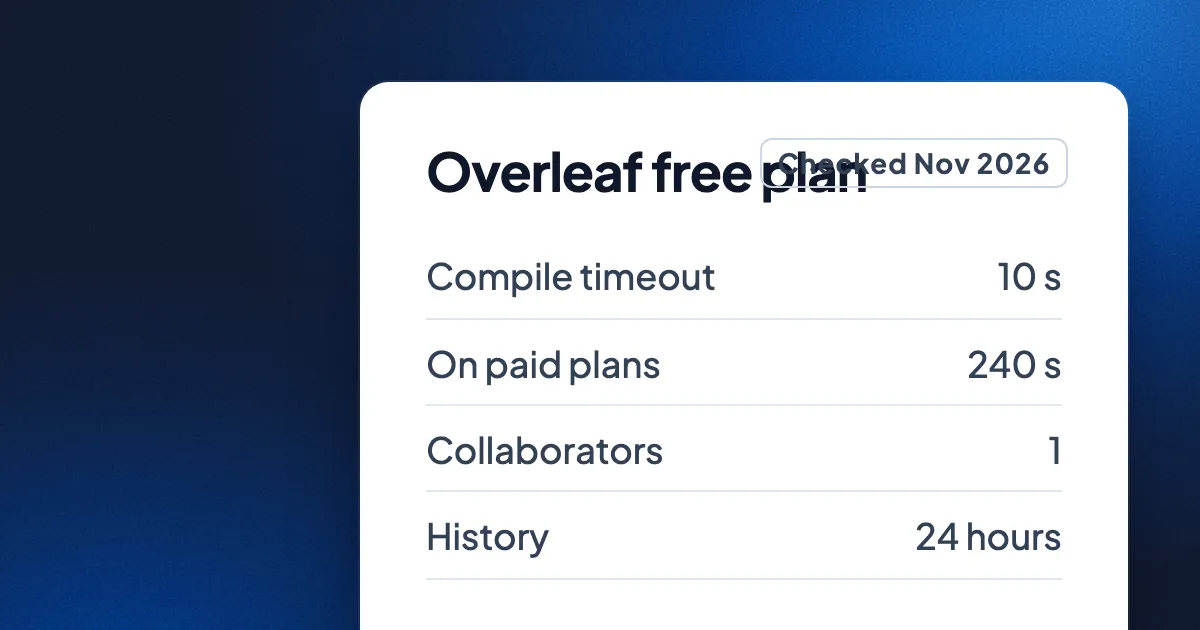
The limit most people meet first is compile time. Overleaf's plan limits page gives free projects 10 seconds to compile and paid plans 240 seconds. The 10-second limit has applied to every free user since 8 September 2025, as the Overleaf blog announced. A thesis with many figures, TikZ diagrams or a long bibliography can pass that and stop compiling.
The free plan also allows one collaborator per project, keeps 24 hours of history, and has no track changes and no Git, GitHub, Dropbox or Zotero integration. Prices on Overleaf's plans page, in US dollars before tax:
| Plan | Monthly | Yearly | Collaborators per project |
|---|---|---|---|
| Free | $0 | $0 | 1 |
| Student | $13 | $98 | 10 |
| Standard | $25 | $199 | 10 |
| Pro | $45 | $399 | Unlimited |
Many universities pay for an Overleaf licence, so check with your library before paying yourself.
The alternatives side by side
| Tool | Works offline | Visual editing | Compiles any LaTeX template | Price |
|---|---|---|---|---|
| Overleaf | No, runs in the browser | Partly, Visual Editor | Yes, within the compile timeout | Free, paid from $13 a month |
| TeX Live or MiKTeX with TeXstudio | Yes | No, source with PDF preview | Yes | Free, open source |
| VS Code with LaTeX Workshop | Yes | No, source with PDF preview | Yes | Free |
| LyX | Yes | Yes, close to the printed page | Partly, needs a LyX layout for the class | Free, open source |
| Typst | Yes, with the local compiler | No, source with live preview | No, a different language | Free, web app Pro $7.99 a month |
| OpenAI Prism | No | No, LaTeX source with AI help | Yes | Free, closes 1 January 2027 |
| Eddocu | Partly, the first compile fetches packages online | Yes, after import | No, pdfLaTeX only, in beta | Free for personal use |
A local TeX distribution with TeXstudio or VS Code
This is the setup closest to Overleaf, because Overleaf itself runs TeX Live. Everything compiles on your own computer, so there is no timeout, no upload and no account.
- The distribution. TeX Live 2026 is out for Windows, macOS and Linux, and on a Mac it comes as MacTeX. A full install is several gigabytes. MiKTeX runs on Windows, Linux and macOS and installs missing packages from the internet when a document first asks for them, which keeps the first download small.
- TeXstudio. A free editor under the GPL v2 for Windows, Linux, BSD and macOS that finds an installed MiKTeX or TeX Live by itself. Version 4.9.10 came out on 20 November 2026, per texstudio.org. It suits people who want one program with menus for symbols, tables and the build.
- VS Code with LaTeX Workshop. The LaTeX Workshop extension builds the PDF, BibTeX included, every time you save, shows it beside the source and jumps between a line of source and its place in the PDF. It suits people who already write code in VS Code and want Git in the same window.
The cost of this route is setup and sharing. You install a few gigabytes, fix the odd missing package yourself, and share through Git or a synced folder instead of a link.
LyX, for editing a paper the way it will look
LyX is a free editor for Linux, Windows and Mac that shows headings, equations and tables formatted on screen while it writes LaTeX underneath. Its makers call this "what you see is what you mean". The current release is 2.5.3, from 17 September 2026. LyX needs a TeX distribution: on Windows and macOS you install MiKTeX, TeX Live or MacTeX first, as its download page says.
It is the strongest offline answer for visual editing. The catch is templates: a university class file needs a matching LyX layout, and pasting raw LaTeX into a LyX document works but is clumsy. LyX can export to LaTeX, so co-authors on Overleaf can still receive a .tex file.
Typst, if you can leave LaTeX behind
Typst is a newer typesetting language with a shorter syntax than LaTeX. Its compiler is open source and runs on your own computer, and typst.app is an online editor for it. On the pricing page, the free plan has 200 MB of storage and 100 files per project, and Pro is $7.99 a month (US price) with 2 GB and 1,000 files per project.
Typst does not read .tex files. An existing project has to be rewritten, and many journals ask for LaTeX or Word files. It is a good choice for a new paper you control from start to finish.
OpenAI Prism, which is closing
OpenAI launched Prism on 27 January 2026 as a free, cloud-based LaTeX editor with GPT-5.2 built in and unlimited collaborators, for anyone with a personal ChatGPT account. OpenAI now says Prism will close on 1 January 2027 and asks users to export their projects before then. Do not start a thesis in it, and if you have projects there, download them now.
Eddocu, for what comes after the LaTeX
Our own tools help at a different moment: when a paper has to leave LaTeX, not while you are still writing it in a class file. Eddocu is free for personal use, with no watermark and no ads, and paid plans add AI and cloud sync.
- LaTeX Editor (in beta). Source on the left, PDF on the right, compiled by TeX in the browser when you pause or press Cmd or Ctrl+Enter. It opens a
.texfile, a.zipor a folder, with no compile limit and no watermark. It uses pdfLaTeX and fetches each TeX Live package the first time a document needs it, so the first compile is slower and needs a connection. - Import as an editable document. A
.texproject opens as a normal document whose text, headings, tables and equations you edit on the page, then save as a Word file or a PDF. The steps are in our guide to importing a LaTeX project. - LaTeX to Word (in beta). Turns a
.texfile into a Word document with the text still text, for a co-author or an editor who only works in Word. Check complex pages after converting.
The limits are real. Eddocu does not run XeLaTeX or LuaLaTeX, so templates that need fontspec or minted will not build in it, and an imported document does not go back to .tex. For a thesis written against a university class file, keep a TeX distribution or Overleaf as the place the official PDF is built.
Where other tools are better
- Writing with several co-authors who all edit LaTeX: stay on Overleaf, or a paid plan through your university.
- Writing a thesis offline on a required template: TeX Live or MiKTeX with TeXstudio or VS Code.
- Wanting to see formatted equations and headings while writing, offline: LyX.
- Starting a new paper with no LaTeX requirement: try Typst.
- Handing a finished paper to someone who edits in Word, or fixing a few lines in it without TeX: Eddocu.
FAQ
Can I use Overleaf offline?
Not for real work. It runs in the browser and compiles on Overleaf's servers, so offline writing means a local TeX distribution with an editor, or LyX.
How do I move a project from Overleaf to my computer?
Download the project as a .zip from Overleaf's menu, unzip it and open the main .tex file in TeXstudio or VS Code. Overleaf uses TeX Live, so the same distribution on your computer builds it the same way.
What is the free compile timeout on Overleaf?
Ten seconds per compile on the free plan, and 240 seconds on paid plans.
Can Eddocu replace Overleaf for my thesis?
No. It compiles with pdfLaTeX only, in beta, and cannot build templates that need XeLaTeX or LuaLaTeX. Use it to edit or hand over the finished paper.
Facts checked on 23 November 2026: Overleaf's plan pages, TeXstudio 4.9.10, LyX 2.5.3 and Typst's US pricing.