PowerPoint Alternatives, Free and Offline: 7 Apps Compared
LibreOffice, ONLYOFFICE and Keynote edit .pptx offline for free, with a presenter view. PowerPoint mobile is free only up to 10.1 inches.
Updated 8 min de lectura
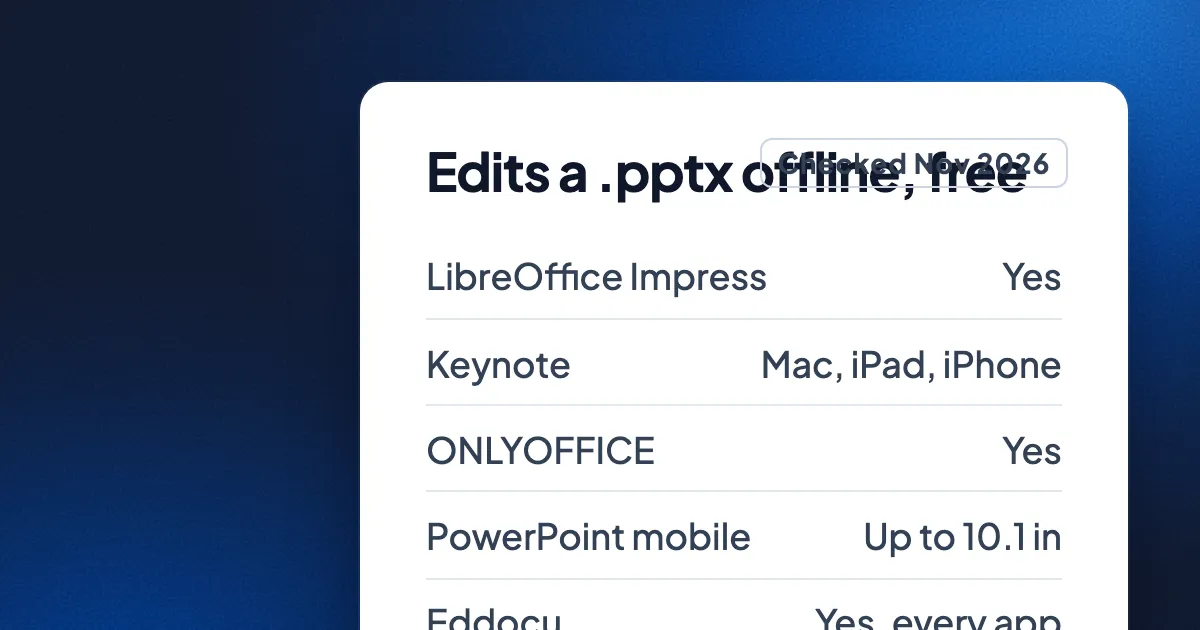
Short answer: for a free app that opens a real .pptx, edits it with no internet and presents it with your notes on a second screen, install LibreOffice Impress or ONLYOFFICE Desktop Editors on Windows, Mac or Linux, or use Keynote on a Mac. PowerPoint's own mobile app is free only on screens of 10.1 inches or smaller, and Google Slides works offline only after you set it up while online. Eddocu edits and exports .pptx offline on every platform, but it has no presenter view yet.
Eddocu is the editor we make. We judged each app on the same eight things a presenter runs into on a train or in a room with bad Wi-Fi: does it open the .pptx, edit it, keep fonts, notes and layouts, save it back as .pptx, show your notes while you present, work offline, run on your devices, and what it costs.
Which apps open, edit and save a .pptx offline
| App | Edits .pptx | Keeps the deck intact | Saves .pptx | Notes while presenting | Offline | Platforms | Price |
|---|---|---|---|---|---|---|---|
| LibreOffice Impress | Yes | Partly: shapes, spacing and master backgrounds can change | Yes | Yes, Presenter Console on two screens | Yes | Windows, Mac, Linux | Free |
| Apple Keynote | Yes, by import | Partly: missing fonts must be replaced | Yes, by export | Yes, presenter display | Yes | Mac, iPad, iPhone | Free |
| ONLYOFFICE Desktop Editors | Yes | Mostly: PPTX is its own format | Yes | Yes, presenter view | Yes | Windows, Mac, Linux | Free |
| WPS Presentation | Yes | Mostly, by the vendor's account | Yes | Yes, presenter tools | Yes | Windows, Mac, Linux, iOS, Android, web | Free with ads; Pro+ paid |
| PowerPoint mobile | Yes | Yes | Yes | Paid on Android | Yes, for files on the device | iPhone, iPad, Android | Free up to 10.1 inches |
| Google Slides | Yes, in Office editing | Partly: some features are hidden or lost | Yes | Yes, presenter view | Partly: set up first | Chrome or Edge on a computer | Free with a Google account |
| Eddocu | Yes, by import | Partly: complex layouts can shift | Yes | No: full screen shows slides only | Yes, in the apps | Windows, Mac, Linux, iPhone, iPad, Android, web | Free for personal use |
LibreOffice Impress: free, open source, with a real presenter console
Impress is the presentation app in LibreOffice, released under the Mozilla Public License 2.0 and offered "at no cost" on LibreOffice's own site. The current builds (26.8.3, with 26.2.7 for those who want the older branch) are on the download page for Windows, macOS (Apple Silicon and Intel) and Linux. Everything runs on your machine, so a .pptx opens and saves on a plane.
The project is candid about where PowerPoint files suffer. Its import and export limits page lists AutoShapes, tab, line and paragraph spacing, master background graphics, grouped objects and some multimedia effects. A deck of plain text and photos uses little of that; one built on custom shapes and tight spacing needs a slide-by-slide look before you present it.
For presenting, the Presenter Console shows the current slide, the next slide, your notes and a timer on your laptop while the audience sees the slide. It needs a second display, and its settings live under Slide Show, Slide Show Settings.
Apple Keynote: free on Apple devices, converts on the way in
Keynote opens .pptx and .ppt files on a Mac, iPad and iPhone. Apple's guide to PowerPoint files notes one trap: if PowerPoint is installed, double-clicking a .pptx opens PowerPoint, so drag the file onto the Keynote icon instead. Keynote turns the deck into a Keynote presentation and tells you about any font it does not have; you swap those under Format, Font, Replace Fonts.
To send it back, choose File, Export To, PowerPoint, described on Apple's export page. The presenter display shows your notes, a clock or timer and the current slide, and you can rehearse with it without plugging in a second screen. Keynote stays free; Apple says you can keep using it at no charge next to its optional Creator Studio subscription ($12.99 a month or $129 a year, US prices).
ONLYOFFICE Desktop Editors: PPTX as the native format
ONLYOFFICE takes the opposite route to LibreOffice: its editors are built around DOCX, XLSX and PPTX rather than converting them to another format. The desktop editors are "free for personal and professional use" on Windows, macOS and Linux and work without a connection. The presentation editor page lists PPTX, PPT, ODP and PPSX, plus speaker notes and a presenter view for the talk itself.
For one presenter there is little catch: the paid tier is an Enterprise edition sold to organizations. Native support is not a promise that every animation plays the same, so run your most complex deck through it once before you rely on it.
WPS Presentation: familiar and free, with ads
WPS Presentation is "free forever" according to its maker, opens and saves .pptx, .ppt and .ppsx, includes presenter tools and runs on Windows, Mac, Linux, iOS, Android and the web. It has the widest platform list here apart from Eddocu.
The free tier, WPS Standard, is supported by advertising: "No advertising" is one of the things the paid Pro+ plan adds on the pricing page, along with fuller PDF tools and more cloud space than Standard's 1 GB. The page shows Pro+ in your local currency, so check it from where you live. WPS says it keeps full fidelity with PowerPoint files; we would still open your hardest deck in it before a talk.
PowerPoint mobile: free, but only on small screens
Microsoft's own app is the most faithful choice, because the file never leaves the format it was made in. The free mobile apps cover "core tasks like viewing, creating, and editing files", but Microsoft's subscription page says you need Microsoft 365 when your device is larger than 10.1 inches. An iPad mini qualifies; an 11-inch iPad or any larger tablet does not, and on those editing needs a subscription. The same page lists presenting while you see your notes on an Android device as a subscription feature.
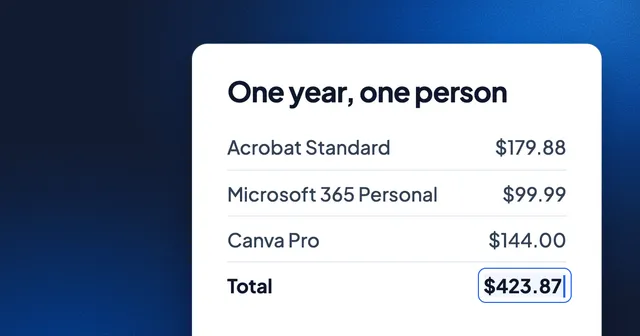
Offline, PowerPoint opens files stored on the device. Files in OneDrive must have been opened online at least once first, per Microsoft's offline help. If the screen rule rules you out, the US plan list prices Microsoft 365 Personal at $99.99 a year or $9.99 a month, and Office Home 2024, with desktop PowerPoint for one PC or Mac, at $179.99 once. We cover the tablet case in PowerPoint on iPad without Microsoft 365 and the phone case in editing PowerPoint on Android.
Google Slides offline: what it needs before you lose the connection
Google Slides can edit a .pptx without converting it, in what Google calls Office editing, and the Office editing help says changes are saved back to the file in Office format. Some features are not shown or not editable there and may be lost or altered. If you convert the deck to Google Slides instead, embedded charts and videos become images and SmartArt becomes a drawing, per the conversion page.
Offline is the harder part. According to Google's offline setup, you need Chrome or Edge, not a private window, the Google Docs Offline extension, and Offline turned on in Drive's settings, all done while you are still online. Then mark the .pptx itself as available offline. Presenter view with speaker notes is under the arrow next to Slideshow, as the presenting help shows. Slides is free with a Google account; the offline setup is the step people skip, so do it the day before, not at the venue.
Eddocu: offline on every platform, notes in the editor
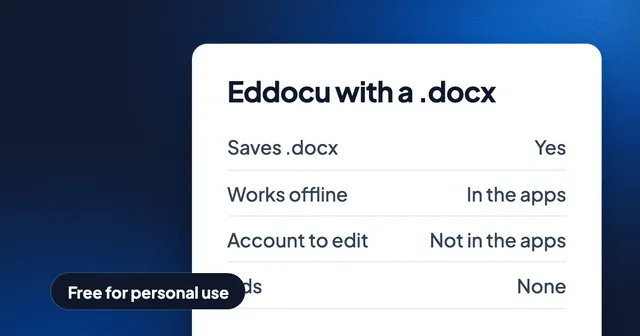
Eddocu opens a .pptx in its apps for Windows, Mac, Linux, iPhone, iPad and Android, with no internet and no account. The web version at eddocu.com does the same with a connection and a free account. Behind the scenes it imports the deck into its own format and writes a new .pptx when you save. Simple decks come back as they went in; dense layouts, unusual fonts and embedded charts can shift, so open the exported file before you send it.
To present, use Present full screen, then Start from beginning or Start from current page. You can draw with a pen and highlighter during the talk and keep those marks with Save presentation annotations. Notes are typed under each slide after Show speaker notes. They stay in the editor during the talk, though, because full screen shows the slides only and there is no presenter view yet. Our post on presenting a PDF like a PowerPoint covers the workaround.
Eddocu is free for personal use, with no ads and no watermark; the free web account caps imports at 10 documents in total. Pro is $9.99 a month or $49.99 a year and adds AI and cloud sync (see pricing). For one-off jobs on a deck there are browser tools, all in beta: PowerPoint to PDF, Merge PowerPoint, Rearrange Slides and Find and Replace in PowerPoint, which can also replace text in speaker notes.
Where other tools are better
- You present from your notes on a second screen. Pick LibreOffice Impress, ONLYOFFICE or Keynote, which show notes and the next slide to you alone.
- The deck uses animations, SmartArt or embedded charts and must look identical. Use PowerPoint itself: the mobile app on a small device, or a paid desktop copy. The other apps here can rebuild, flatten or drop some of those parts.
- You want open source. LibreOffice is open source under the MPL 2.0. Eddocu is closed source.
- You only own Apple devices and send decks back rarely. Keynote is already installed and exports to PowerPoint when you need it.
Which one to install before your next talk
- On a Windows or Linux laptop that drives a projector, install LibreOffice or ONLYOFFICE and turn on the presenter view once at home, with a monitor plugged in.
- On a Mac, try Keynote first and replace any missing fonts before you leave.
- If you edit the same .pptx on a laptop, a phone and an iPad, Eddocu from the download page handles all three without an account. Save the final deck as .pptx and, if you need your notes on stage, present it from one of the apps above.
- Whatever you choose, open the final file once offline, on the machine you will present from, the day before.
Facts checked on 23 November 2026. Microsoft and Apple prices are US list prices; WPS shows Pro+ in the visitor's own currency.
FAQ
Is there a free PowerPoint that works offline?
PowerPoint's mobile app edits files stored on the device offline, for free, on phones and tablets of 10.1 inches or smaller. Desktop PowerPoint needs a paid license; LibreOffice Impress, ONLYOFFICE and Keynote are the free offline stand-ins.
Can Google Slides open a .pptx without internet?
Yes, if you prepared it online: Chrome or Edge, the Google Docs Offline extension, Offline turned on in Drive and the file made available offline. Skip that setup and a file you never opened offline is simply not there.
Which free app shows my speaker notes while I present?
LibreOffice's Presenter Console, Keynote's presenter display and ONLYOFFICE's presenter view all do, on your screen only. In Eddocu you can write notes under each slide, but you see them in the editor, not while presenting.
Why do my fonts change when I open a .pptx in another app?
The app can only draw a font that is installed on that computer, so it substitutes one. Install the deck's fonts on the presenting machine, or replace them yourself, as Keynote prompts you to.