How to Edit a PowerPoint on Android Without an Account, Then Save It as PPTX
Open a .pptx on your Android phone, switch to Editing, change the text on a slide and export it as PowerPoint again. Recorded step by step, offline, with no sign-in.
Published Updated Reading time 3 min read
On this page
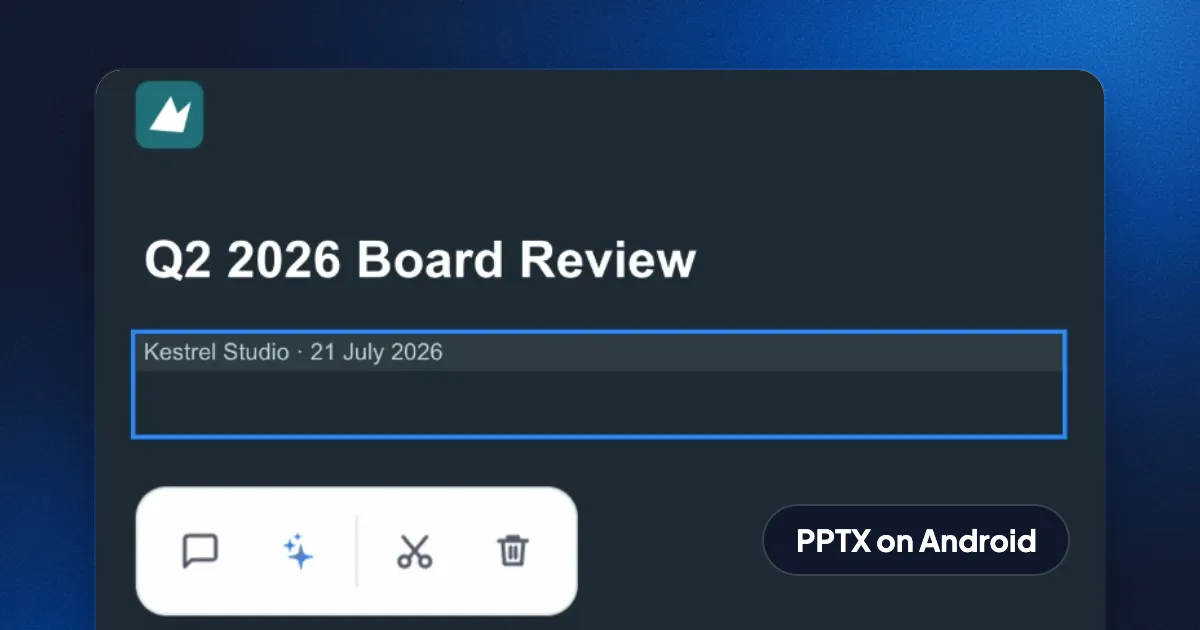
Short answer: open the .pptx in Eddocu for Android, switch from Viewing to Editing, tap the text box twice and type. Then open the menu, choose Export, pick PPTX and save or share the new file. No account and no internet connection are needed: the deck is opened, edited and written on your phone. Text, pictures and slide designs come through; charts don't yet (more on that below).
Edit a PowerPoint on Android, step by step
- Open the deck in Eddocu. Tap the .pptx in Files, Gmail, Drive or a chat and choose Eddocu, or share it to Eddocu. It opens on your phone and stays in Eddocu's library.
- Switch to Editing. Decks open in Viewing, so a stray tap or swipe changes nothing. Tap the eye at the top left and choose Editing. The same menu has Commenting, for notes without changes.
- Tap the text, then tap it again. The first tap selects the box, with a small toolbar to comment, ask AI, cut or delete it. The second tap puts the cursor in the text and opens the Text panel: style, bold, italic, underline, strikethrough, link, lists, font size and text colour.
- Type your change. Eddocu keeps it on your phone as you go. With no account, it notes that the change isn't synced to the cloud; nothing is lost.
- Export it as PowerPoint. Tap the three dots at the top right, then Export. PPTX is already selected ("As opened"); keep All pages and tap Export. Choose Save file to pick a folder, or Share file to send it straight to email or a chat.
What the exported file keeps
We opened the exported deck on a Mac to check it. It has all eight slides. The title slide shows 21 July 2026 in the same font, size and colour as before, and the logo, backgrounds and text on every slide are where they were. The same Export sheet also makes a PDF, a Word file or a web page from the deck, and you can pick the current slide or a range such as 2-4 instead of all of them.
Charts are the exception, and we'd rather say so before you find out: the deck's three charts show and stay in place in Eddocu, but the exported PPTX has a grey box labelled "Chart" where each chart was. The words next to the charts are fine. If your deck has charts, keep its original for them until this is fixed.
Ways to edit a PPTX on Android
| Eddocu | Microsoft PowerPoint app | Google Slides app | |
|---|---|---|---|
| Account to edit | Not needed | A Microsoft account | A Google account |
| Where the file lives | On your phone | OneDrive or the phone | Google Drive |
| Saves as .pptx | Yes, with Export (charts not yet) | Yes | Yes |
If you already live in Microsoft 365 or Google Workspace, their apps are the natural choice. Eddocu is for when you want to fix a slide without signing in anywhere or sending the deck to a cloud first, and for keeping your PDFs, Word files and decks in one place on the phone.
Limits, today
- Charts are not written into exported files yet; each becomes a grey "Chart" box.
- Editing changes the copy in Eddocu's library. To replace the original, export and save over it.
FAQ
Can I edit a PowerPoint on Android without an account?
Yes. Eddocu for Android opens, edits and exports .pptx files with no account, on the phone itself.
Does it work offline?
Yes. Opening, editing and exporting all run in the app on your phone, so they need no internet connection.
Can I present from my phone?
Yes. Present is in the same menu as Export.
Is it the same on iPhone and iPad?
Yes. The iPhone and iPad apps have the same Viewing, Commenting and Editing modes and the same Export sheet.
Facts checked on 14 November 2026 against Eddocu 1.3.20's Android layout and offline core with an eight-slide deck; the exported file was opened in macOS Quick Look and unpacked to check every slide.
Related posts
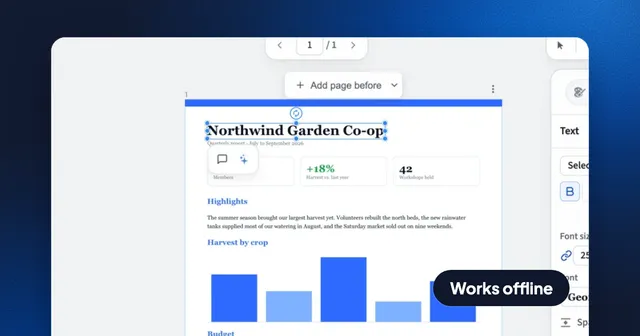
How to Edit a PDF Offline Without Uploading It
What Preview, Edge, Word, LibreOffice, Acrobat and Eddocu can edit with no internet connection, and how to change PDF text without your file leaving your computer.
Guide 4 min read
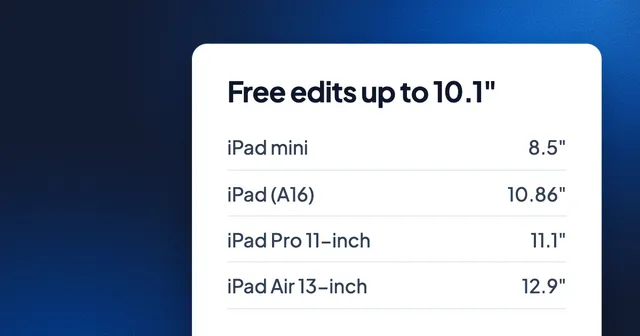
How to Edit PowerPoint on an iPad Without Microsoft 365
PowerPoint edits for free only on screens of 10.1 inches or less, and every iPad but the mini is bigger. What each iPad measures, and the free ways to edit and save .pptx: Keynote, Google Slides and Eddocu.
Guide 3 min read
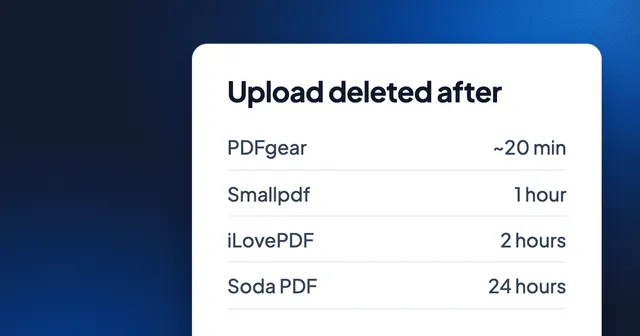
How Long Online PDF Tools Keep Your Files: Smallpdf, iLovePDF, Adobe, Sejda and More
From 20 minutes to 24 hours, or until you delete it: how long eight PDF websites keep an upload, where they process it, whether they train AI on it, and how to skip the upload.
Guide 3 min read