The Future of Document Signing
Drawn signatures versus certificate signatures: the eIDAS levels, PAdES, what makes a signature verifiable, where signing is going, and what Eddocu does today.
Updated 6 min read
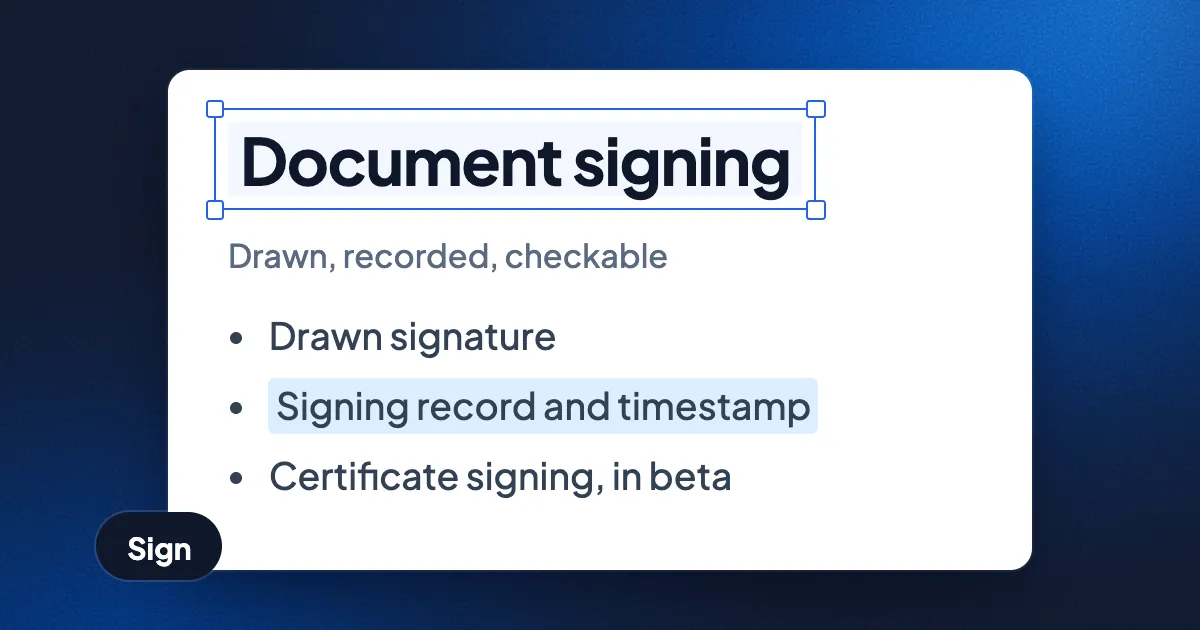
Short answer: a drawn signature is a picture of your name; what makes it count is the record around it: who signed, when, how they proved who they were, and whether the document changed afterwards. A certificate-based digital signature puts that proof inside the file with cryptography, so anyone can check it without asking the company that made it. Signing is moving towards both at once: an easy signing flow, a verifiable record, and identity from wallets and national eIDs. Eddocu today offers drawn signatures with a signing record, signing requests by email, and two beta certificate tools in its apps. Eddocu does not offer qualified electronic signatures.
Eddocu is the document editor we make, so read the Eddocu parts with that in mind. Nothing here is legal advice.
Two kinds of signature
A drawn signature (also called an electronic signature, or e-signature) is ink you draw with a mouse, finger or pen, or a typed name, placed on the page. The drawing alone proves nothing: anyone can copy a picture. A drawn signature becomes evidence through the service that collected it, which keeps a record of the signer's email, the time, the confirmation step and a fingerprint of the document.
A digital signature is a cryptographic value computed over the document's bytes with a private key. A certificate, issued by a certificate authority, ties the matching public key to a person or an organisation. Any PDF reader that knows the certificate authority can check two things on its own: that the bytes have not changed since signing, and who the certificate names.
| Question | Drawn signature with a signing record | Certificate-based digital signature |
|---|---|---|
| Easy for the signer? | Yes | No, the signer needs a certificate first |
| Proof travels inside the PDF? | No, the record sits with the service | Yes |
| Checkable without the service? | No | Yes, in any reader that trusts the issuer |
| Shows changes after signing? | Yes, if the service kept a fingerprint | Yes |
| Can be a qualified signature under eIDAS? | No | Yes, with a qualified certificate and device |
The eIDAS levels in plain words
In the European Union, the eIDAS Regulation (EU) No 910/2014, updated by Regulation (EU) 2024/1183, defines three levels of electronic signature.
- Simple electronic signature (SES): any data in electronic form that a person uses to sign. A drawn signature, a typed name or a ticked box all count. The law says an electronic signature cannot be refused as evidence only because it is electronic.
- Advanced electronic signature (AdES): uniquely linked to the signer, able to identify them, made with data the signer alone controls, and linked to the document so any later change is detectable.
- Qualified electronic signature (QES): an advanced signature made with a qualified signature creation device and based on a qualified certificate from a qualified trust service provider. A qualified electronic signature has the same legal effect as a handwritten signature across the EU.
In the United States, the ESIGN Act and the UETA give electronic signatures legal effect without defining certificate levels. Which level a contract needs depends on the country and the kind of document, so ask a lawyer when it matters.
What makes a signature verifiable
A verifiable signature lets a stranger, years later, answer five questions without trusting the person who sends the file.
- Integrity: do the signed bytes still match the signature?
- Identity: does the certificate chain lead to an issuer the reader trusts?
- Validity: was the certificate valid, and not revoked, when the signature was made?
- Time: does a trusted timestamp (RFC 3161) prove when the signature existed?
- Coverage: does the signature cover the whole file, or were pages added after?
PAdES (PDF Advanced Electronic Signatures, ETSI EN 319 142) is the European standard for answering those questions inside a PDF. PAdES has four baseline levels. B-B is the basic signature. B-T adds a trusted timestamp. B-LT adds the certificate and revocation data needed to check the signature after the certificate expires. B-LTA adds archive timestamps so the proof can be renewed for decades.
Where signing is going
- Identity wallets. eIDAS 2 requires every EU member state to offer a European Digital Identity Wallet, and the regulation says people will be able to make qualified electronic signatures with the wallet free of charge for non-professional use.
- Remote signing. Qualified signatures no longer need a smart card reader: a trust service provider can hold the key in a remote signing device, and the signer confirms on a phone.
- Long-term validation by default. Signatures that carry their own timestamp and revocation data (PAdES B-LT and B-LTA) stay checkable after certificates expire.
- New algorithms. NIST published its first post-quantum signature standard, ML-DSA (FIPS 204), in August 2024. Document signature formats will take years to adopt post-quantum algorithms widely.
- The easy flow stays. Most everyday agreements will keep using simple signatures with a good record. The record is what needs to get better: tamper-evident, timestamped and checkable by the signer.
What Eddocu does today
- Draw and sign. In the editor, Insert, then Signature, lets you draw your signature with a mouse, finger or pen and place it on the page. Eddocu saves your signatures to your account, encrypted, and keeps the motion you drew so only you can replay it.
- A signing record. Every signature Eddocu places gets a record of who signed, when and how they confirmed. Select a signature to see that record and whether the drawing changed after signing.
- Send for signing. Add a sign area for each person and send it by email. Each signer gets a link to a frozen, read-only copy, confirms with an email code (and an access code if you set one), and signs without an Eddocu account.
- Proof you can check. Each signing request keeps a hash-chained history with a daily RFC 3161 timestamp. The final PDF ends with a completion record and carries an export ID. The verify page checks a file's fingerprint in your browser and says whether it is the exact file Eddocu produced.
- Certificate tools, in beta. The Eddocu apps include Digitally sign PDF (sign with your own .p12 or .pfx certificate, on your device) and Check signatures (who signed, when, and whether the file changed since). See certificates for your documents.
Where other tools are better
- Qualified signatures: Eddocu's drawn signatures are simple electronic signatures with a signing record. Where the law asks for a qualified electronic signature, use a qualified trust service provider or your national eID.
- Trusted validation: Eddocu's Check signatures does not yet judge whether a certificate's issuer is trusted. Adobe Acrobat Reader checks signatures against Adobe's trust list and the EU Trusted Lists.
- Long-term signatures: Eddocu's certificate signing does not add a timestamp or long-term validation data. Use a PAdES-capable signing tool for archives.
FAQ
Is a drawn signature legally binding?
In the EU and the US, a drawn signature can be valid for most everyday contracts, as a simple electronic signature. Some documents need a qualified signature or a handwritten one by law, and the rules differ by country.
What is the difference between an electronic and a digital signature?
"Electronic signature" is the broad legal term for any way of signing electronically. "Digital signature" usually means the cryptographic kind, made with a private key and a certificate, that a PDF reader can check by itself.
Is Eddocu's signature a qualified electronic signature?
No. Eddocu's drawn signature is a simple electronic signature with a signing record. Eddocu holds no qualified trust service status.
What is PAdES B-LT?
PAdES B-LT is a PDF signature that carries a trusted timestamp plus the certificates and revocation data needed to check the signature after its certificate expires.
Related: certificates for your documents, edit a PDF without Acrobat, how long PDF websites keep your files.
Facts checked on 16 November 2026 against Regulation (EU) No 910/2014 and Regulation (EU) 2024/1183, ETSI EN 319 142, NIST FIPS 204 and Eddocu's own signing features. Tell us on the contact page if something has changed.