What Early Users Say About Eddocu, Without Made-Up Quotes
No testimonials yet, and none invented: what 500 early users did with Eddocu, the one worry we keep hearing about files and the cloud, and how to put your own words on this page.
4 min read
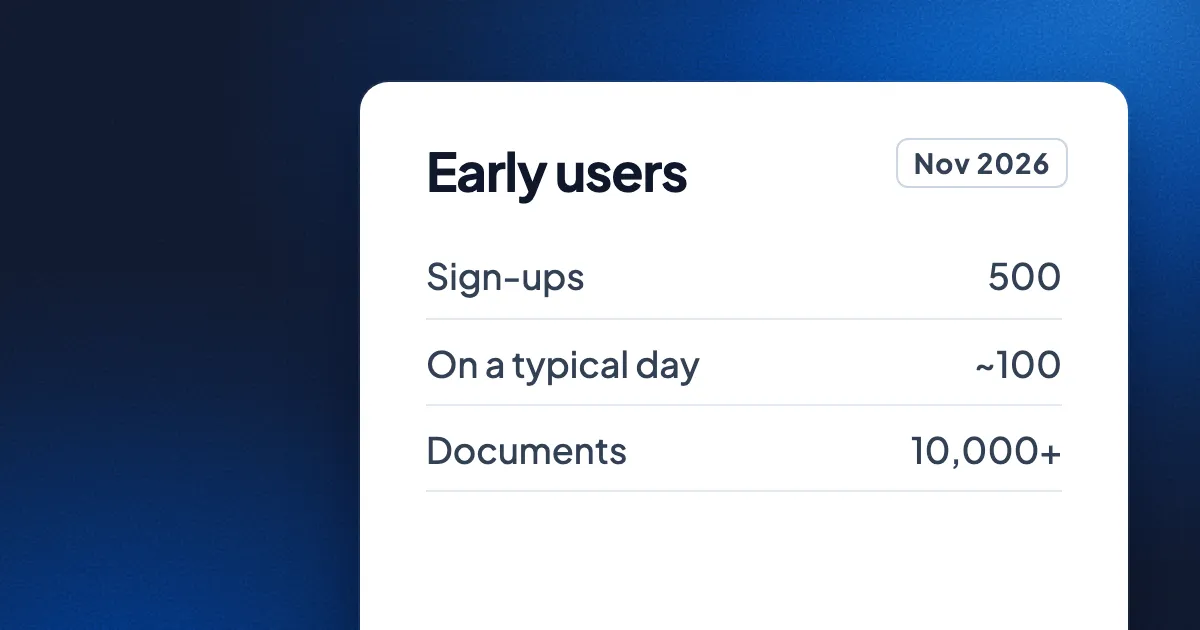
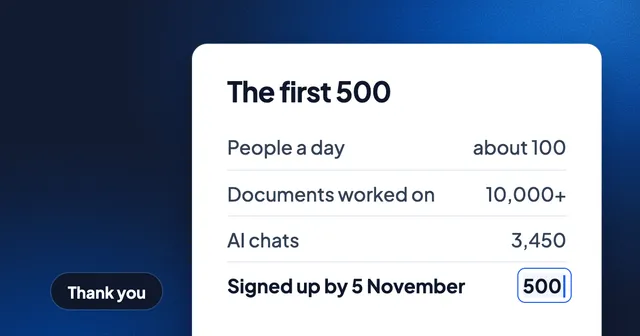
Short answer: we do not have quotes to show you yet, and we will not make any up. No store reviews, no testimonials. What our early users have said so far, they said by using Eddocu: 500 sign-ups by 5 November 2026, about 100 people on a typical day, more than 10,000 documents opened or edited and 3,450 AI chat sessions. This post is what that use tells us, the one worry we keep hearing, and how to put your own words here.
Facts checked on 16 November 2026.
Why there are no quotes on this page
A page called "what our users say" usually means five glowing sentences with a first name and a stock photo under each. Some of those are real. Many are not, and readers can't tell which. We would rather show you an empty space than fill it with words nobody said.
So the rule for this page is simple. A quote goes here only when a real person wrote it to us or posted it in public, and only with their permission. Until then, we report what people did, which is harder to fake and, for a document editor, more honest anyway.
What early users did
These are account numbers from our own databases, as of 14 November 2026. People who use the apps without an account are not in them.
- 500 people signed up, the 500th on 5 November 2026, about eleven months after the first commit.
- About 100 of them use Eddocu on a typical day. Against 500 sign-ups, that means many come back, which matters more to us than the sign-up count.
- More than 10,000 documents were opened or edited.
- 3,450 AI chat sessions were started, so asking questions about a document is part of how people use it, not a side feature.
The fuller story behind these numbers, and the thank-you that goes with it, is in thank you to our first 500 users.
The worry we keep hearing
One concern comes up when people first open Eddocu: are my files going to the cloud? It is a fair question. Most PDF tools on the web work by uploading your file to someone else's server, and the people trying a new editor are often holding a contract, a thesis or a medical form.
We did not write down who raised it, so we can't quote anyone. We took it seriously anyway. A clearer privacy step for the first run is being built and tested now, so the answer is on screen before you open your first file. It has not shipped yet.
The answer itself is already true today: editing runs on your own device, and the apps open and edit documents with no account at all. If you want to see what other tools do with your files, read PDF tools that don't upload your files.
What use showed us, and what we changed
When people open real files, real problems show up. Between version 1.3.9 on 5 November and 1.3.20 on 13 November we shipped twelve releases. Several answer what early use made obvious:
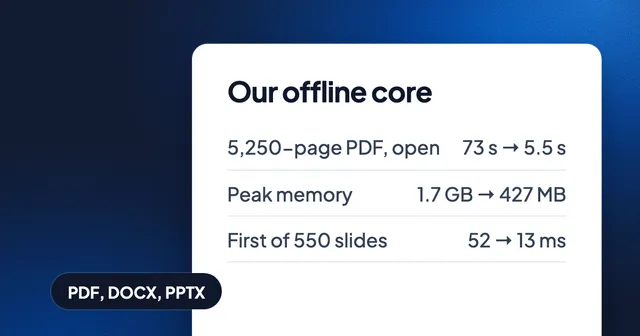
- Big files open at once. PDFs of thousands of pages and very large Word files open immediately, and you can jump to any page while the rest loads. How we did it is in how we made huge documents open fast.
- Word files get the right page count, because text is now measured with the document's own fonts or their closest match.
- Documents open for reading first. You pick a pen, the highlighter or another tool to start editing, so a stray tap does not change your file.
- Print and Export PDF now share one pipeline, with a preview, progress and a Cancel button.
- More formats and languages: Turkish UDF documents and Apple Pages and Keynote files open, some through a free add-on, and the app now speaks ten languages.
Every release is on the changelog.
What is still missing
Honest feedback cuts both ways, so here is what we know falls short today:
- There is no spreadsheet editor. Eddocu does not edit Excel files yet.
- Charts in PowerPoint files show in Eddocu, but an exported deck has a grey box where each chart was.
- Scanned PDFs with no text layer are found by name only in search.
- We have measured speed on Android emulators, not yet on real low-end phones.
If one of these is the reason Eddocu does not work for you yet, tell us. It moves that item up.
Put your words on this page
The most useful thing you can send is a real file that behaves badly: it opens slowly, looks wrong, or loses something on export. Say what you expected and what happened. One sentence is enough. The second most useful thing is a sentence about what Eddocu does well for you, and whether we may quote it, with your first name or without a name.
Write to us on the contact page. When we have real quotes, with permission, they will go here, and we will update the date at the top.
If you have not tried Eddocu yet, it is free for personal use with no ads: download it for your device. Why we started in the first place is in why we built Eddocu.
FAQ
Why not show star ratings?
Because we have none to show. When the stores give Eddocu a rating, we will link to the store page rather than copy a number that changes every week.
Will you edit what I send before quoting it?
No. A quote here will be your words as you wrote them, or it will not appear.
Account and usage numbers from Eddocu's own databases, as of 14 November 2026; the 500th sign-up was on 5 November 2026. Release contents from Eddocu's release notes for 1.3.9 to 1.3.20. The onboarding concern is from the team's product notes of 16 November 2026.