Eddocu vs Adobe Acrobat Sign: a free editor that signs, or e-signatures inside Acrobat
Short answer
Adobe Acrobat Sign comes two ways: as the request-and-track feature inside Acrobat Standard and Pro, with Pro at US$19.99 a month on an annual plan, and as Acrobat Sign Solutions, an enterprise service priced by Adobe sales. Acrobat Pro adds bulk send, web forms, reusable templates and branding. Eddocu edits PDFs too and lets you sign, send for signature or sign with a .p12 certificate, with signing in beta, and personal use is free. Acrobat Sign earns its cost in regulated or high-volume agreement work, while the occasional PDF can be edited and signed in Eddocu without a subscription.
Related tools: Sign PDFEdit PDFDigital Sign PDFForm CreatorValidate Signature
Pick Eddocu if
- You sign a few PDFs a year and an Acrobat subscription would sit unused most months.
- You work on Linux, or want one editor for PDFs, Word files and slide decks.
- You would rather not commit to a year with a cancellation fee.
Pick Adobe Acrobat Sign if
- You already pay for Acrobat Pro and want bulk send, web forms and branded requests in the same app.
- Your agreements fall under HIPAA, FERPA or FDA 21 CFR Part 11 rules.
- Contracts start in Microsoft 365, Salesforce or Workday and must be signed there.
- You need qualified signatures from an EU trust service provider alongside simple ones.
Feature by feature
| Feature | Eddocu | Adobe Acrobat Sign |
|---|---|---|
| Platforms | Yes Windows, Mac, Linux, iPhone, iPad, Android and the web | Partly Acrobat for Windows and Mac, the web and mobile; no Linux app |
| Works offline | Partly Yes in the apps on every platform; the web version needs a connection | Partly Acrobat desktop edits and signs offline; sending and tracking requests needs a connection |
| Opens | Yes PDF, DOCX, PPTX; Pages and Keynote files on Mac and Linux | Yes PDF; creates PDFs from Word, Excel, PowerPoint and image files |
| Saves as | Yes PDF, DOCX, PPTX, HTML | Yes PDF; exports PDFs to Word, Excel and PowerPoint |
| Edit an existing PDF | Yes Edit the text, images and pages of an existing PDF | Yes Edits text and images with reflow and organises pages; redaction and compare in Pro |
| Sign documents | Yes Draw, type or upload a signature, ask others to sign, or sign with a .p12 certificate; the signing tools are in beta | Yes Request and track signatures in Standard; bulk send, web forms, templates and branding in Pro; routing, SSO and integrations in Sign Solutions |
| AI | Yes Chat that drafts, rewrites and translates in the page; 100 credits a month free, more from $9.99 a month | Partly AI Assistant summarises PDFs and answers questions about them, in Acrobat Studio or as a paid add-on |
| Price | Yes Free for personal use, no ads; Pro $9.99 a month or $49.99 a year | Partly Acrobat Pro US$19.99 a month on an annual plan (US); Pro for teams US$23.99 a license a month; Sign Solutions by quote |
| Account needed | Partly Not to edit in the apps; a free account for the web version, cloud sync, sharing and AI | Partly An Adobe account with a paid plan to send; recipients sign from a link |
| Open source | No No, proprietary | No No, proprietary |
What is different in practice
Two products under one name
Adobe’s e-signatures come inside Acrobat Standard, Pro and Studio for individuals and small teams, while Acrobat Sign Solutions is sold to larger organisations, priced by users or by expected transactions. An Acrobat plan suits a handful of senders; Sign Solutions is for agreements that run through HR, sales and legal systems.
A year’s commitment
In the US, Acrobat Pro costs US$19.99 a month on an annual plan billed monthly, and cancelling an annual plan after 14 days costs up to half of what remains. Adobe shows local prices outside the US. Eddocu is free for personal use; Pro is $9.99 a month or $49.99 a year.
Compliance lists and enterprise routing
Acrobat Sign Solutions routes documents to signers in sequence or in parallel, adds single sign-on and custom branding, and connects to Microsoft 365, Salesforce, Workday, ServiceNow, SAP SuccessFactors and HubSpot. Adobe lists HIPAA, FERPA, GLBA and FDA 21 CFR Part 11 support, SOC 2 Type 2 and ISO 27001, and qualified eIDAS signatures through providers on the EU Trusted List.
Linux and Office files
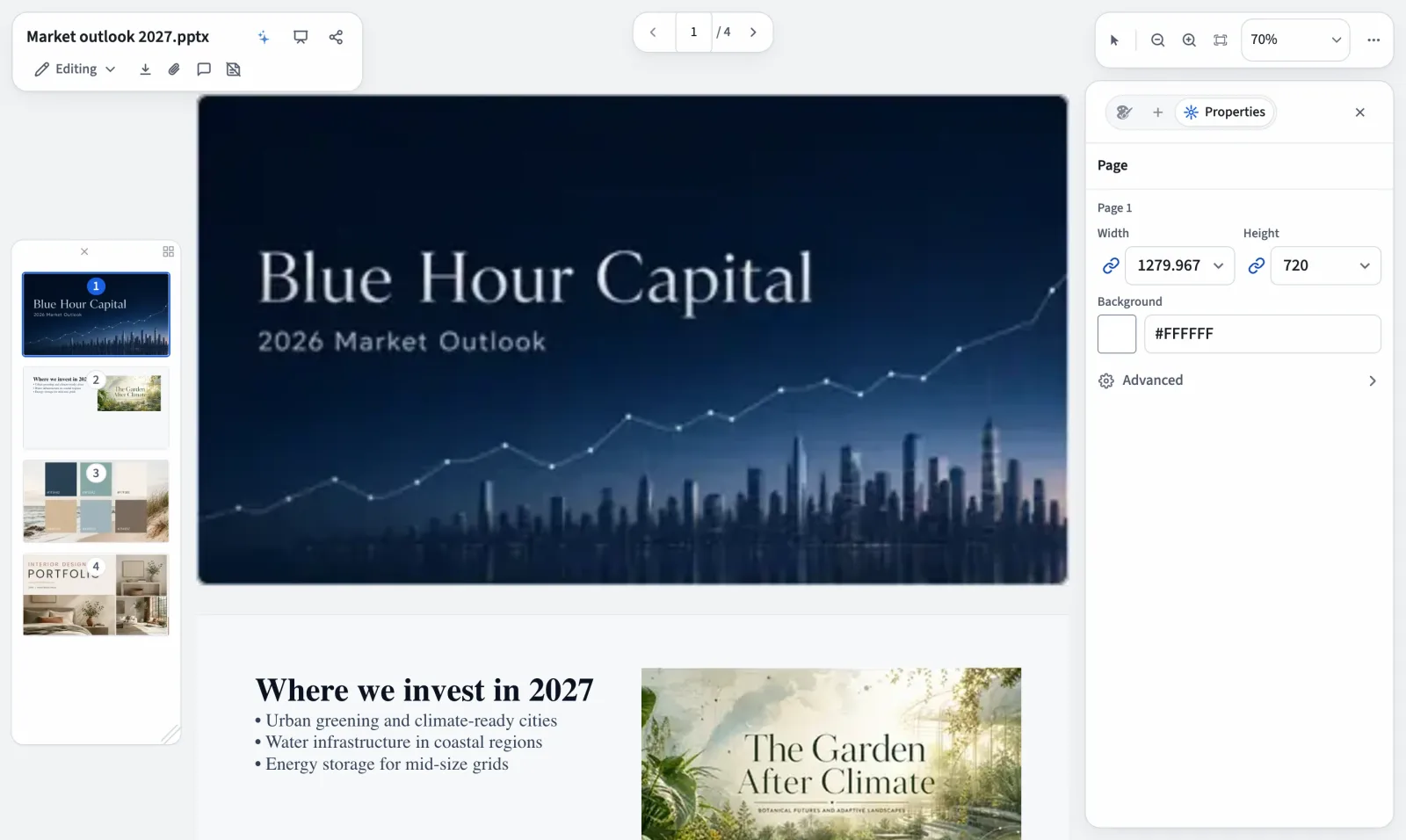
Acrobat runs on Windows and Mac, in a browser and on phones, and converts Office files to PDF and back. Eddocu adds a Linux app and edits DOCX and PPTX files directly, so a slide deck changes without a round trip through PDF.
Certificates you already hold
Acrobat signs with certificate-based digital IDs and works with the certificate-based IDs on the EU Trusted List. Eddocu signs with a .p12 certificate file you supply, in beta, and does not issue certificates of its own.
Where Eddocu falls short
- Eddocu imports a PDF, DOCX or PPTX into its own format and writes a new file when you save. Simple documents come back as they went in; complex layouts (dense multi-column pages, unusual fonts, embedded charts) can shift, so check the result before you send it.
- Eddocu is closed source: you cannot read its code, audit it or host it on your own server.
- Filling and adding PDF form fields happens in separate tools that are still in beta.
- The web version needs an internet connection and a free account. Offline editing without an account is in the apps for Windows, Mac, Linux, iPhone, iPad and Android.
- Eddocu has no admin console for assigning signing seats and no single sign-on for a company.
- Eddocu has no integrations that send documents for signature from Salesforce, Workday or Microsoft 365.
Questions people ask
Is Adobe Acrobat Sign included in Acrobat Pro?
The e-signature part is. Acrobat Standard and Pro let you request signatures and track responses, and Pro adds bulk send, web forms, reusable templates and a logo and custom URL on your requests. Acrobat Sign Solutions, with enterprise integrations and single sign-on, is a separate purchase through Adobe sales.
How much does Acrobat Sign cost?
In the US, Acrobat Pro is US$19.99 a month on an annual plan billed monthly, and Acrobat Pro for teams US$23.99 a license a month. Adobe shows local prices in other countries and often discounts the first year. Acrobat Sign Solutions has no list price: Adobe quotes it by users or expected transactions.
Can I sign a PDF without Acrobat?
Yes. Eddocu’s Sign PDF tool lets you draw, type or upload a signature, the Digital Sign PDF tool signs with a .p12 certificate, and you can ask others to sign; all of these are in beta.
Does Acrobat Sign meet eIDAS?
Adobe says Acrobat Sign supports simple, advanced and qualified electronic signatures in one workflow, and works with every certificate-based digital ID published on the EU Trusted List. A qualified signature needs an ID from a qualified trust service provider.
More comparisons
- Eddocu vs Adobe Acrobat
- Eddocu vs Stirling PDF
- Eddocu vs Foxit PDF Editor
- Eddocu vs Smallpdf
- Eddocu vs iLovePDF
- Eddocu vs PDFgear
- Eddocu vs Wondershare PDFelement
- Eddocu vs Sejda
- Eddocu vs PDF24
- Eddocu vs Xodo
- Eddocu vs Nitro PDF
- Eddocu vs PDF Expert
- Eddocu vs Apple Preview
- Eddocu vs Ikinari PDF
- Eddocu vs ABBYY FineReader PDF
- Eddocu vs Bluebeam Revu
- Eddocu vs Okular
- Eddocu vs Docusign
- Eddocu vs Dropbox Sign
- Eddocu vs Microsoft Word
- Eddocu vs Google Docs and Slides
- Eddocu vs Apple Pages
- Eddocu vs Ichitaro
- Eddocu vs Tencent Docs
- Eddocu vs Zoho Writer
- Eddocu vs Microsoft PowerPoint
- Eddocu vs Apple Keynote
- Eddocu vs Canva
- Eddocu vs Gamma
- Eddocu vs Microsoft Office
- Eddocu vs LibreOffice
- Eddocu vs ONLYOFFICE
- Eddocu vs WPS Office
- Eddocu vs Hancom Office
- Eddocu vs Feishu Docs
- Eddocu vs Polaris Office
- Eddocu vs SoftMaker Office
- Eddocu vs Notion
- Eddocu vs Evernote