Eddocu vs Docusign: an editor you can sign in, or an agreement platform built on envelopes
Short answer
Docusign is an e-signature service: you upload an agreement, route it to signers, and get back the signed PDF with a record of who signed and when. Its US plans start at $11 a month billed yearly, for 5 envelopes a month. Eddocu is a document editor that also lets you draw, type or upload a signature, send a file for others to sign, or sign with a .p12 certificate, with the signing tools in beta. If you sign a PDF now and then, Eddocu covers it; if your team sends contracts every week and needs routing, templates and identity checks, pick Docusign.
Related tools: Sign PDFDigital Sign PDFForm CreatorFlatten PDF
Pick Eddocu if
- You sign a lease or a form a few times a year and do not want an envelope allowance to manage.
- You need to change the document itself, its text, images or pages, before anyone signs it.
- You want one app for PDF, Word and PowerPoint files on Windows, Mac, Linux, phones and the web.
Pick Docusign if
- Your team sends contracts every week and needs signing order, reminders and shared templates.
- You must collect qualified electronic signatures under eIDAS, or verify a signer’s identity first.
- Your agreements start in Salesforce, Microsoft 365 or Workday and should be sent from there.
- Your developers will build signing into your own product through an API.
Feature by feature
| Feature | Eddocu | Docusign |
|---|---|---|
| Platforms | Yes Windows, Mac, Linux, iPhone, iPad, Android and the web | Partly In a browser, with apps for iPhone, iPad and Android; signers need no app |
| Works offline | Partly Yes in the apps on every platform; the web version needs a connection | No A cloud service: envelopes are sent and completed online |
| Opens | Yes PDF, DOCX, PPTX; Pages and Keynote files on Mac and Linux | Partly Takes PDF, Word and image files to send; they are turned into a PDF for signing |
| Saves as | Yes PDF, DOCX, PPTX, HTML | Partly The signed PDF with a signing record; no editable Word or PowerPoint output |
| Edit an existing PDF | Yes Edit the text, images and pages of an existing PDF | No Places signature and data fields on a document; does not change its text or pages |
| Sign documents | Yes Draw, type or upload a signature, ask others to sign, or sign with a .p12 certificate; the signing tools are in beta | Yes Envelopes with routing, templates and reminders; bulk send, payments and signer attachments in Business Pro; QES as an add-on |
| AI | Yes Chat that drafts, rewrites and translates in the page; 100 credits a month free, more from $9.99 a month | Partly AI-assisted summaries help signers find key terms; AI extraction is in the separate Intelligent Agreement Management plans |
| Price | Yes Free for personal use, no ads; Pro $9.99 a month or $49.99 a year | Partly No free plan; US prices on annual plans billed monthly: Personal $11 a month for 5 envelopes a month, Standard $30 and Business Pro $45 a user a month |
| Account needed | Partly Not to edit in the apps; a free account for the web version, cloud sync, sharing and AI | Partly Senders need a paid account; signers sign from an email link without one |
| Open source | No No, proprietary | No No, proprietary |
What is different in practice
You pay by the envelope
Docusign counts what you send. Personal stops at 5 envelopes a month, and Standard and Business Pro come with 100 envelopes per user per year, roughly eight a month. In Eddocu, signing sits inside the editor you already use, on the free plan or on Pro at $49.99 a year.
Fixing the document before it is signed
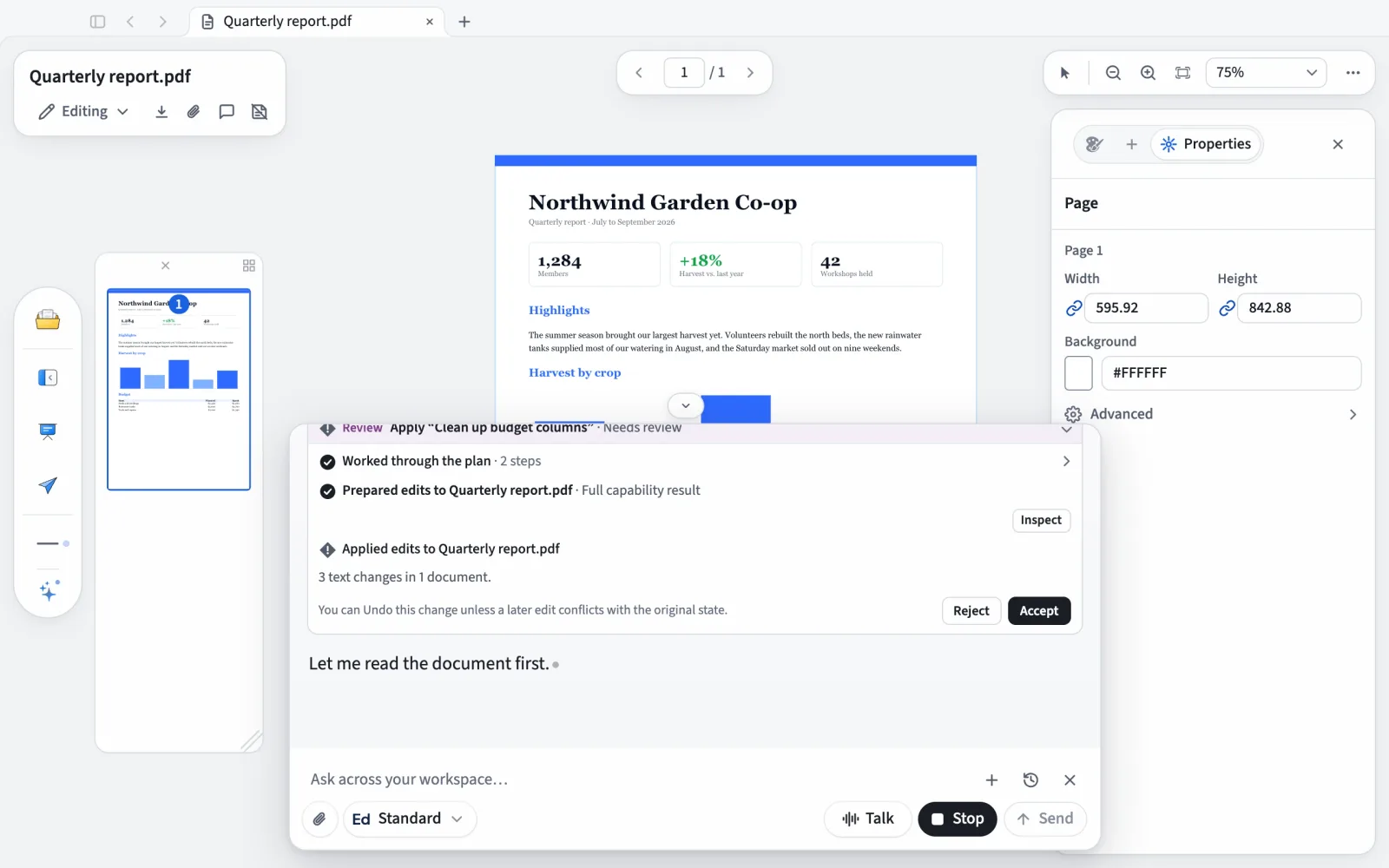
Docusign takes the document as it is: you place fields for signers, but correcting a clause means going back to Word and uploading again. Eddocu edits the text, images and pages of the PDF, so the correction and the signature happen in one file.
Routing, bulk send and 1,100 integrations
Docusign routes envelopes in conditional and parallel order, sends in bulk, collects payments and signer attachments, and lists more than 1,100 integrations, among them Salesforce, SAP, Workday and ServiceNow. It describes itself as a registered qualified trust service provider in Europe, and sells qualified signatures as an add-on to its eSignature plans.
An API for your own product
Developers can test against a free Docusign developer account with no time limit before buying a separate API plan, and Business Pro includes API access. Eddocu has no public API, so its signing cannot be built into another product.
One editor on every device
Docusign runs in the browser and in its iPhone, iPad and Android apps, for sending and signing. Eddocu’s apps for Windows, Mac, Linux, iPhone, iPad and Android also open and edit PDF, DOCX and PPTX files, and keep working without a connection.
Where Eddocu falls short
- Eddocu imports a PDF, DOCX or PPTX into its own format and writes a new file when you save. Simple documents come back as they went in; complex layouts (dense multi-column pages, unusual fonts, embedded charts) can shift, so check the result before you send it.
- Eddocu is closed source: you cannot read its code, audit it or host it on your own server.
- Filling and adding PDF form fields happens in separate tools that are still in beta.
- The web version needs an internet connection and a free account. Offline editing without an account is in the apps for Windows, Mac, Linux, iPhone, iPad and Android.
- Eddocu has no bulk send, no payment collection and no way to send for signature from Salesforce, Microsoft 365 or Workday.
- Eddocu cannot issue qualified electronic signatures under eIDAS; its certificate signing uses a .p12 file you already hold, and it is in beta.
Questions people ask
How much does Docusign cost?
Docusign’s US store sells eSignature only as annual plans billed monthly. Personal is $11 a month ($132 a year) for one user and 5 envelopes a month; Standard is $30 a user a month ($360 a year) and Business Pro $45 ($540 a year), each for up to 50 users. Enhanced plans go through sales, and taxes may apply.
Can I try Docusign before paying?
Yes, with a free trial, and Docusign’s FAQ promises a refund within 30 days on certain annual plans bought online. There is no free sending plan. Whoever receives an envelope signs from the email link and pays nothing.
Can Eddocu replace Docusign?
For an occasional signature, yes: you can sign a PDF yourself or send it for someone else to sign, and the signing tools are in beta. For contract work with shared templates, bulk send, identity checks and qualified eIDAS signatures, Docusign is the stronger tool.
Are Docusign signatures legally binding?
Docusign’s legality guide walks through the US ESIGN Act and the state UETA laws, under which a signature cannot be denied legal effect only because it is electronic. In the EU it offers advanced and qualified signatures under eIDAS. The guide says it is general information, not legal advice.
More comparisons
- Eddocu vs Adobe Acrobat
- Eddocu vs Stirling PDF
- Eddocu vs Foxit PDF Editor
- Eddocu vs Smallpdf
- Eddocu vs iLovePDF
- Eddocu vs PDFgear
- Eddocu vs Wondershare PDFelement
- Eddocu vs Sejda
- Eddocu vs PDF24
- Eddocu vs Xodo
- Eddocu vs Nitro PDF
- Eddocu vs PDF Expert
- Eddocu vs Apple Preview
- Eddocu vs Ikinari PDF
- Eddocu vs ABBYY FineReader PDF
- Eddocu vs Bluebeam Revu
- Eddocu vs Okular
- Eddocu vs Dropbox Sign
- Eddocu vs Adobe Acrobat Sign
- Eddocu vs Microsoft Word
- Eddocu vs Google Docs and Slides
- Eddocu vs Apple Pages
- Eddocu vs Ichitaro
- Eddocu vs Tencent Docs
- Eddocu vs Zoho Writer
- Eddocu vs Microsoft PowerPoint
- Eddocu vs Apple Keynote
- Eddocu vs Canva
- Eddocu vs Gamma
- Eddocu vs Microsoft Office
- Eddocu vs LibreOffice
- Eddocu vs ONLYOFFICE
- Eddocu vs WPS Office
- Eddocu vs Hancom Office
- Eddocu vs Feishu Docs
- Eddocu vs Polaris Office
- Eddocu vs SoftMaker Office
- Eddocu vs Notion
- Eddocu vs Evernote