Eddocu vs Foxit PDF Editor: a free everyday editor, or a business PDF suite
Short answer
Foxit PDF Editor is a business PDF suite: OCR, compare, AI redaction, eSign and an admin console for IT, from $129.99 a user a year. Eddocu is free for personal use, edits Word files and PowerPoint decks as well as PDFs, and has a Linux app. Pick Foxit to roll out a managed PDF tool across a company; pick Eddocu to edit PDFs, DOCX and PPTX yourself on any device.
Related tools: Edit PDFFind & RedactOCR PDFCompare PDFsPDF to Word
Pick Eddocu if
- You edit PDFs for yourself and do not want a yearly licence per user.
- You open Word documents and PowerPoint decks as often as PDFs.
- You need the editor on Linux, or on a phone without buying the plus plan.
Pick Foxit PDF Editor if
- Your IT team deploys and manages licences centrally, with single sign-on.
- You redact personal data at volume, or need a server that redacts in batches.
- You send contracts for signature every week and want eSign in the same product.
Feature by feature
| Feature | Eddocu | Foxit PDF Editor |
|---|---|---|
| Platforms | Yes Windows, Mac, Linux, iPhone, iPad, Android and the web | Partly Windows, Mac and a web editor; iPhone, iPad and Android only with PDF Editor+; no Linux app |
| Works offline | Partly Yes in the apps on every platform; the web version needs a connection | Partly Desktop apps edit local files; a named-user licence must reach Foxit’s servers at least every 90 days |
| Opens | Yes PDF, DOCX, PPTX; Pages and Keynote files on Mac and Linux | Yes PDF; creates PDFs from Word, Excel, PowerPoint and images |
| Saves as | Yes PDF, DOCX, PPTX, HTML | Yes PDF; exports to Word, Excel and PowerPoint |
| Edit an existing PDF | Yes Edit the text, images and pages of an existing PDF | Yes Text, images and pages in every Editor plan; the free Reader only annotates, fills and signs |
| Sign documents | Yes Draw, type or upload a signature, ask others to sign, or sign with a .p12 certificate; the signing tools are in beta | Yes Fill and sign in every plan; Foxit eSign requests (150 envelopes a year) in PDF Editor+ |
| AI | Yes Chat that drafts, rewrites and translates in the page; 100 credits a month free, more from $9.99 a month | Yes AI Assistant with 300 credits a month on a free Foxit account; 2,000 credits for $4.99 a month; not in the perpetual licence |
| Price | Yes Free for personal use, no ads; Pro $9.99 a month or $49.99 a year | Partly PDF Editor $129.99, PDF Editor+ $159.99 a user a year; perpetual PDF Editor 14 $209.99 |
| Account needed | Partly Not to edit in the apps; a free account for the web version, cloud sync, sharing and AI | Partly A Foxit account for the trial, the subscriptions and AI; the free Reader works without one |
| Open source | No No, proprietary | No No, proprietary |
What is different in practice
A licence per user against a free plan
Foxit sells PDF Editor at $129.99 a user a year and PDF Editor+ at $159.99, or a perpetual PDF Editor 14 licence for one platform at $209.99 without the AI and cloud features. Eddocu edits PDFs on its free plan for personal use with no ads and no watermark; Pro is $49.99 a year and adds cloud storage and sync.
Word and PowerPoint files without converting them first
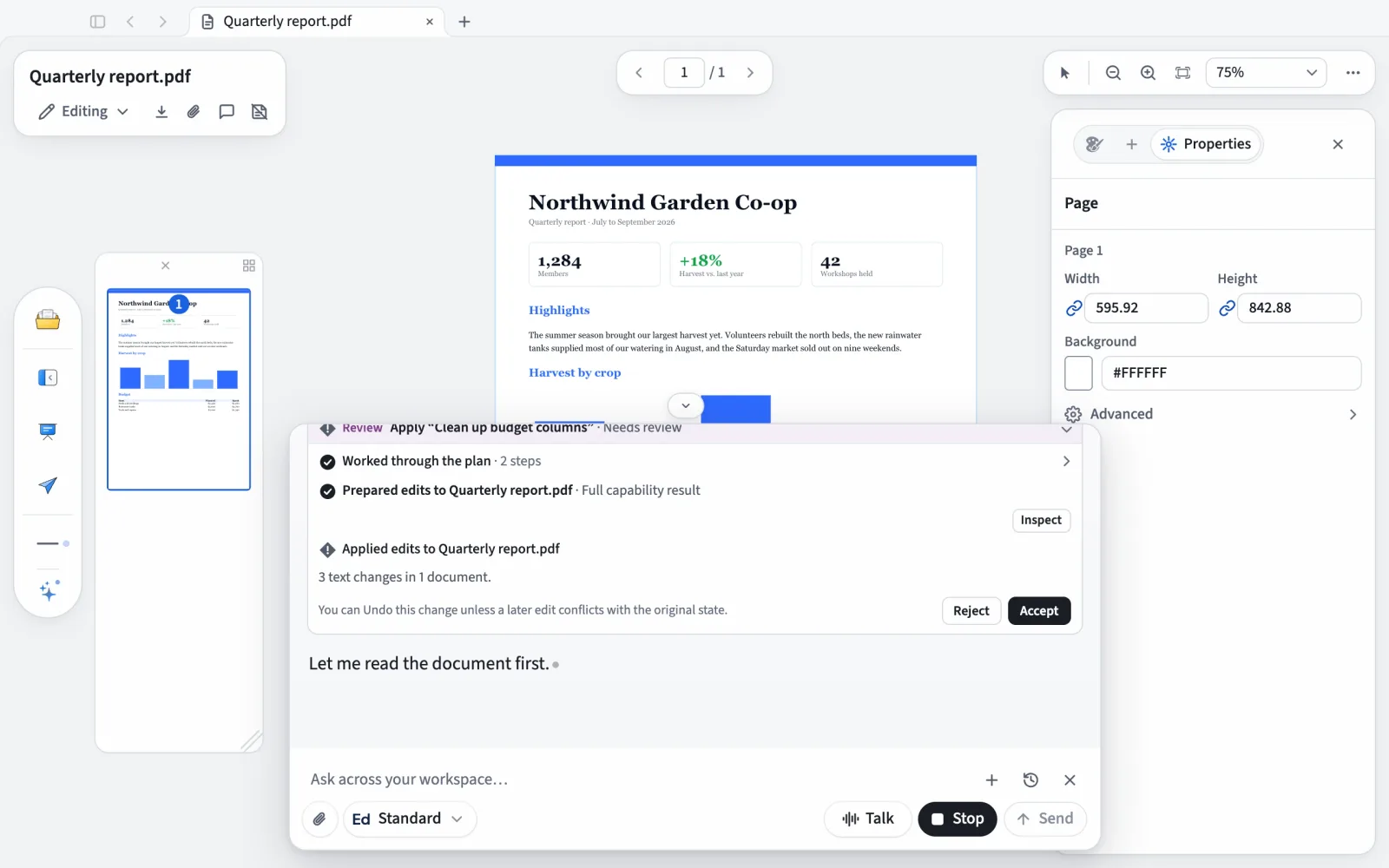
Foxit turns a PDF into a Word or PowerPoint file and back, but to change the DOCX or PPTX itself you go to Office. Eddocu opens all three formats in the same editor, so a contract in Word and the PDF someone sent back sit side by side with the same tools.
Linux, and phones on the base plan
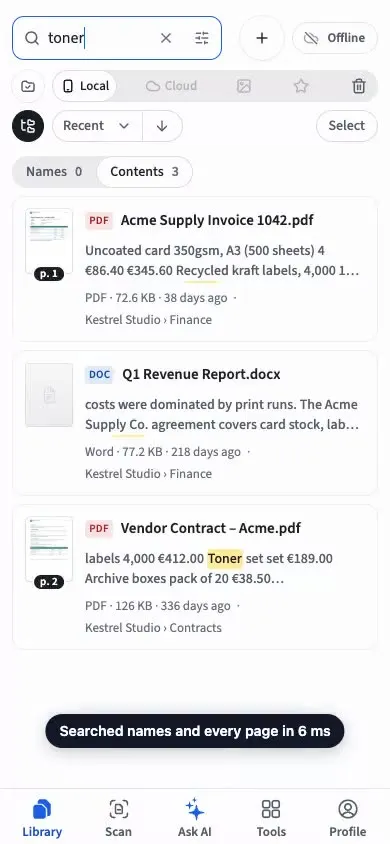
Foxit makes no PDF Editor for Linux, and its phone and tablet apps come with PDF Editor+ rather than the base plan. Eddocu’s free plan covers Windows, Mac, Linux, iPhone, iPad and Android, and the apps edit offline with no account.
Where Foxit is clearly ahead
Foxit’s Smart Redact finds personal data with AI and has a server edition for batches; its admin console pools AI credits, assigns named-user or shared-device licences and pushes settings to Windows machines. Eddocu has a find-and-redact tool in beta and no admin console, so a company standardising on one PDF tool is better served by Foxit.
Where Eddocu falls short
- Eddocu imports a PDF, DOCX or PPTX into its own format and writes a new file when you save. Simple documents come back as they went in; complex layouts (dense multi-column pages, unusual fonts, embedded charts) can shift, so check the result before you send it.
- Eddocu is closed source: you cannot read its code, audit it or host it on your own server.
- Filling and adding PDF form fields happens in separate tools that are still in beta.
- The web version needs an internet connection and a free account. Offline editing without an account is in the apps for Windows, Mac, Linux, iPhone, iPad and Android.
- Eddocu has no admin console, no single sign-on and no volume licensing for IT departments.
- Eddocu’s redaction finds text you search for; it does not detect personal data on its own.
Questions people ask
Is Eddocu a free alternative to Foxit PDF Editor?
For a person editing PDFs, yes: changing text, images and pages, merging, compressing, OCR and signing are on Eddocu’s free plan. Foxit’s strengths are for organisations: licence management, AI redaction at scale and eSign envelopes.
Does Foxit PDF Editor work offline?
The desktop apps edit files on your computer, but Foxit’s licensing article says a named-user licence must connect to its servers when activated and then at least once every 90 days; offline sites need a shared-device licence or a registration key. Eddocu’s apps need no account or check-in to edit.
Is there Foxit PDF Editor for Linux?
No. Foxit sells PDF Editor for Windows and Mac, a web editor, and mobile apps with PDF Editor+; on Linux it offers only a developer SDK. Eddocu has a Linux app.
Does Foxit include AI?
Yes. Any free Foxit account gets 300 AI Assistant credits a month, the subscriptions include them, and a 2,000-credit add-on costs $4.99 a month or $49.99 a year; the perpetual licence leaves AI out. Eddocu’s free plan has 100 AI credits a month, and its chat edits the open document.
More comparisons
- Eddocu vs Adobe Acrobat
- Eddocu vs Stirling PDF
- Eddocu vs Smallpdf
- Eddocu vs iLovePDF
- Eddocu vs PDFgear
- Eddocu vs Wondershare PDFelement
- Eddocu vs Sejda
- Eddocu vs PDF24
- Eddocu vs Xodo
- Eddocu vs Nitro PDF
- Eddocu vs PDF Expert
- Eddocu vs Apple Preview
- Eddocu vs Ikinari PDF
- Eddocu vs ABBYY FineReader PDF
- Eddocu vs Bluebeam Revu
- Eddocu vs Okular
- Eddocu vs Docusign
- Eddocu vs Dropbox Sign
- Eddocu vs Adobe Acrobat Sign
- Eddocu vs Microsoft Word
- Eddocu vs Google Docs and Slides
- Eddocu vs Apple Pages
- Eddocu vs Ichitaro
- Eddocu vs Tencent Docs
- Eddocu vs Zoho Writer
- Eddocu vs Microsoft PowerPoint
- Eddocu vs Apple Keynote
- Eddocu vs Canva
- Eddocu vs Gamma
- Eddocu vs Microsoft Office
- Eddocu vs LibreOffice
- Eddocu vs ONLYOFFICE
- Eddocu vs WPS Office
- Eddocu vs Hancom Office
- Eddocu vs Feishu Docs
- Eddocu vs Polaris Office
- Eddocu vs SoftMaker Office
- Eddocu vs Notion
- Eddocu vs Evernote