Eddocu vs Okular: a free open-source viewer, or an editor that changes the file
Short answer
Okular is KDE’s free, open-source document viewer: it reads PDF, EPub, DjVu and Markdown, annotates, fills forms and signs with a certificate, on Linux and on Windows through the Microsoft Store. Eddocu edits the PDF itself, along with Word and PowerPoint files, and runs on Mac and phones as well. For reading and marking up documents with light, free software, Okular is hard to beat; once the text, the pages or the file format have to change, the work moves to Eddocu.
Related tools: PDF ReaderEdit PDFForm FillerSign PDFDjVu to PDF
Pick Eddocu if
- You need to change the words, images or page order of a PDF, not only mark it up.
- You edit Word documents and PowerPoint decks as well as PDFs.
- You want the same documents on an iPhone, an iPad or an Android phone.
Pick Okular if
- You want free software under the GPL that you can read, build and package yourself.
- You read EPub books, DjVu scans, Markdown and comic archives in one viewer.
- You use KDE Plasma and want a small viewer that ships with your distribution.
Feature by feature
| Feature | Eddocu | Okular |
|---|---|---|
| Platforms | Yes Windows, Mac, Linux, iPhone, iPad, Android and the web | Partly Linux (distribution stores, Flathub) and Windows (Microsoft Store); only untested nightly builds for Mac; no phone app listed |
| Works offline | Partly Yes in the apps on every platform; the web version needs a connection | Yes A desktop program that works without a connection |
| Opens | Yes PDF, DOCX, PPTX; Pages and Keynote files on Mac and Linux | Yes PDF, EPub, DjVu, Markdown, comic books (CBR, CBZ) and common image formats |
| Saves as | Yes PDF, DOCX, PPTX, HTML | Partly PDF with the annotations saved into it, or an .okular document archive |
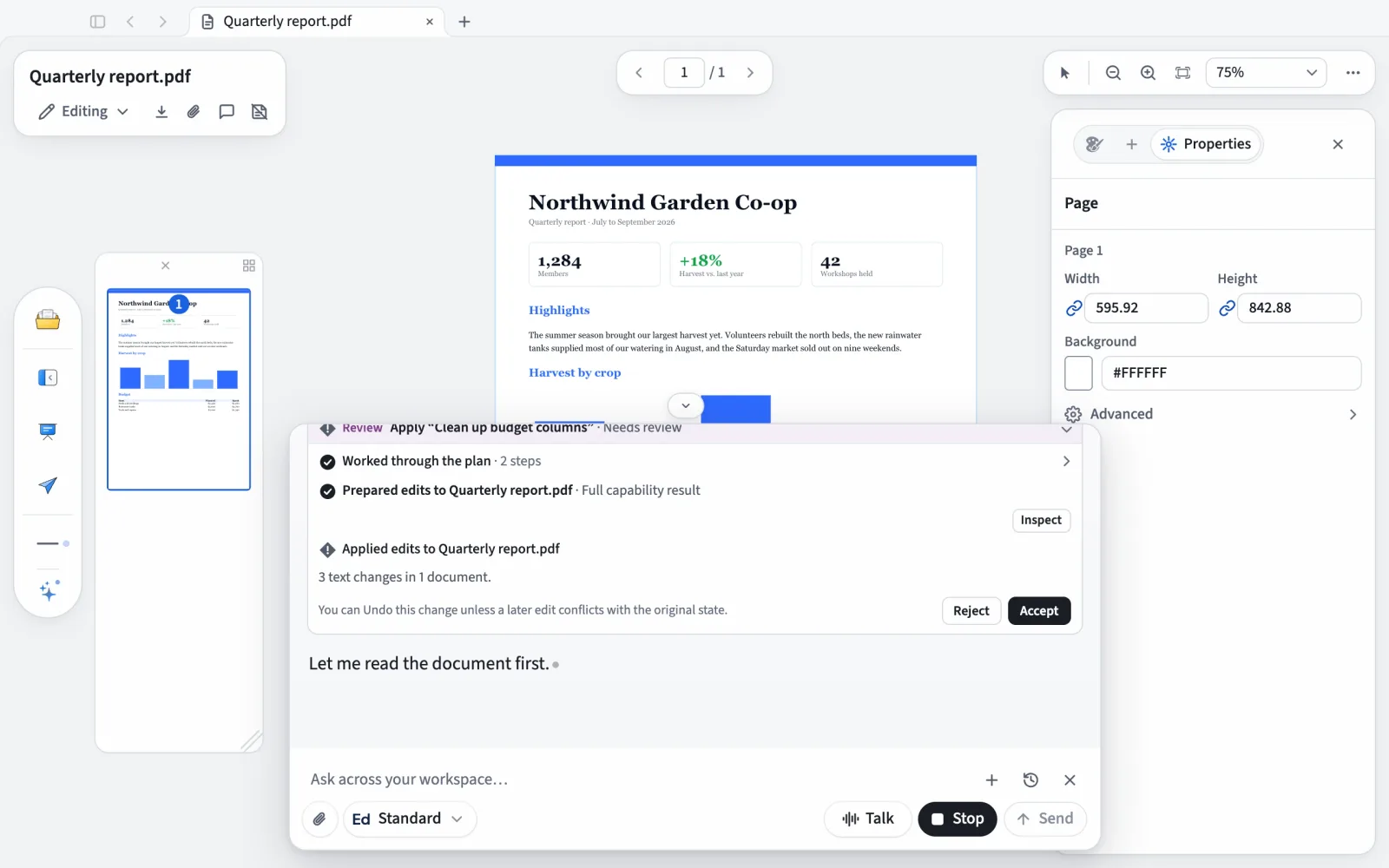
| Edit an existing PDF | Yes Edit the text, images and pages of an existing PDF | No Annotates; does not change a PDF’s own text, images or pages |
| Sign documents | Yes Draw, type or upload a signature, ask others to sign, or sign with a .p12 certificate; the signing tools are in beta | Partly Signs a PDF with a certificate from an NSS store and verifies signatures; no signing requests |
| AI | Yes Chat that drafts, rewrites and translates in the page; 100 credits a month free, more from $9.99 a month | No None on okular.kde.org or in the handbook |
| Price | Yes Free for personal use, no ads; Pro $9.99 a month or $49.99 a year | Yes Free |
| Account needed | Partly Not to edit in the apps; a free account for the web version, cloud sync, sharing and AI | Yes None needed |
| Open source | No No, proprietary | Yes Yes, GPLv2 or later, developed by KDE |
What is different in practice
GPL source and no price at all
Okular is released under the GPLv2 or later, its source ships with every KDE Gear release, and most Linux distributions already package it, so it costs nothing and anyone can audit or change it. It is also a light program that asks little of an older computer. Eddocu is proprietary, and its free plan is for personal use.
Marking up a PDF, or rewriting it
Okular’s annotation tools cover highlights, underlines, squiggles, strike-outs, pop-up and inline notes, typewriter text, stamps, lines and shapes, and they can be saved into the PDF. The document’s own text stays as it was. Eddocu edits that text, swaps images and reorders pages, and its AI chat proposes changes in the page that you accept or reject.
Certificates, and signatures from other people
Okular signs from the Tools menu with a PKCS certificate it finds in an NSS store, Firefox’s first, and its Signatures panel shows whether a signed PDF was changed afterwards. It cannot create a certificate or ask anyone else to sign. Eddocu lets you draw, type or upload a signature, sign with a .p12 certificate, or send a document to others for signing; those tools are in beta.
A desktop viewer, and documents on a phone
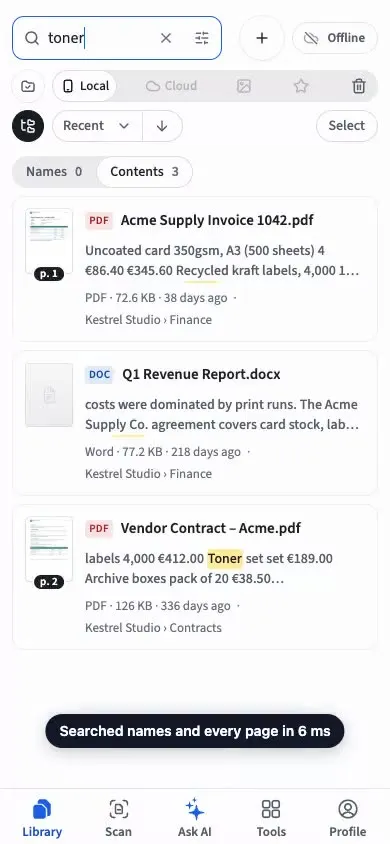
KDE offers Okular through Linux software stores, Flathub and the Microsoft Store, with only untested nightly builds for the Mac and nothing for phones on its download page. Eddocu has apps for Windows, Mac, Linux, iPhone, iPad and Android that open and search the same PDFs and Word files offline.
Where Eddocu falls short
- Eddocu imports a PDF, DOCX or PPTX into its own format and writes a new file when you save. Simple documents come back as they went in; complex layouts (dense multi-column pages, unusual fonts, embedded charts) can shift, so check the result before you send it.
- Eddocu is closed source: you cannot read its code, audit it or host it on your own server.
- Filling and adding PDF form fields happens in separate tools that are still in beta.
- The web version needs an internet connection and a free account. Offline editing without an account is in the apps for Windows, Mac, Linux, iPhone, iPad and Android.
- Eddocu does not open EPub, DjVu or comic book archives as they are; it converts EPub and DjVu files to PDF first.
- Eddocu’s AI, sync and sharing need a free account, while Okular never asks you to sign in.
Questions people ask
Is Okular free on Windows?
Yes. KDE recommends the Microsoft Store version, which its developers have tested, and it is a free download there. Untested nightly builds are also on KDE’s download page.
Can Okular edit the text of a PDF?
No. Okular is a viewer: you can annotate, fill form fields and sign, but the existing text, images and pages stay unchanged. Eddocu edits all three, and saves to PDF, DOCX, PPTX or HTML.
Can I sign a PDF in Okular?
Yes, if a certificate issued by a certificate authority is installed in an NSS store such as Firefox’s. Okular adds the signature from its Tools menu and can verify signatures in PDFs you receive; it has no way to send a document to other people for signing.
Does Okular run on a Mac?
Only through nightly builds for Apple silicon and Intel Macs, which KDE marks as untested. Eddocu has a released Mac app, and apps for iPhone and iPad.
More comparisons
- Eddocu vs Adobe Acrobat
- Eddocu vs Stirling PDF
- Eddocu vs Foxit PDF Editor
- Eddocu vs Smallpdf
- Eddocu vs iLovePDF
- Eddocu vs PDFgear
- Eddocu vs Wondershare PDFelement
- Eddocu vs Sejda
- Eddocu vs PDF24
- Eddocu vs Xodo
- Eddocu vs Nitro PDF
- Eddocu vs PDF Expert
- Eddocu vs Apple Preview
- Eddocu vs Ikinari PDF
- Eddocu vs ABBYY FineReader PDF
- Eddocu vs Bluebeam Revu
- Eddocu vs Docusign
- Eddocu vs Dropbox Sign
- Eddocu vs Adobe Acrobat Sign
- Eddocu vs Microsoft Word
- Eddocu vs Google Docs and Slides
- Eddocu vs Apple Pages
- Eddocu vs Ichitaro
- Eddocu vs Tencent Docs
- Eddocu vs Zoho Writer
- Eddocu vs Microsoft PowerPoint
- Eddocu vs Apple Keynote
- Eddocu vs Canva
- Eddocu vs Gamma
- Eddocu vs Microsoft Office
- Eddocu vs LibreOffice
- Eddocu vs ONLYOFFICE
- Eddocu vs WPS Office
- Eddocu vs Hancom Office
- Eddocu vs Feishu Docs
- Eddocu vs Polaris Office
- Eddocu vs SoftMaker Office
- Eddocu vs Notion
- Eddocu vs Evernote