Eddocu vs Hancom Office: one editor for PDF and Office files, or Korea’s HWP suite
Short answer
Hancom Office is Korea’s office suite around Hangul and the HWP format, sold through Hancom Docs: free on the web and phones, ₩49,000 a year for the Windows suite and Hangul for macOS. Eddocu edits PDF, Word and PowerPoint files in one app on Windows, Mac, Linux, phones and the web, free for personal use, but it cannot open HWP. Pick Hancom when HWP is part of your work; pick Eddocu for PDF and Office files on every device.
Related tools: Edit PDFPDF to WordWord to PDFSign PDF
Pick Eddocu if
- You edit the text and pages of existing PDFs, which Hancom PDF views and converts.
- You want a desktop app on Linux, or the same editor offline on your phone.
- You want an AI chat in the editor without buying an add-on.
Pick Hancom Office if
- You write or receive HWP and HWPX files, which Eddocu cannot open.
- You need a spreadsheet (Hancell) next to documents and slides.
- Your organisation wants central management and 100 GB per user on the Business plan.
Feature by feature
| Feature | Eddocu | Hancom Office |
|---|---|---|
| Platforms | Yes Windows, Mac, Linux, iPhone, iPad, Android and the web | Partly Hancom Docs in the browser on Windows, macOS and Linux; Android 11+ and iOS 16+ apps; desktop suite for Windows 10+, Hangul for macOS |
| Works offline | Partly Yes in the apps on every platform; the web version needs a connection | Partly The Windows suite and Hangul for macOS, on paid plans; the web office needs a connection |
| Opens | Yes PDF, DOCX, PPTX; Pages and Keynote files on Mac and Linux | Yes HWP and HWPX; Office documents, spreadsheets and slides in Hanword, Hancell and Hanshow |
| Saves as | Yes PDF, DOCX, PPTX, HTML | Yes HWP and HWPX, Office formats and PDF |
| Edit an existing PDF | Yes Edit the text, images and pages of an existing PDF | Partly Hancom PDF views PDFs and converts them to office documents or images |
| Sign documents | Yes Draw, type or upload a signature, ask others to sign, or sign with a .p12 certificate; the signing tools are in beta | Partly Hancom Sign is a separate e-signature service |
| AI | Yes Chat that drafts, rewrites and translates in the page; 100 credits a month free, more from $9.99 a month | Partly Hancom Assistant drafts and edits by prompt; bought separately or in a bundle |
| Price | Yes Free for personal use, no ads; Pro $9.99 a month or $49.99 a year | Partly Free with 2 GB; Personal ₩6,900 a month or ₩49,000 a year; Business ₩10,900 or ₩99,000 a user |
| Account needed | Partly Not to edit in the apps; a free account for the web version, cloud sync, sharing and AI | No A Hancom account for Hancom Docs and every plan |
| Open source | No No, proprietary | No No, proprietary |
What is different in practice
Where the desktop apps run
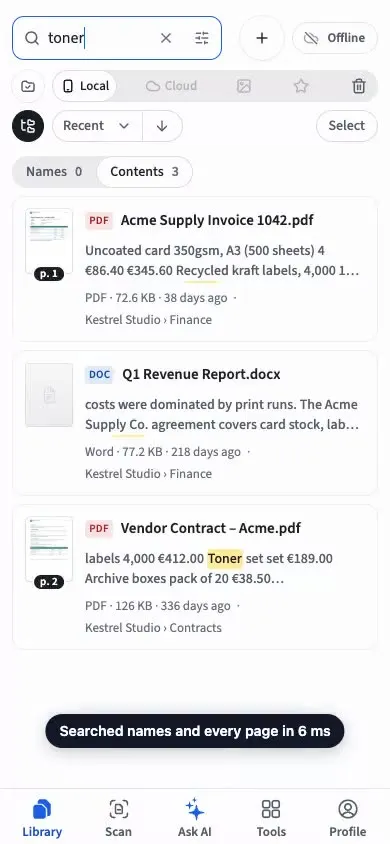
Hancom Docs works in a browser on Windows, macOS and Linux and in apps for Android 11 and iOS 16 or later, while the installed suite needs Windows 10 and the Mac gets Hangul only. Eddocu installs the same editor on Windows, Mac, Linux, iPhone, iPad and Android, and edits offline in each.
What the free plan covers
The free Hancom Docs plan has 2 GB, the web office and the mobile app; the desktop suite starts with Personal at ₩6,900 a month or ₩49,000 a year, and Free and Personal both exclude commercial use. Eddocu’s free plan includes its desktop and phone apps for personal use.
Editing PDFs
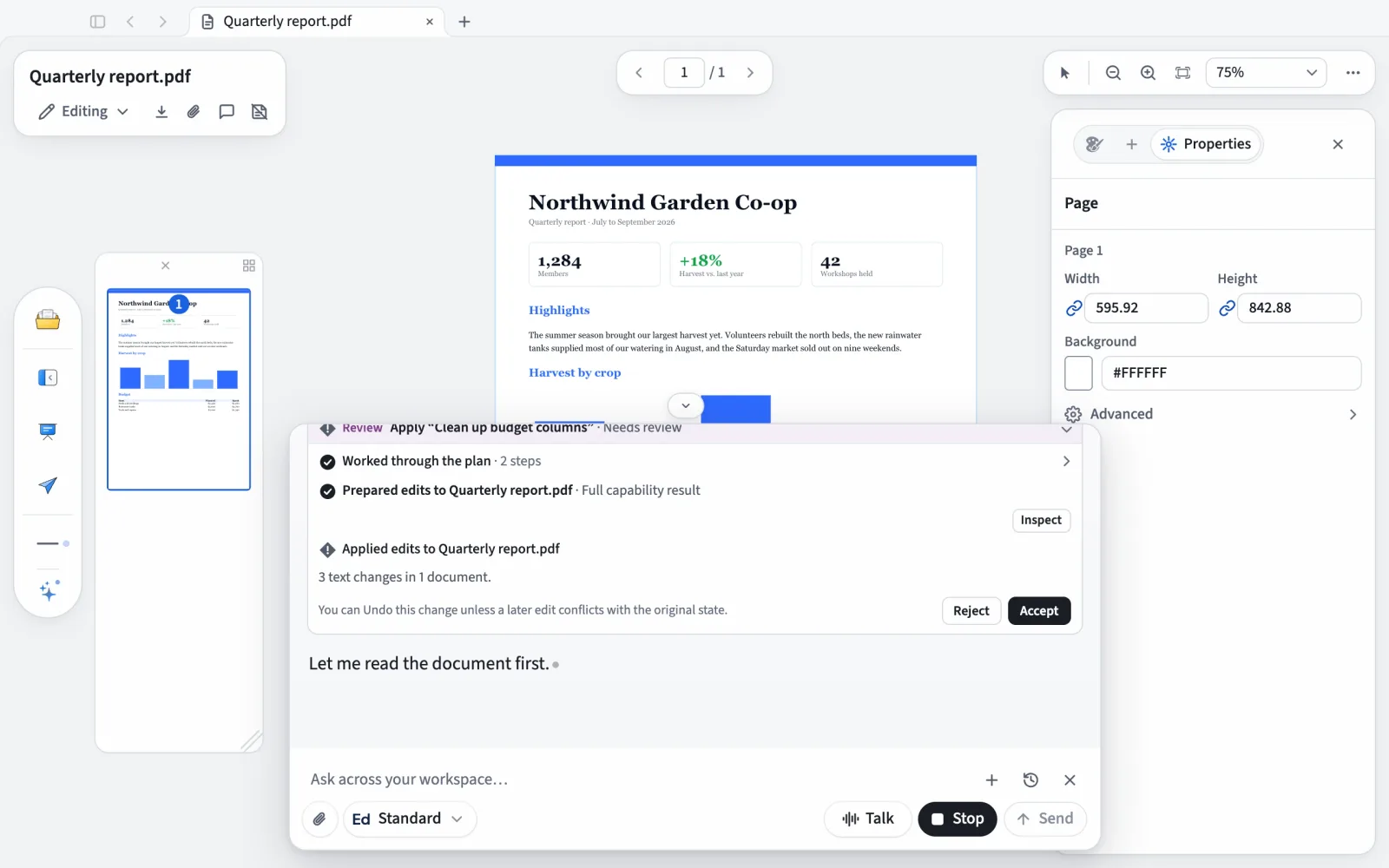
Hancom PDF, in the suite, opens PDFs for reading and converts them into office documents or images. Eddocu edits the text, images and pages of the PDF itself and saves it as a PDF, and its AI chat can rewrite a paragraph in place.
Where Hancom is clearly ahead
HWP is what Hancom was built for, and Hancom Office pairs it with a spreadsheet, a presentation app, a Word-format editor, add-ons and Hancom Assistant. If documents reach you as HWP or HWPX, you need Hancom, and Eddocu cannot replace it.
Where Eddocu falls short
- Eddocu imports a PDF, DOCX or PPTX into its own format and writes a new file when you save. Simple documents come back as they went in; complex layouts (dense multi-column pages, unusual fonts, embedded charts) can shift, so check the result before you send it.
- Eddocu is closed source: you cannot read its code, audit it or host it on your own server.
- Filling and adding PDF form fields happens in separate tools that are still in beta.
- The web version needs an internet connection and a free account. Offline editing without an account is in the apps for Windows, Mac, Linux, iPhone, iPad and Android.
- Eddocu cannot open HWP or HWPX files: save them as .docx or PDF in Hangul first.
- Eddocu has no spreadsheet editor.
Questions people ask
How much does Hancom Docs cost?
The free plan has 2 GB of storage, the web office and mobile apps. Personal is ₩6,900 a month or ₩49,000 a year with 10 GB, the installed Windows suite and Hangul for macOS. Business is ₩10,900 a month or ₩99,000 a year per licence with 100 GB and organisation management.
Can I use the free or Personal plan at work?
Hancom says no: Free and Personal are for personal, non-commercial use, and companies, public bodies, schools and other organisations must use Business. Eddocu’s free plan is also for personal use, with paid plans beyond it.
Can Eddocu open HWP files?
No. Eddocu opens PDF, DOCX and PPTX. Save the HWP file as .docx or PDF in Hangul or Hancom Docs first, then edit it in Eddocu.
More comparisons
- Eddocu vs Adobe Acrobat
- Eddocu vs Stirling PDF
- Eddocu vs Foxit PDF Editor
- Eddocu vs Smallpdf
- Eddocu vs iLovePDF
- Eddocu vs PDFgear
- Eddocu vs Wondershare PDFelement
- Eddocu vs Sejda
- Eddocu vs PDF24
- Eddocu vs Xodo
- Eddocu vs Nitro PDF
- Eddocu vs PDF Expert
- Eddocu vs Apple Preview
- Eddocu vs Ikinari PDF
- Eddocu vs ABBYY FineReader PDF
- Eddocu vs Bluebeam Revu
- Eddocu vs Okular
- Eddocu vs Docusign
- Eddocu vs Dropbox Sign
- Eddocu vs Adobe Acrobat Sign
- Eddocu vs Microsoft Word
- Eddocu vs Google Docs and Slides
- Eddocu vs Apple Pages
- Eddocu vs Ichitaro
- Eddocu vs Tencent Docs
- Eddocu vs Zoho Writer
- Eddocu vs Microsoft PowerPoint
- Eddocu vs Apple Keynote
- Eddocu vs Canva
- Eddocu vs Gamma
- Eddocu vs Microsoft Office
- Eddocu vs LibreOffice
- Eddocu vs ONLYOFFICE
- Eddocu vs WPS Office
- Eddocu vs Feishu Docs
- Eddocu vs Polaris Office
- Eddocu vs SoftMaker Office
- Eddocu vs Notion
- Eddocu vs Evernote