Search Inside Every PDF, Word and PowerPoint File: Eddocu vs Spotlight and Windows Search
Find a document by its name or by any words inside it, and land on the right page. How Eddocu searches 133,245 pages in under 7 ms, and how that compares with Spotlight and Windows Search.
Published Updated Reading time 4 min read
On this page
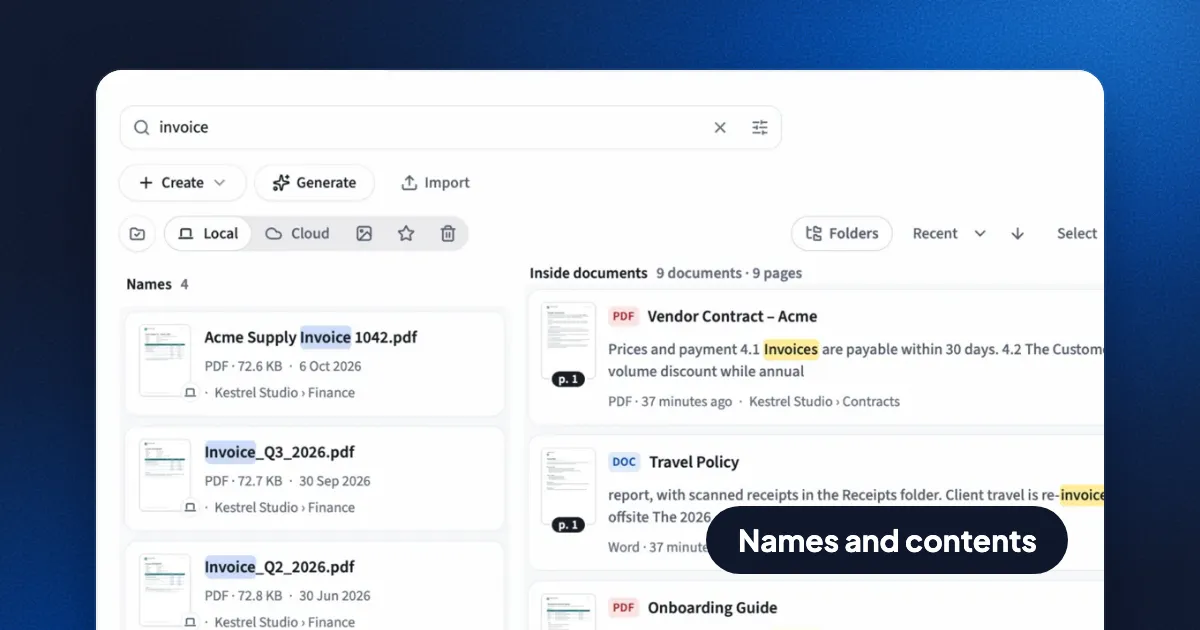
Short answer: Eddocu's apps keep their own search index of your documents, on your computer or phone. One search box finds a file by its name or by any words inside it, across PDF, Word (DOCX) and PowerPoint (PPTX) files, and opens the page the words are on. On a test library of 40,085 files and 133,245 pages, 95% of searches answered in under 7 milliseconds, as you type, with no internet connection. Spotlight on the Mac and Windows Search also search inside files, but they index the whole system and point you at a file, not a page.
What Eddocu's search finds
- File names of the documents on your computer. A word can match anywhere in the name, so "invoice" finds "2026 Invoice 1048.pdf".
- The words inside documents: the text of PDFs, Word files, PowerPoint decks and documents you made in Eddocu. Each result is a page, so you land on page 37 of the contract, not on page 1.
- As you type. Every word you type is treated as the start of a word, and all words must appear, so "quart rep" finds "Quarterly report".
- Without accents getting in the way. "sozlesme" finds "sözleşme", and the Turkish İ and ı match a plain i.
- Inside one open document, the find bar searches every page, including pages not loaded yet and edits you haven't saved, with exact, fuzzy, match-case and regular-expression modes.
How fast it is
We measure search on a large library rather than a demo folder, typing a query letter by letter while the machine is busy with other work. Numbers from November 2026, on a MacBook Pro with an M3 Pro chip and 18 GB of memory:
| What | Library | Typical (median) | Slow end (95th percentile) |
|---|---|---|---|
| Search inside documents, as you type | 133,245 pages in 40,085 files | 2.7 ms | 6.5 ms |
| Search file names | 40,000 files | 0.5 ms | 0.9 ms |
| Read and index a new library | 16,053 Word and PowerPoint files | 35 seconds, in the background; 113 MB on disk | |
For scale: a screen refreshes every 16 milliseconds at 60 Hz, so a 6.5 ms search finishes before the next frame. Before we built our own index, the Mac app asked Spotlight for file names; on a test Mac with 3,848 documents each of those queries took 2 to 4 seconds, and 5 seconds when nothing matched. That gap is why we stopped using it.
Eddocu vs Spotlight vs Windows Search
Spotlight and Windows Search are good system-wide tools: they find apps, settings, emails and files of every kind. Eddocu's search does one job, documents, and is built around it.
| Eddocu | Spotlight (Mac) | Windows Search | |
|---|---|---|---|
| Finds files by name | Yes | Yes | Yes |
| Finds words inside PDF, DOCX, PPTX | Yes | Yes | Yes in indexed folders (by default your user folders); elsewhere File Explorer reads files one by one |
| Takes you to the page the words are on | Yes | No, opens the file | No, opens the file |
| Results as you type | Yes, under 10 ms at 133k pages | Yes, speed varies with the system index | Yes in indexed folders |
| Same search on computers and phones | Yes, one index on Mac, Windows, Linux, iPhone, iPad and Android | Mac only | Windows only |
| Covers apps, mail, settings | No, documents only | Yes | Yes |
| Works offline | Yes | Yes | Yes (web results need a connection) |
On Linux, search inside files depends on the desktop: GNOME and KDE ship their own indexers, many other setups have none. Eddocu's search behaves the same on all of them.
How it works
- Its own index, on your computer. Eddocu's offline core, written in Rust, keeps file names in memory and the text of every page in a full-text index on disk. Searches never leave your computer and never wait on a server.
- The system only says what changed. Eddocu listens to the change notifications every operating system already has (FSEvents on the Mac, the NTFS change journal on Windows, inotify on Linux) and re-reads just the files that changed. It never asks the system's index for answers, so results don't lag behind your disk.
- Names first, text after. A new folder's file names are searchable while it is still being listed. The text is read afterwards in the background, newest files first, at the lowest priority, and the indexer slows down or pauses when you are busy, on battery, or the machine is warm.
- Only what it should read. The index covers PDF, Word and PowerPoint files and skips hidden folders, app data and build output. If reading would make the index more than 20 MB bigger than you last agreed to, Eddocu asks first.
Limits, today
- Scanned PDFs with no text layer are found by name only.
- UYAP
.udffiles are found by name, not by their contents yet. - Very long files are indexed up to a limit of text per file, so the last pages of a huge PDF may not be searchable.
- Search matches the start of words; it doesn't correct typos in the library yet (the find bar inside a document has a fuzzy mode).
- The device index is in the Mac app from eddocu.com and the Windows, Linux, iPhone, iPad and Android apps. The Mac App Store version and the website search your Eddocu cloud documents by name.
FAQ
How do I search for text inside many PDFs at once?
Install Eddocu for Mac, Windows, Linux, iPhone or Android, open the Local tab of the library, and type in the search box. Results list each page that contains your words, across every PDF, Word and PowerPoint file in those folders.
Is Eddocu's search faster than Spotlight?
For documents, in our measurements, yes: under 7 ms for 95% of content searches across 133,245 pages, against 2 to 4 seconds per query when the Mac app used Spotlight for names. Spotlight searches far more than documents, so it does a different job.
Does Eddocu upload my files to search them?
No. The index is built and searched on your computer or phone. Only documents you put in your Eddocu cloud are searched on our servers, by name.
Facts checked on 14 November 2026 against Eddocu 1.3.20 and the measurements in our search engineering notes.
Related posts
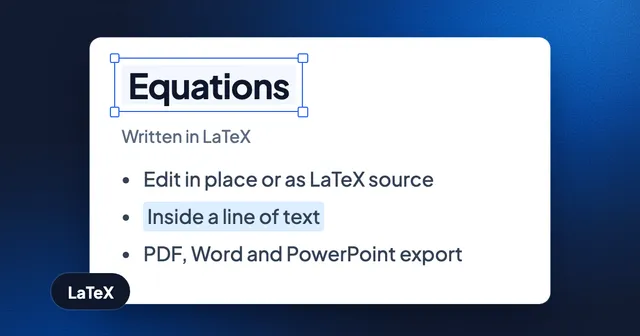
Write Equations in LaTeX, Keep Them Editable in Documents and Slides
Insert math in a document or slide, edit it in place or as LaTeX source, and export it as vectors in PDF and as native equations in Word and PowerPoint. With the current limits.
Guide 2 min read
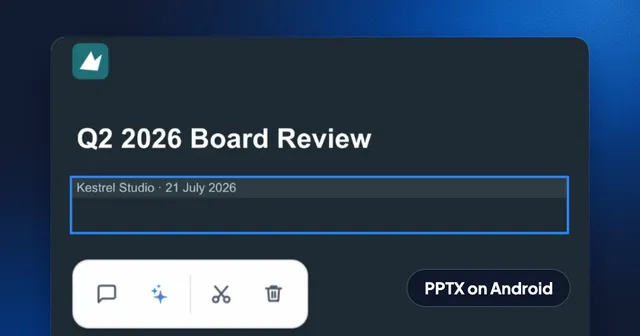
How to Edit a PowerPoint on Android Without an Account, Then Save It as PPTX
Open a .pptx on your Android phone, switch to Editing, change the text on a slide and export it as PowerPoint again. Recorded step by step, offline, with no sign-in.
Guide 3 min read
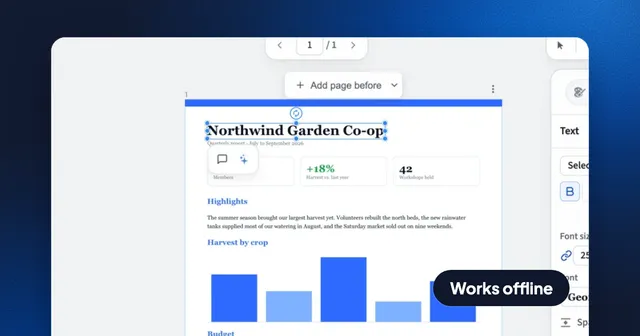
How to Edit a PDF Offline Without Uploading It
What Preview, Edge, Word, LibreOffice, Acrobat and Eddocu can edit with no internet connection, and how to change PDF text without your file leaving your computer.
Guide 4 min read